
How to Use a Free Podcast Transcription Tool (Step-by-Step Guide)
Learn a repeatable workflow to transcribe podcast episodes for free, enhance speaker labels, and format transcripts. Discover when to upgrade DeepScribe.

DeepScribe Team
Content Team
How to Use a Free Podcast Transcription Tool (Step-by-Step Guide)
Transcribing podcasts on a budget doesn’t mean compromising quality. With the right workflow, you can efficiently use free podcast transcription tools and achieve publish-ready results. This guide will show you how to navigate minute caps and file size limits while providing a systematic method to fix common transcription issues—specifically, speaker labels and formatting. We’ll introduce you to DeepScribe’s free-tier offerings and illustrate when an upgrade might be necessary for longer episodes or advanced export formats. Get ready to streamline your transcription process and deliver polished transcripts without breaking the bank.
Understanding Free-Tier Constraints
Navigating the world of free podcast transcription tools can feel like a balancing act, especially when dealing with the inherent constraints of free-tier plans. Many transcription services offer free plans that seem appealing, but they come with trade-offs. Let’s dive into how you can make the most of these offers without hitting a wall.
Minute and File Size Limits
When you’re using a free podcast transcription tool, the first constraint you’ll encounter is the limit on transcription minutes and file sizes. This is crucial to consider, especially if your podcast episodes are lengthy. For instance, the DeepScribe Free plan offers 30 minutes of transcription per month and a maximum file size of 25MB. This means you’ll need to carefully manage which episodes you choose to transcribe on this plan and possibly trim or split longer audio files. For those managing longer episodes, this might sound limiting, but strategic planning and splitting episodes into smaller segments can keep you within these boundaries.
Export Format Basics
Another important constraint is the limitation on export formats. Free plans usually restrict you to basic formats such as TXT. This is sufficient for creating readable transcripts but lacks the enhanced features of formats like DOCX or SRT/VTT, which are essential for subtitles and video accessibility. If your end goal involves producing high-quality video captions or formatted documents, you might find the need to upgrade to a paid tier that offers these capabilities. For instance, while the TXT format is available on the Free plan, other formats (SRT) are available on Basic and higher plans. The DeepScribe Pro plan, which includes formats like DOCX, PDF, SRT, and VTT, may be more fitting if your needs grow beyond what the free tier can handle.
While these constraints might seem daunting at first, understanding them allows you to tailor your transcription workflow effectively. Consider leveraging DeepScribe’s features according to your podcast’s specific needs. If you find yourself consistently bumping up against these limits, it might be time to consider a plan upgrade that aligns with your growing demands. The key takeaway here is that free-tier plans can serve as a robust starting point, but recognizing their limitations will empower you to use them to their fullest potential.
Preparing for Accurate Transcription
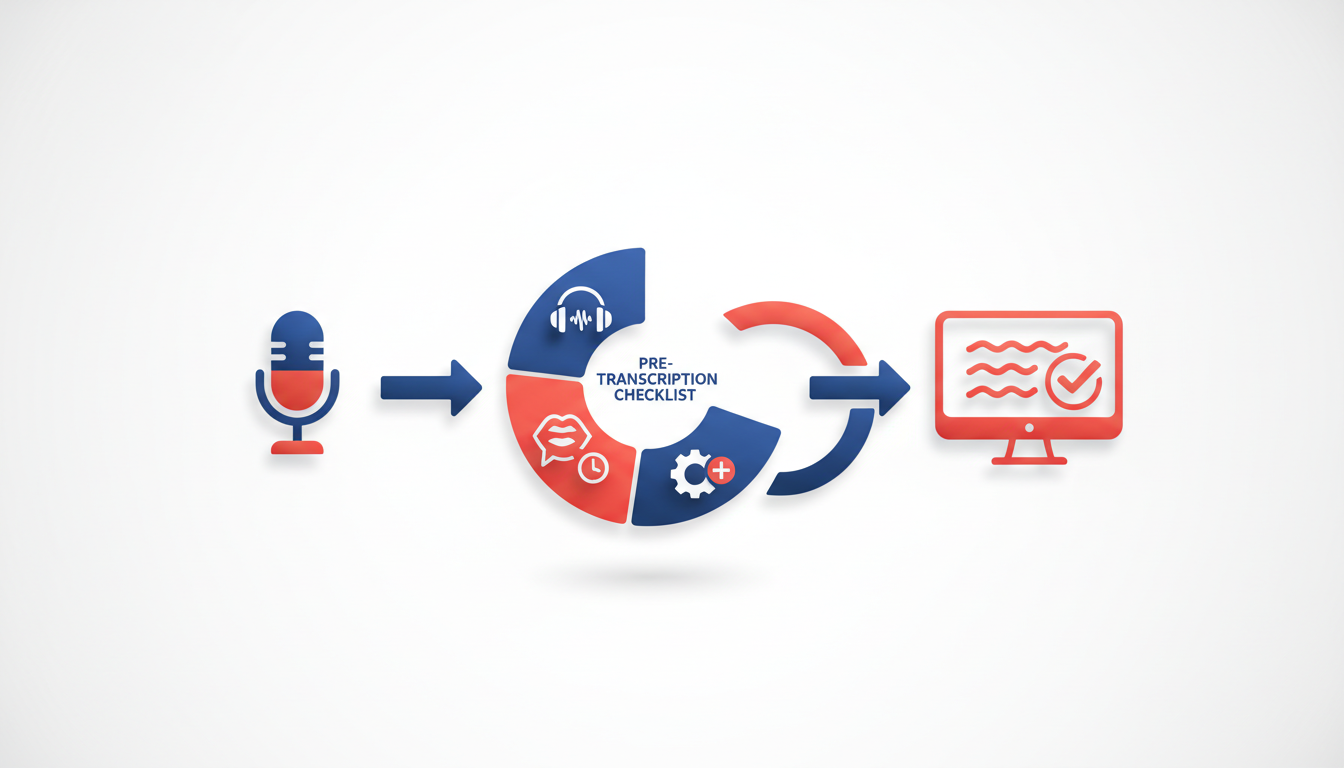
When it comes to transcribing podcasts efficiently, the first step is to ensure high audio quality. Let's dive into some practical tips to help optimize your recordings for accuracy.
Optimize Audio Quality: Clear speech and minimal background noise are crucial for precise transcription. Record in a quiet environment, free from distractions like traffic, household noise, or wind. Invest in soundproofing techniques—such as using foam panels—or simply choose a small, enclosed space like a closet to minimize echoes and distortion.
Choose the Right Microphone: The right equipment can make a significant difference. A condenser microphone tends to capture clearer audio compared to your built-in laptop or mobile phone microphones. For podcasters on a budget, quality USB microphones offer an excellent balance between cost and performance. For example, brands like Audio-Technica and Blue offer reliable, budget-friendly options that enhance clarity.
Ensure Proper Microphone Placement: Position your microphone about six inches away, angled slightly off-axis to avoid plosive sounds, which are sharp bursts of air that hit the mic on hard consonants like 'P' and 'B'. Using a pop filter can further reduce these noises, ensuring your audio is smooth and free from harsh peaks.
Consider Audio Settings: Adjusting your recording settings can also improve accuracy. Set your sample rate to 44.1 kHz or 48 kHz and bit depth to 16-bit. These settings provide a balance between file size and sound quality, ensuring your file remains within free-tier constraints, such as DeepScribe’s 25MB limit.
Monitor Your Recording: Keep an eye on the levels. Aim for a consistent level that hovers around -12dB to -6dB, which prevents clipping and distortion. It's also a good idea to do a quick test run before diving into full recordings. This helps spot any issues with background noise or equipment malfunction in advance.
Expert Insight: Many podcasters find that investing time in cleaner audio setups significantly reduces editing workload and improves transcription accuracy. Remember, even the best AI, like DeepScribe, thrives on quality input.
By following these audio best practices, you'll set yourself up for success, ensuring smoother, more accurate transcription—critical for making the most of DeepScribe’s powerful features.

The Core Free Transcription Workflow
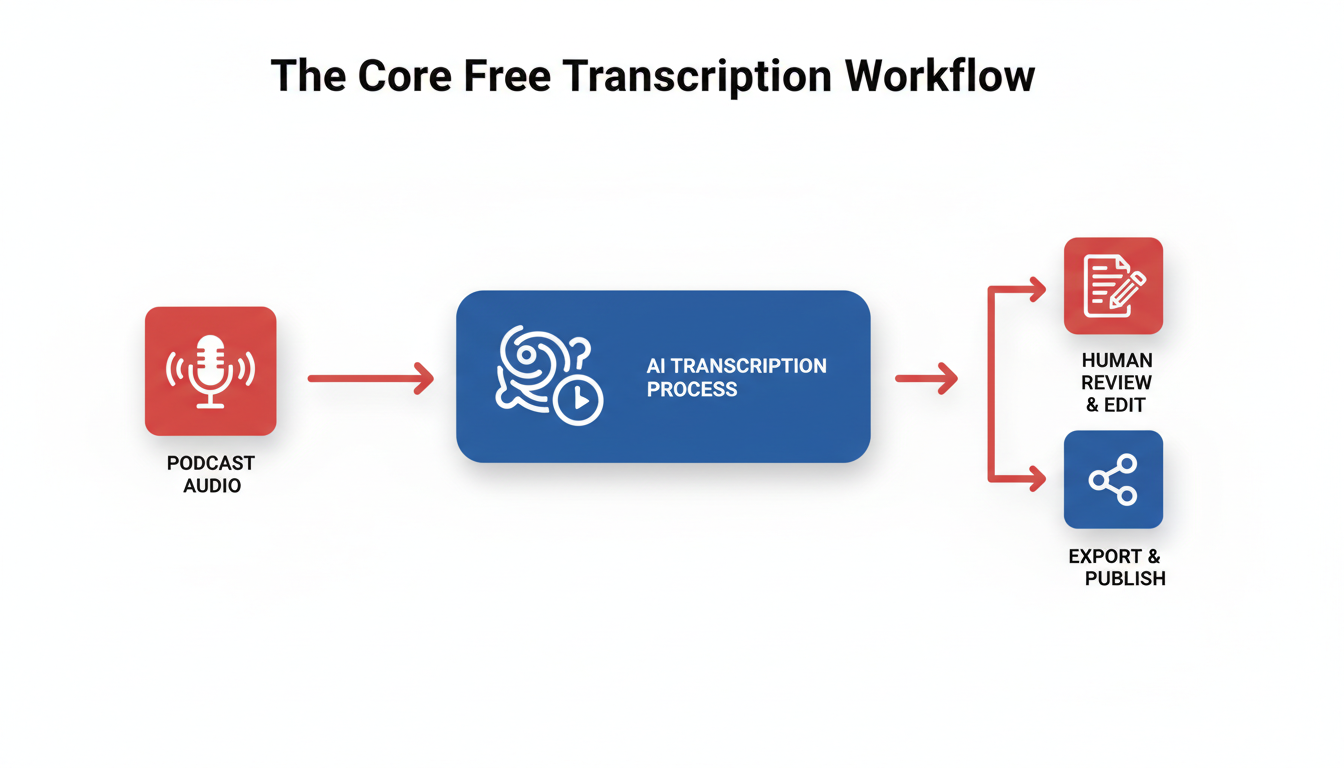
Ready to dive into the essential steps for transcribing your podcast episodes for free? Let’s break it down into a manageable workflow using DeepScribe’s Free plan. Even with its constraints, this plan gives you a reliable starting point to convert audio into text, tidy it up, and create a transcript that gets the job done.
Step 1: Upload Your Audio
To begin, you’ll need to upload your podcast file to DeepScribe. Supported formats include MP3 and WAV, which are commonly used by podcasters. Make sure your file is within the Free plan’s constraints: it should not exceed 25 MB, and you’re limited to 30 minutes of transcription per month. If your episode runs longer, consider splitting the audio into segments or prioritizing the sections you need transcribed the most.
Step 2: Run Initial Transcription
Once your file is uploaded, DeepScribe will handle the heavy lifting. Powered by Whisper, DeepScribe offers industry-leading accuracy promising 99% in speech-to-text, even if your audio features background noise or multiple accents. The transcription process is quick, and you'll have your text ready within minutes.
Takeaway: For best results, ensure your audio is clear of unnecessary noise and interruptions, as this significantly boosts transcription accuracy.
Step 3: First-Pass Cleanup
With your initial transcription in hand, it's time for the first-pass cleanup. Start by reviewing obvious errors like misheard words or phrases. Given the constraints of the free plan, note that the transcript comes in a simple TXT format, which you can export and edit in any text editor.
Check the alignment of content by revisiting your audio if needed, ensuring that key points are accurately captured. This step is also where you might want to remove filler words or repeated phrases that don’t add value to the transcript. It’s your moment to shape the rough transcription into something more coherent.
Expert Insight: Focusing on audio quality during recording can save you time in this cleanup phase. A clean recording translates into fewer errors during transcription.
Screenshot Placeholder
By following these steps, you can maximize what DeepScribe’s Free plan offers. Remember, the initial transcript might not be perfect, but with quick adjustments, it’s “good enough to publish.” In upcoming steps, we'll delve into accurately labeling speakers, improving formatting, and deciding when it might be worth exploring DeepScribe’s paid tiers based on your needs.
Improving Speaker Labels
Handling multiple speakers in a podcast transcript can often feel like untangling a set of holiday lights: messy and frustrating. But fear not—cleaning up speaker labels in your transcript is achievable and well worth the effort for clear, readable results.
Manually Correcting Speaker Labels
Let’s start by diving into the manual correction process. Many free transcription tools tend to label speakers generically (e.g., "Speaker 1," "Speaker 2"), meaning it's up to you to assign the correct names. Begin by listening to the audio while following along with the transcript. As you identify each speaker, replace the generic labels with their actual names. This method not only improves accuracy but also makes the transcript more engaging and authentic.
DeepScribe offers useful features for this task. Leveraging its capabilities for speaker detection, even under the constraints of the free plan, can lay a good foundation. However, it’s the manual adjustments that truly elevate the transcript, ensuring each speaker is consistently recognized and attributed.
Standardizing Naming Conventions
Consistency is key. By standardizing your naming conventions, you create a smoother editing process and an easier-to-read document. Decide early on how you'll refer to speakers ("Dr. Green" vs. "Dr. G"), and stick to it throughout the transcript. This approach enhances clarity, especially in longer episodes or series where listeners might become familiar with recurring characters.
Here’s a simple template for reference:
- Always use full names or agreed-upon titles (e.g., "Alice Jones" or "Dr. Smith").
- Avoid nicknames unless they are a prominent part of the speaker’s identity in the recording.
- If the speaker's identity isn't critical, maintaining the "Speaker 1" format can sometimes suffice, recognizing that solutions like DeepScribe's higher-tier plans offer more advanced speaker identification options when needed.
Techniques for Multi-Speaker Differentiation
Identifying multiple speakers often requires differentiating subtle nuances in voice and speech patterns. To streamline this, utilize audio characteristics (like tone or pitch) to guide who’s speaking. For instance, one speaker may consistently have a softer tone, or another might have a distinct accent—features that tools like DeepScribe, aided by its Whisper-powered accuracy, can help discern initially.
In cases where speakers frequently interrupt each other or have overlapping dialogue, rely on context clues from the conversation to determine who’s talking. Reading over the surrounding sentences can give insightful hints about speaker identity, helping you assign labels more confidently.
Pro Tip: Regularly listening to segments of your podcast while labeling can sharpen your ability to distinguish speakers over time, reducing the need for constant playback.
By investing time in these steps, your transcript evolves from a basic text into a polished document that reflects the authenticity and dynamic nature of your podcast. Whether your episodes feature just two speakers or a lively roundtable, a consistent and methodical approach to speaker labels will make a noticeable difference to your audience.
Formatting Transcripts for Publication
Once you've transcribed your podcast using a tool like DeepScribe, it's time to shape that raw text into a polished, publish-ready transcript. Here's how to tackle this task step-by-step for clarity and professionalism.
Organize Text into Paragraphs
The first step is breaking down the transcription into readable paragraphs. Unlike dialogue, which may appear as long blocks of text, paragraphs help readers follow the conversation and grasp key points.
- Key Insight: Use natural breaks in conversation to start new paragraphs. This could be a change in topic, a question asked, or a significant pause.
For example, if the conversation shifts from discussing podcasting tools to video editing software, this is a prime opportunity to start a new paragraph. This approach improves readability and engagement.
Decide on Including/Excluding Timestamps
Including timestamps in your transcript can be useful, especially for those who may want to jump directly to specific parts of the audio. However, they aren't always necessary for all transcripts.
- Key Insight: Evaluate the purpose of your transcript. For SEO and accessibility, timestamps might clutter the content. Reserve timestamps for drafts intended for precise revisions or technical reviews.
If your target audience is casual readers, omit timestamps to maintain a cleaner text format.
Ensure Speaker Names are Consistent and Clear
Speaker labeling is one area where free transcription tools can struggle. It's vital to edit these manually for consistency. In DeepScribe's Pro and Business plans, advanced speaker identification can ease this task, but in the Free plan, you may need to make adjustments manually.
- Key Insight: Create a template for speaker labels to ensure uniformity. Use the names consistently, such as "Host:" and "Guest:".
Here's an example:
Before:
Speaker 1: Welcome to the show.
Speaker 2: Thank you for having me.
After:
Host: Welcome to the show.
Guest: Thank you for having me.
> Pro Tip: Consistent speaker labels not only enhance professionalism but also aid in searchability when transforming the transcript into show notes or clips.
Additional Formatting Considerations
Don't forget formatting elements like bullet points for lists or bold text for main topics, which can significantly enhance reader engagement. For those seeking comprehensive outputs like DOCX or PDF, consider DeepScribe's Pro plan for seamless exports.
Employ these methods to ensure your podcast transcript is not only accurate but also engaging and accessible, catering directly to your audience's needs.
Handling Long Episodes
When you’re working to transcribe long episodes for free, managing the constraints without compromising quality can be a bit tricky. Let’s break down how you can efficiently handle lengthier podcasts using a free-tier transcription tool like DeepScribe.
Slice Audio Files
The key insight here is to slice your long audio files into manageable chunks. The free plan on DeepScribe allows up to 30 minutes of transcription per month with a 25 MB file size limit. For a 60-minute or longer podcast, you’ll need to split the audio into smaller segments. This can be done using audio editing software like Audacity or GarageBand, which are freely available.
Here’s how to do it:
- Open your episode in the editing software.
- Identify natural breaks or conversation pauses to split the audio seamlessly.
- Ensure each segment adheres to the plan’s file size and duration limitations.
By creating smaller files that fit within the free plan’s range, you conserve your available minutes and reduce the potential for errors in the transcript due to software limits.
Batch Processing
Once you have your audio sliced, batch processing is the next step. With DeepScribe, you can upload multiple segments one after the other. Although the process isn’t simultaneous on the free tier, organizing your workflow can significantly save time.
Here’s a suggested workflow:
- Upload the first audio segment.
- While it’s processing, prepare the next segment by checking audio quality and consistency.
- As each segment is processed, download the transcript immediately for safekeeping and initial review.
This step-by-step approach complements DeepScribe’s parallel processing capability on paid tiers, which allows for multiple files to be processed simultaneously, a feature worth considering as you scale your needs.
Stitching Transcripts Together
After processing, you’ll have multiple transcript segments. Stitching these together involves more than just copy-pasting text. It’s crucial for maintaining narrative consistency and readability.
Consider these steps:
- Use consistent speaker labels across segments, as automated tools may vary in tagging speakers.
- Add timestamp markers when you switch segments to track conversation flow seamlessly.
- Ensure speaker transitions feel natural by re-reading and adjusting text as needed.
Remember, this manual compilation turns raw transcripts into publish-ready content, preparing them for SEO benefits and audience consumption.
Addressing Challenges
Managing large files and durations without breaking your workflow is challenging but feasible with these methods. When file size becomes an issue, compress audio files to lower resolutions without losing noticeable quality.
Here’s a quick comparison table of DeepScribe’s plan capabilities to help decide when an upgrade may be beneficial:
| Plan Tier | Minutes/Month | Max File Size | Export Formats | Parallel Processing |
|---|---|---|---|---|
| Free | 30 | 25 MB | TXT | No |
| Basic | 300 | 500 MB | TXT, SRT | Yes (limited) |
| Pro | 900 | 2 GB | DOCX, PDF, SRT, VTT | Yes (priority) |
| Business | Unlimited | 10 GB | All Formats + Integration | Yes (fastest) |
Key Takeaway: Maximize free resources by strategically segmenting and processing audio, while also weighing the benefits of upgrading for seamless, simultaneous processing and improved export options.
For more strategic insights, check out related guides on transcribing long Zoom meetings or audio-to-text workflows.
Exporting and Repurposing Options
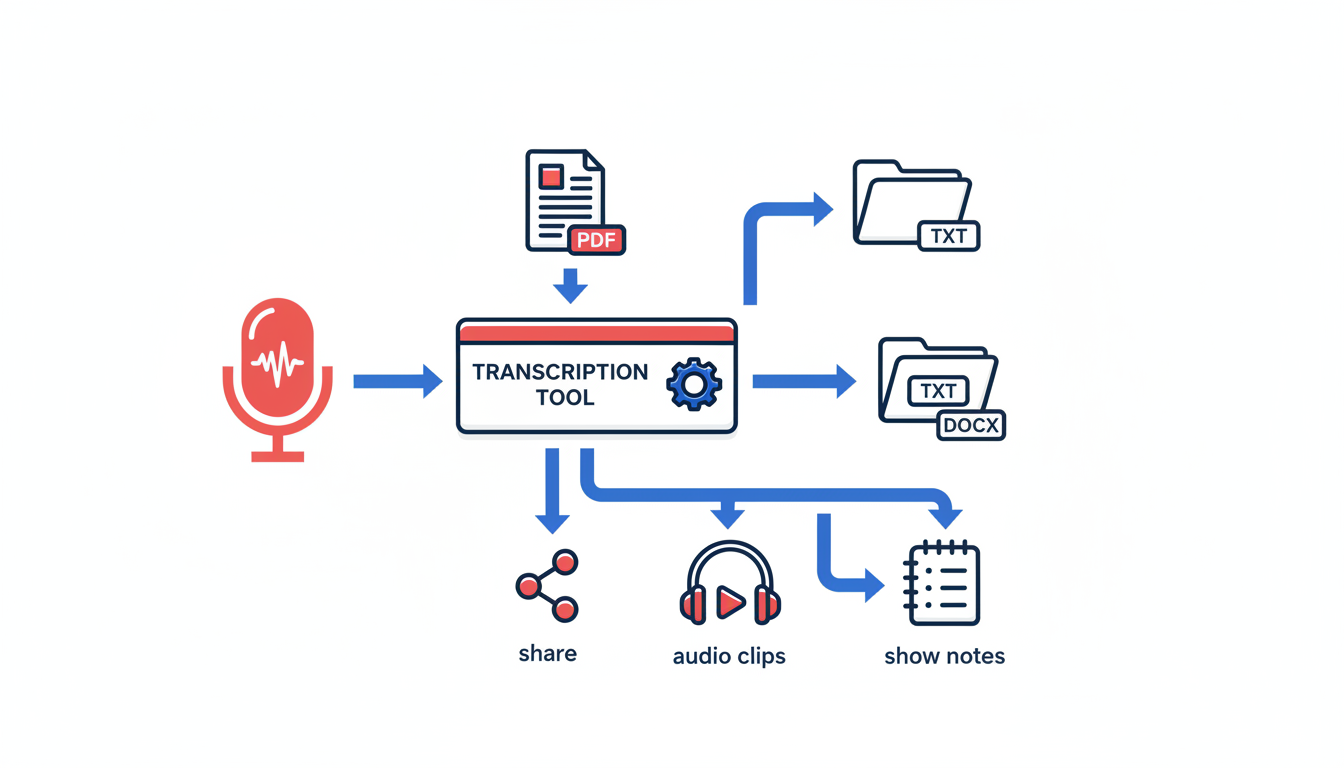
When it comes to exporting your podcast transcriptions, choosing the right format is crucial to meet your needs. From TXT to DOCX, PDF, SRT, and VTT, each format serves a different purpose. Let’s break them down and see when you might consider upgrading your DeepScribe plan for advanced needs.
Choosing the Right Format
TXT files are basic text formats, perfect for simple documentation or when you need a quick, no-frills export. This format is supported on DeepScribe’s Free plan, making it an ideal choice for those just starting out and wanting to keep it simple.
DOCX and PDF, on the other hand, are excellent for presentation-ready documents. If your goal is to share transcripts with clients or team members, these formats provide a polished look. Both are available on DeepScribe’s Pro and Business plans.
SRT and VTT formats are specifically designed for subtitles and captions. They come with timecode data that synchronizes text with audio or video. This is essential if you're creating content for platforms like YouTube or if you're focused on accessibility. DeepScribe’s Basic plan offers SRT export, while VTT is available on Pro and Business plans.
When to Upgrade DeepScribe for Advanced Export Needs
While DeepScribe’s Free plan offers basic TXT export, you may quickly find yourself wanting more, especially if you're handling longer episodes or need richer formatting options. Upgrading to the Basic plan allows you to handle more minutes and introduces export options like SRT, which is useful for simple captioning tasks.
If your needs extend to PDF and VTT formats, along with advanced features like AI-driven summaries or speaker detection, the Pro plan is your go-to. This not only broadens your export capabilities but also ramps up your transcription minutes and file size limits, crucial for busy content creators with extensive projects.
For businesses with high-volume transcription needs and custom requirements, the Business plan ensures you have no limits on minutes, vast file size capacity, and all export formats, along with advanced speaker identification and custom integrations.
Practical Uses for Different File Formats
- TXT: Quick text edits, basic SEO optimization.
- DOCX: Share polished documents, collaborate with editorial teams.
- PDF: Deliver clean, professional-looking transcripts to stakeholders.
- SRT/VTT: Generate precise captions for video content, improving accessibility and engagement.
Pairing the right format with your needs not only streamlines your workflow but also enhances your content’s reach and professionalism. With DeepScribe, you have the flexibility to start small and scale as your podcast grows. Explore how DeepScribe can enhance your transcription workflow here.
DeepScribe Plans: Free vs Basic vs Pro vs Business
Navigating transcription options can be overwhelming, but DeepScribe makes it easier with its structured plans. Whether you're a budding podcaster or running a high-volume media enterprise, DeepScribe tailors to your needs. Let’s explore each plan’s unique offerings to help you make an informed choice.
Free Plan
The Free plan is an excellent entry point for those new to podcast transcription. It offers 30 minutes of transcription per month and supports a maximum file size of 25MB. While its export options are limited to basic TXT files, this plan is perfect for short, simple podcasts or experiments with transcription without financial commitment. You can dive into the transcription process without a credit card, making it a hassle-free startup for podcasters.
Basic Plan
Stepping up to the Basic plan at $15/month, you unlock 300 minutes of transcription monthly and can handle files up to 500MB. This plan supports TXT and SRT exports, making it easier to add subtitles to your videos or improve accessibility. If your podcast occasionally runs into the extended bracket or involves more intricate editing and distribution needs, this upgrade offers the flexibility and functionality required, plus basic speaker identification to help keep track of multi-speaker episodes.
Pro Plan
The Pro plan, available for $29/month, is geared toward serious podcasters or small teams with more ambitious projects. It provides 900 minutes of transcription each month and supports larger files, up to 2GB. This plan expands export options to DOCX, PDF, SRT, and VTT, catering to diverse publication needs, from content repurposing to full-scale media production. The priority processing ensures faster delivery times, while features like the full AI suite provide action items and summaries to streamline post-production workflows.
Business Plan
For extensive needs, the Business plan at $99/month is unparalleled. It offers unlimited transcription minutes and supports files up to a whopping 10GB. Advanced features include comprehensive speaker identification and the ability to integrate with custom systems. This plan is ideal for large teams or enterprises needing extensive transcription capabilities, fast processing, and dedicated support, including a dedicated account manager and custom AI prompts for tailored solutions.
Key Takeaway: Whether you are just starting out or managing a large-scale production, DeepScribe’s tiered plans are structured to grow with your needs, balancing cost with functionality to offer optimal value at each level.
DeepScribe Plan Comparison
| Feature | Free | Basic | Pro | Business |
|---|---|---|---|---|
| Price (Monthly) | $0 | $15 | $29 | $99 |
| Minutes/Month | 30 | 300 | 900 | Unlimited |
| Max File Size | 25MB | 500MB | 2GB | 10GB |
| Exports | TXT | TXT, SRT | DOCX, PDF, SRT, VTT | DOCX, PDF, SRT, VTT |
| Processing Priority | Standard | Standard | Priority | Fastest |
| Extra Features | None | Speaker ID | Full AI Suite | Advanced Speaker ID |
With DeepScribe, you can confidently choose a plan that matches your transcription needs, knowing you have the option to scale up as your podcast grows. For more insights on audio transcription, visit DeepScribe's Blog.
FAQs and Troubleshooting
Navigating the challenges of AI transcription for podcasts can seem daunting, but having the right guidance can make all the difference. This section addresses common questions and offers practical solutions to typical issues podcasters face.
Transcription Accuracy
What's impacting my transcription accuracy?
Several factors can affect the transcription quality, such as background noise, unclear speech, or poor audio quality. For podcasts, ensuring that the audio is as clean as possible—by reducing echoes and using quality microphones—can significantly improve the accuracy. DeepScribe, powered by OpenAI’s Whisper, offers a high accuracy rate of 99%, especially effective with clear inputs. For tips on optimizing audio quality, explore our blog post about AI transcription tips.
File Upload Issues
Why am I having trouble uploading my files?
File upload hiccups often relate to format or size restrictions. With DeepScribe's Free plan, you're limited to 25 MB per file. Ensure your audio files are within these parameters. Supported formats include MP3, MP4, WAV, M4A, and WEBM. If your files are larger, consider compressing them or breaking lengthy episodes into smaller segments for easier processing. For assistance with audio formats, check the audio-to-text guide.
Choosing Between SRT and VTT Formats
What are the differences between SRT and VTT, and which should I use?
SRT and VTT are both subtitle file formats, but they have some differences. SRT is simpler and widely compatible, often used for offline videos. VTT, on the other hand, supports more styling options and is better for web use. DeepScribe’s Pro plan allows you to export in both formats, making it easy to choose based on your needs. If you're unsure which to opt for, consider where your podcast will be published—web platforms often benefit from VTT's capabilities.
"For most podcasters, starting with SRT provides the simplest route for broad compatibility, while VTT offers enhanced features for web integration."
These FAQs aim to make your podcast transcription journey smoother. If you're ready to explore how DeepScribe can elevate your transcription workflow, visit our website.
Frequently Asked Questions
How can I improve transcription accuracy?
Ensure good audio quality with clear speech and minimal background noise.
What file formats does DeepScribe Free support?
DeepScribe Free supports TXT exports.
What are the minute limits for DeepScribe plans?
Free has 30 minutes/month, Basic 300, Pro 900, and Business unlimited.
Why are speaker labels important in transcripts?
They help accurately attribute speech to the correct speaker.
When should I upgrade my DeepScribe plan?
Upgrade when you need more transcription minutes or advanced export formats.
Conclusion
Transcribing podcasts using free tools can streamline your workflow while keeping costs low. Here’s a quick recap to help you get started:
- Choose Your Tool: Identify a free podcast transcription tool that suits your needs.
- Input Audio: Upload or input your podcast files.
- Transcribe and Edit: Allow the tool to process, then fine-tune for clarity and accuracy.
- Export Format: Depending on your needs, export as a TXT file for free users.
As you grow, consider the right path for advanced features:
- Free: Ideal for short episodes and basic TXT files.
- Basic: Upgrade to include SRT exports and more minutes.
- Pro: For additional formats like PDF/DOCX/VTT and higher limits.
- Business: Perfect for high-volume needs with advanced tools and integrations.
If you're ready to see how these features come to life, explore DeepScribe and experience its AI-powered capabilities for seamless podcast transcriptions. Try DeepScribe today and elevate your transcription process.
Written by

DeepScribe Team
Content Team
The DeepScribe content team shares insights on audio transcription and AI technology.
Related Articles
Continue reading about this topic

How to Use a Free Podcast Transcription Tool: A Complete Guide
Explore a step-by-step guide to transcribing podcasts for free. Optimize speaker labels, format, and export efficiently using DeepScribe.

DeepScribe Team
March 9, 2026 · 22 min read · 4,206 words