
9 Best Free Video-to-Text Tools for Quick Captions in 2023
Explore the best free video-to-text tools for creators. Find out how they handle transcription accuracy, speed, and export formats for captions.

DeepScribe Team
Content Team
9 Best Free Video-to-Text Tools for Quick Captions in 2023
In the fast-paced world of content creation, finding powerful yet affordable tools is key. If you’ve ever struggled to get a clean transcript and usable captions from a video without immediately whipping out your credit card, you’re not alone. Many “free” video-to-text solutions offer the promise of conversion, but hit creators with unexpected limitations when it comes to exporting usable captions in formats like SRT or VTT. This guide cuts through the noise, providing a creator-first ranking of the best free video-to-text tools that truly deliver on transcription and captioning needs without hidden costs. With a clear breakdown of file upload tools versus meeting-only and platform-specific options, you’ll learn precisely which tool suits your workflow—whether you’re working on YouTube, Zoom, or even offline for maximum privacy. Start here, and discover which free-tier solutions are truly decision-ready for your next project.
Introduction: Fastest Path to Transcripts and Captions
If you’re a content creator, social media manager, or video editor, you know the value of generating accurate transcripts and captions quickly. The demand for free video-to-text tools is skyrocketing, especially with video content ruling platforms like YouTube, TikTok, and Instagram. But here’s the catch: many free options only convert your video into plain text and fall short when it comes to producing usable caption files like SRT or VTT formats.
Why does this matter? Captions boost video accessibility and viewer retention, helping you reach a broader audience. Yet, many tools impose constraints that can complicate your workflow, such as limited transcription minutes or hidden charges when exporting captions.
Expectation management is key. Tools like DeepScribe offer structured approaches by providing transcript and caption options tailored to specific formats. With its free plan, you get a basic TXT export, while upgrading unlocks SRT and VTT formats—critical for polished caption outputs. Many creators find they barely scratch the surface of free-tier limits before hitting these crucial roadblocks.
Consider how Otter.ai provides 300 minutes per month, offering ample transcription but making you jump through hoops for caption file exports. Alternatively, Google Live Transcribe offers unlimited transcription but is restricted to Android, limiting its accessibility.
Key Takeaway: Not all free tiers are created equal. Look for tools that align with your specific needs and ensure you’re not caught off guard by limitations on exports or usage against promises of "free."
As we dive into the best options in 2023, you’ll learn which tools stand up to scrutiny and truly expedite your workflow without emptying your wallet upfront.
Understanding Video-to-Text and SRT/VTT Importance
When diving into the world of video-to-text tools, it’s crucial to distinguish between transcripts and captions. While both are derived from audio, their purposes and formats vary significantly.
Transcripts are plain text versions of spoken content. They provide a verbatim record that can enhance understanding, facilitate editing, and support documentation needs. However, they lack the timing information required for syncing text with video.
Captions, on the other hand, are designed to run in tandem with video content. This is where SRT (SubRip Subtitle) and VTT (Web Video Text Tracks) files come into play. These formats include timestamps, allowing text to align precisely with the spoken word in a video, making them essential for accessibility and viewer engagement.
Why focus on SRT and VTT? For content creators, these formats are indispensable. They ensure viewers can follow along, even in muted environments, and enhance accessibility for those with hearing impairments. Plus, captions can improve viewer retention, keeping the audience engaged with your content for longer. If you're publishing on platforms like YouTube or Vimeo, having a seamless SRT export pathway is a must.
Using SRT/VTT files can also boost SEO, as search engines can index the text, making your video content more discoverable.
DeepScribe stands out in this arena by offering comprehensive export options, enabling creators to produce both accurate transcripts and synced captions easily. With options to export in formats such as TXT, SRT, and VTT, DeepScribe provides the flexibility creators need to ensure their content is both accessible and engaging. For those new to the nuances of caption files, DeepScribe simplifies the process from video to caption-ready files, ensuring a smooth workflow.
Explore how DeepScribe handles this process seamlessly.
Ranking Criteria Explained
When we dive into ranking the best free video-to-text tools, we focus on a few crucial elements that genuinely matter for content creators. Speed, accuracy, and limits top the list, but let’s break down each factor so you know exactly what we’re looking at.
Speed
The first priority for any video-to-text tool is how quickly it can turn around a project. For many creators, time is of the essence, and no one wants to be stuck in processing purgatory. Tools like DeepScribe promise lightning-fast turnaround by leveraging advanced AI to deliver transcripts in minutes. With the ability to process up to 10 hours of audio simultaneously, it’s a serious contender in the speed department. Remember, faster processing means you can start editing or publishing without long waits.
Accuracy
Speed is nothing if the text isn’t accurate. This is where DeepScribe's Whisper-powered transcription shines, boasting industry-leading accuracy to handle various accents, background noise, and even technical jargon. In the realm of video transcription accuracy, having a tool that minimizes errors means less manual editing for you later on. It’s essential, especially for those working in detailed domains like legal or medical transcription, where every word counts.
Limits and Free Tiers
The allure of free tiers can quickly diminish if you hit limits too early. Our ranking also looks at how these tools handle minutes and exports within their free versions. For instance, Otter.ai offers 300 free minutes monthly, but the export capabilities in terms of formats could be the deciding factor for creators. DeepScribe, on its Basic plan, provides TXT and SRT exports, crucial for content creators who need reliable caption export formats like SRT/VTT.
Importance of Caption Exports
Caption exports are non-negotiable in selecting the right tool. The availability of formats like SRT and VTT can make or break your workflow. While many tools provide a simple transcript, getting output in a subtitle-ready format like DeepScribe offers can save hours. It's about giving viewers the best experience, particularly on platforms where captioning boosts engagement and accessibility.
Key takeaway: Always check the export formats each tool offers; not all free plans give you subtitle-ready files.
Ultimately, our ranking criteria ensure we recommend tools that will not only meet your needs quickly and accurately but also fit within your budget without skimping on essential export features.
Free Video Transcription + Caption Export Comparison
When you're on a mission to convert video into text quickly and efficiently, understanding the strengths and limitations of each tool is crucial. Here's a detailed comparison of nine free video-to-text tools, focusing on their features, export formats, and restrictions. Let's dive into the details, helping you choose the ideal tool for your needs without breaking the bank.
| Tool | Free Minutes | Languages Supported | Export Formats | Best For | Limits / Trade-offs |
|---|---|---|---|---|---|
| DeepScribe | 30 min/month | 100+ | TXT (Free), SRT (Basic) | High accuracy transcription and captions | Limited free minutes, advanced exports on Pro plan |
| Otter.ai | 300 min/month | 5 | TXT | Meeting transcription | Meeting-only integration, no direct video uploads |
| Notta AI | 120 min/month | 58 | TXT, SRT | Multilingual transcription tasks | Limited free minutes |
| Google Live Transcribe | Unlimited | Varied | - | Android live transcription | Android-only, no export formats |
| Descript | 1 hour/month | English | TXT | Editing & filler removal | Proprietary editing interface, limited free tier |
| Scripsy | Unlimited | Multiple | SRT, VTT | YouTube transcriptions | YouTube-only, web app dependency |
| Fathom | Unlimited | English | TXT | Zoom meeting transcription | Zoom-only, no video file uploads |
| Vosk | Unlimited | Multiple | - | Offline transcription | Requires installation, no direct caption export formats |
| Whisper | Unlimited | Multiple | - | Developer-focused transcription | Code-based, no GUI for general users |
Key Takeaways:
DeepScribe offers a range of export options, making it a versatile choice for those needing high-quality transcripts and captions with additional language support. While the free tier includes basic TXT export, users can unlock SRT and more formats by upgrading, making it ideal for users who may eventually need more comprehensive outputs.
For Android users who prioritize unlimited, on-the-go transcription, Google Live Transcribe is unmatched, though keep in mind the lack of direct export options.
Scripsy stands out for creators heavily focused on YouTube, with unlimited transcriptions and support for standard caption files like SRT and VTT, though it's limited to online use.
Before diving in, consider your editing needs, language requirements, and whether you prefer desktop or browser-based tools. By aligning your preferences with a tool that effectively meets your needs, you can ensure a smoother video-to-text workflow.
For more details on each tool and how to get started, check out the DeepScribe blog for insight and guides tailored to various transcription needs.
1. DeepScribe — Best for Accurate Transcripts and Captions
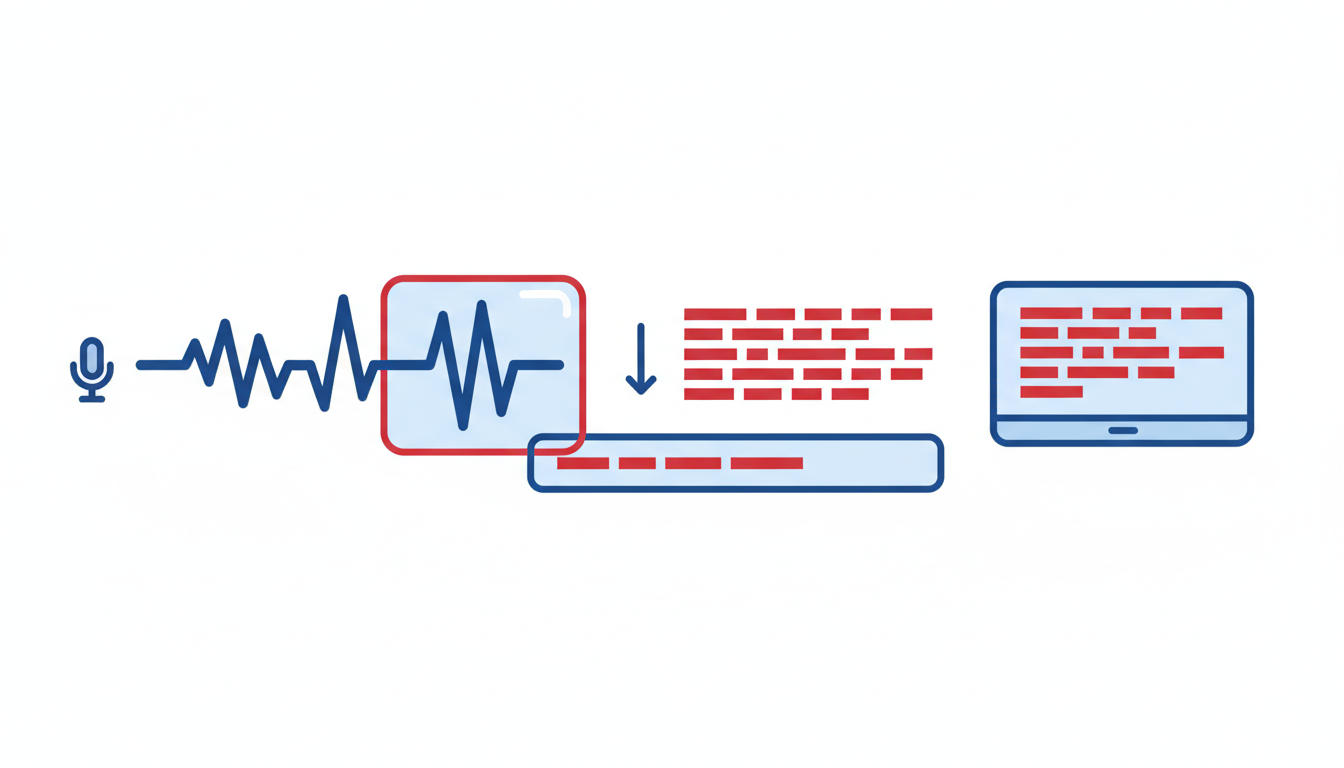
When it comes to transforming your videos into clean, accurate transcripts and exportable captions, DeepScribe sets the bar high. As a top choice for AI-powered transcription, it offers unmatched speed and precision. Whether you're a content creator or a social media manager, DeepScribe provides a seamless experience designed to fit directly into your workflow.
Export Formats and Free Tier
Users on the free tier of DeepScribe enjoy basic TXT exports, making it easier to get started without upfront costs. For those seeking subtitle files, the Basic plan unlocks SRT exports, while the Pro and Business tiers expand options to include VTT, DOCX, and PDF. This flexibility ensures you can share and utilize your content effectively across different platforms.
Key Insight: DeepScribe stands out by offering a straightforward path from transcription to captioning, with accurate exports tailored to various needs.
Speed and Accuracy
Powered by OpenAI’s Whisper, DeepScribe boasts 99% transcription accuracy, tackling accents, background noise, and technical jargon with ease. The lightning-fast processing enables you to transcribe and subtitle lengthy videos in a fraction of the time, making it a favorite among busy creators and teams.
- Multilingual Support: With support for over 100 languages and automatic language detection, it’s a perfect choice for multilingual projects.
- Speaker Labeling: Identify and label different speakers automatically, crucial for interviews and collaborative content.
Streamlined Workflow
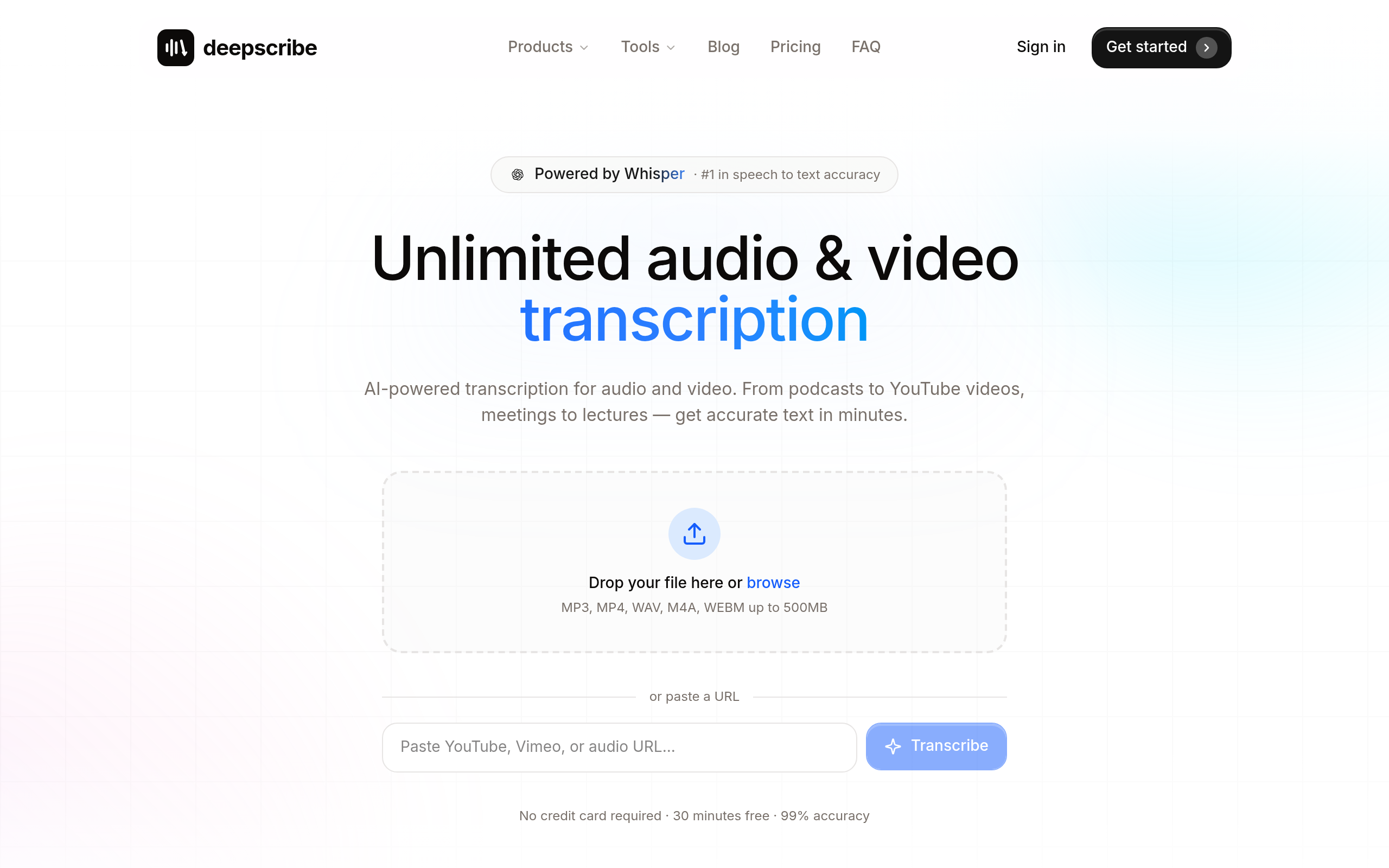
For the most efficient path from video to text to captions, DeepScribe offers a drag-and-drop interface that invites ease of use without sacrificing functionality. Paired with its ability to export into multiple formats across different tiers, DeepScribe allows you to maintain workflow momentum and deliver professional results quickly.
With these robust features, DeepScribe positions itself not just as a tool but as an essential part of the creative process. Explore DeepScribe to see how it can transform your transcription and captioning workflow today.
2. Otter.ai — Top Choice for Meeting Transcriptions
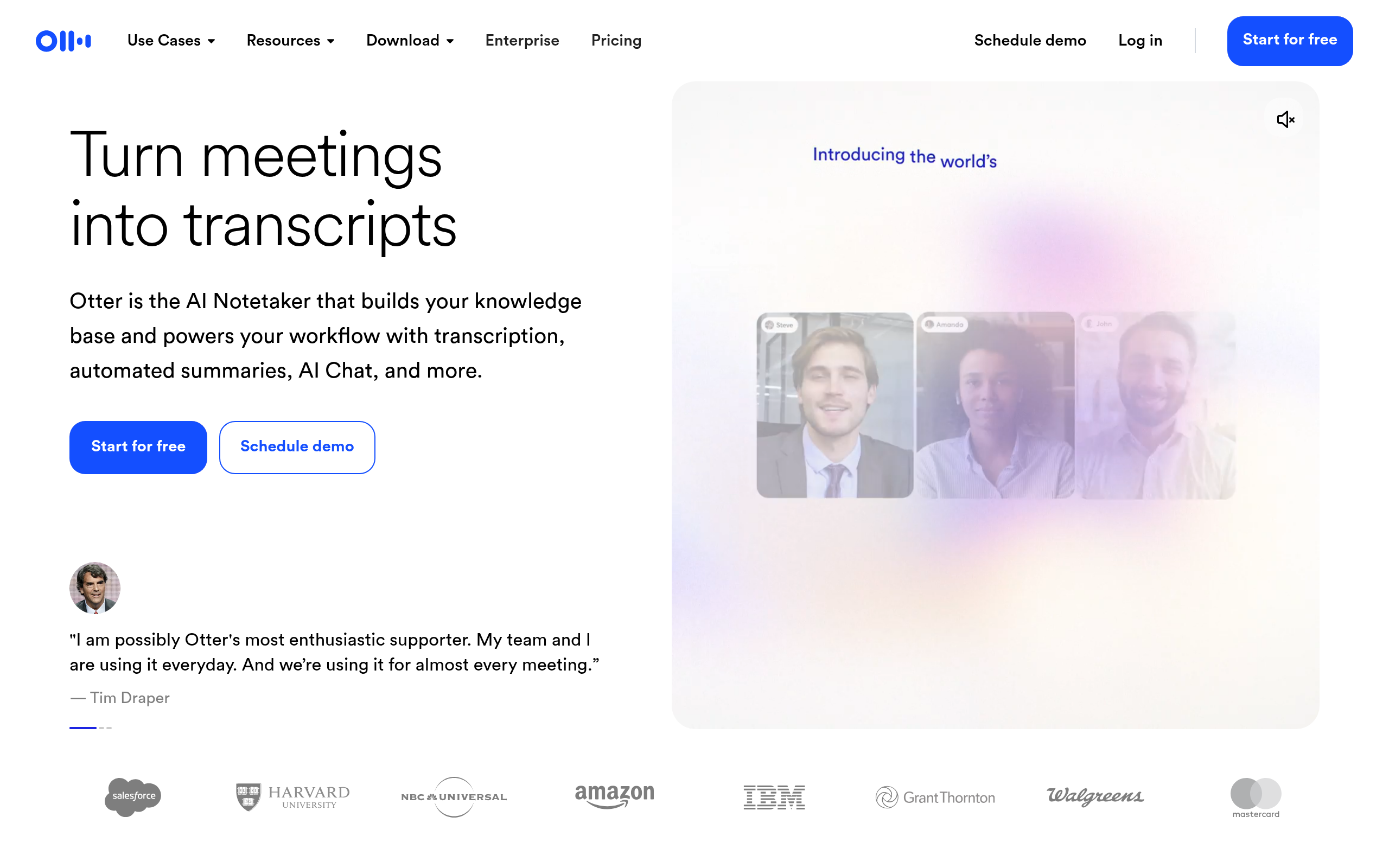
Navigating the world of transcription tools often feels like a minefield of features and limitations. Otter.ai, however, stands out as a top choice for meeting transcriptions. If you’re juggling virtual meetings on platforms like Zoom, Teams, or Google Meet, Otter’s free plan might be your go-to solution.
Otter.ai offers a generous 300 minutes per month on its free Basic plan, making it an attractive option for content creators and small business users alike. What differentiates Otter from many free tools is its seamless integration with 90% of major platforms, ensuring that whether you’re on a Zoom call or a Google Meet session, your transcription needs are covered without a hitch.
Exporting is where many "free" tools show their limitations. Otter provides basic transcription exports, which can suffice for quick notes or script editing. However, if you’re in need of specific caption formats like SRT or VTT, you will need to explore their paid tiers or other tools. This free plan primarily supports plain text exports, making it perfect for users who need immediate transcription but not necessarily ready-for-caption files.
Takeaway: Otter.ai shines for meeting transcription but not for detailed subtitle exports in its free plan.
For users whose primary need is quick, seamless meeting transcription rather than polished captions, Otter.ai is a solid choice. For those deeper into content creation, especially with a focus on video captions, combining tools like Otter for transcription with another service might be the best route.
If you're interested in exploring more about automating transcription processes for different platforms, check out our guide on How to Transcribe Zoom Meetings with AI.
3. Notta AI — Best for Multilingual Support
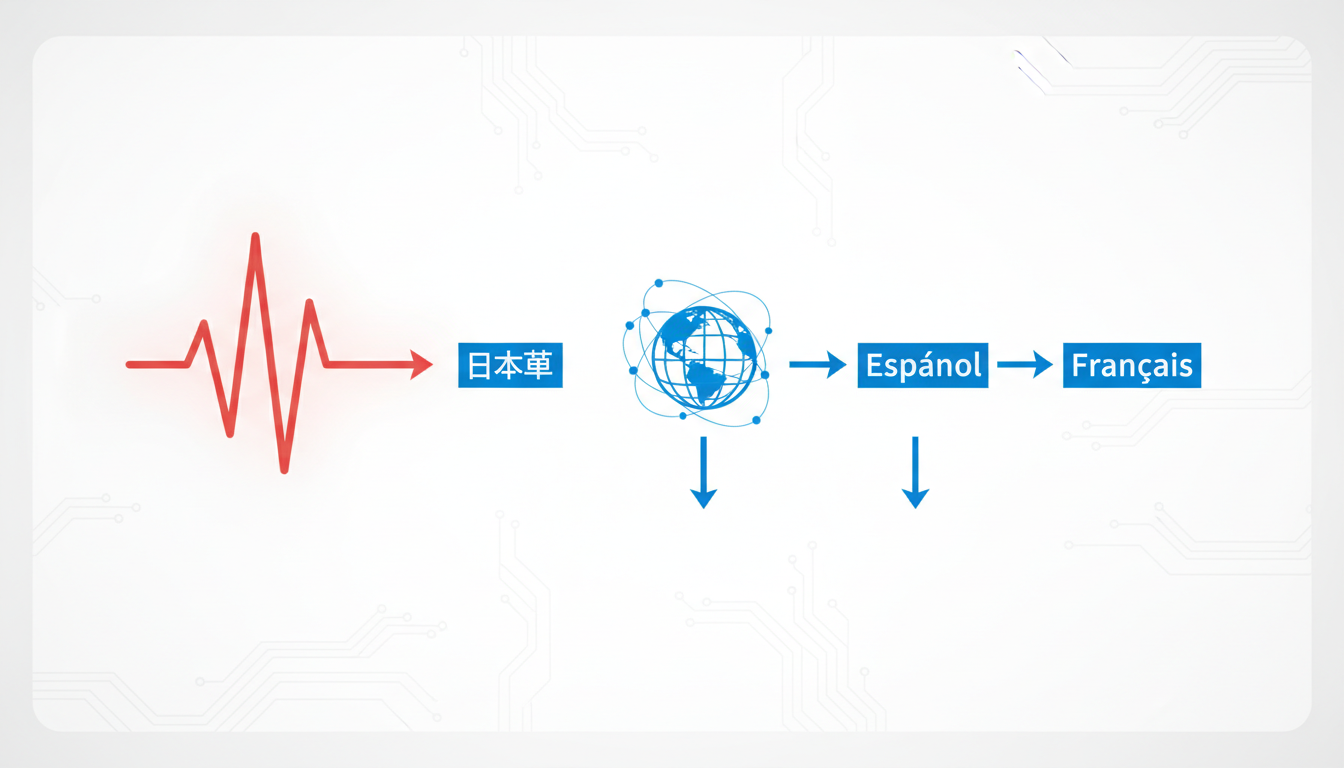
If your priority is multilingual transcription, Notta AI could be your go-to tool. Offering a robust capability to transcribe in 58 languages, including English, Chinese, and Hindi, it's perfect for global content creators looking to navigate language diversity without breaking the bank.
Free Tier Details
Notta AI presents a free tier that grants 120 minutes per month for transcription. While this might not seem vast for high-volume users, it's a solid start for those handling shorter clips in diverse languages. Many find this allowance adequate for occasional multilingual meetings or interviews, a crucial touch for students and journalists engaging with international content.
Caption Export Capabilities
Coming to its export capabilities, here's where you'll find some constraints. While transcription is straightforward, exporting polished subtitles like SRT or VTT files requires a deeper dive into their plans. The free version primarily focuses on giving you the raw transcript, and if you're eyeing subtitles for video content, exploring their paid options might be necessary.
Key Takeaway: Notta AI shines in the realm of multilingual transcription but note the limitations on free exports. Subscription tiers could open doors to broader functionalities if captions are essential for you.
Strengths & Use Case
For those juggling languages, Notta AI’s expansive support can indeed be a game-changer. Imagine filming a documentary with interviews spanning various languages—it allows you to cut through the linguistic chaos. However, if exporting subtitles is your main intent, examining other tools like DeepScribe, which offers more flexible export options in their higher plans, could save you time and effort.
In summary, if your workflow centers around delivering quality transcripts in multiple languages and export versatility isn’t your deal-breaker, Notta AI is worthy of your shortlist.
4. Google Live Transcribe — Ideal for Android Users
If you’re an Android user looking for unlimited transcription capabilities, Google Live Transcribe is a tool worth exploring. It’s a standout option for those who need ongoing audio-to-text conversion without the worry of hitting a cap since it provides unlimited transcription on Android devices. This means you won't have to constantly monitor your usage as long as you stay within the Android ecosystem.
Google Live Transcribe is specifically designed to convert spoken words into text in real-time. It’s an accessible option for users who need to follow along or refer back to spoken content immediately. The application integrates seamlessly with Android, leveraging Google's robust speech recognition technology to ensure high-quality transcription. However, here’s the catch: while transcription is continuous and robust, the tool does not currently offer export options for caption files like SRT or VTT. So, if your goal is to create subtitles or captions for video content that can be uploaded to platforms like YouTube, you might need an additional tool for that task.
Quick Tip: Google Live Transcribe is most effective in live scenarios where immediacy is key, such as lectures or meetings where participants need real-time access to discussions on their Android devices.
For those who prioritize privacy, it's worth mentioning that Live Transcribe handles your data efficiently, offering on-device processing—which could be an essential feature for users concerned about sharing sensitive information over the internet. While it excels in continuous live transcription, its limitations in generating structured subtitle files mean it might be best used in tandem with other tools if caption creation is your goal.
For creating caption files, consider pairing Google Live Transcribe with tools that specialize in subtitle export formats, or explore comprehensive solutions like DeepScribe, which offers a full spectrum of transcription and export features suitable for more varied multimedia workflows.
5. Descript — Great for Editing and Filler Removal
If you’re a content creator looking for a versatile tool, Descript shines with its unique blend of video and audio editing features alongside transcription. With Descript, you get one free hour per month, making it an attractive option for those dabbling in editing and transcription without an upfront cost.
What you get on free: Descript’s free tier provides you with 60 minutes of transcription monthly, accompanied by powerful editing capabilities. This isn’t just about words turning into text; you can actually manipulate the audio directly through the text. Imagine deleting a filler word in your transcript, and it disappears from the audio too!
Captions and export formats: One major draw of Descript is its reliable export options for captions. On the free tier, exporting to TXT is straightforward, but for SRT files, you’ll need to upgrade. Despite this, the seamless workflow from transcription to text editing makes the upgrade worthwhile for many users.
Speed/accuracy notes: Descript uses advanced machine learning models to deliver high accuracy in transcription, ensuring that your project isn't marred by errors. The software's ability to remove filler words automatically enhances clarity and saves time during editing.
Limits/trade-offs: While the free hour is generous, it’s important to be mindful of your usage if you’re juggling multiple projects. The real power of Descript becomes evident when you consider investing in their more premium offerings, which unlock unlimited exports in various formats necessary for full-scale video projects.
Ideal workflow tip: Start by importing your media, transcribe the content using Descript’s sleek interface, edit textually to refine the output, and finally, export your captions. This workflow streamlines the process from idea to polished video, especially for those familiar with text-based editing.
Descript is a gem for creators who not only require transcription but also need to refine audio without hopping between tools. Whether you’re cleaning up a podcast or enhancing a YouTube tutorial, its editing prowess makes it a valued asset.
6. Scripsy — Unlimited for YouTube Videos
If you're a content creator focusing on YouTube, Scripsy might just be the perfect tool for you. Specialized in YouTube video transcription, Scripsy offers a unique blend of accessibility and precision, particularly for those looking to generate captions or subtitles from long-form YouTube content.
At the heart of Scripsy’s capabilities is its reliance on the Whisper model, which is known for delivering high accuracy in transcription. This AI-backed model ensures that even the most intricate dialogue or technical jargon is captured with precision, making it a preferred choice for creators who prioritize quality and reliability. Unlike other tools, Scripsy allows for unlimited transcription of YouTube videos, enabling users to transcribe without worrying about hitting a ceiling on minutes or uploads.
"With Scripsy, you no longer need to worry about the limits—it's truly unlimited for your YouTube transcription needs."
Captions and Export Formats: Scripsy excels in transforming transcripts into usable captions. While specific export options like SRT/VTT files enhance accessibility, the availability of these files without immediate payment is a huge plus for those working on tight budgets.
For creators who have struggled with other tools that fall short on export formats, Scripsy provides a straightforward path from transcription to caption generation. This feature is crucial for anyone looking to maintain an efficient workflow, especially when subtitles are a must for global reach and increased viewer retention.
Speed and Workflow: In terms of speed, Scripsy stands apart by swiftly processing YouTube videos due to its advanced AI capabilities. This helps streamline the workflow, enabling creators to focus more on content creation rather than getting tangled in transcription details.
For more insights into efficient video transcription, check out our guide on transcribing video for free.

Choosing Scripsy means opting for a tool that's specifically fine-tuned for YouTube, making it an invaluable ally for video creators aiming to deliver polished, captioned content without additional costs.
7. Fathom — Unlimited for Zoom
If you’re consistently hopping onto Zoom meetings and need a reliable transcription log, Fathom might just be your go-to tool. With its unlimited transcription capabilities for Zoom, Fathom is designed specifically for users entrenched in the Zoom ecosystem. Here’s a key insight: Fathom excels by providing unlimited transcription for Zoom meetings, making it an invaluable asset for those who rely heavily on this platform.
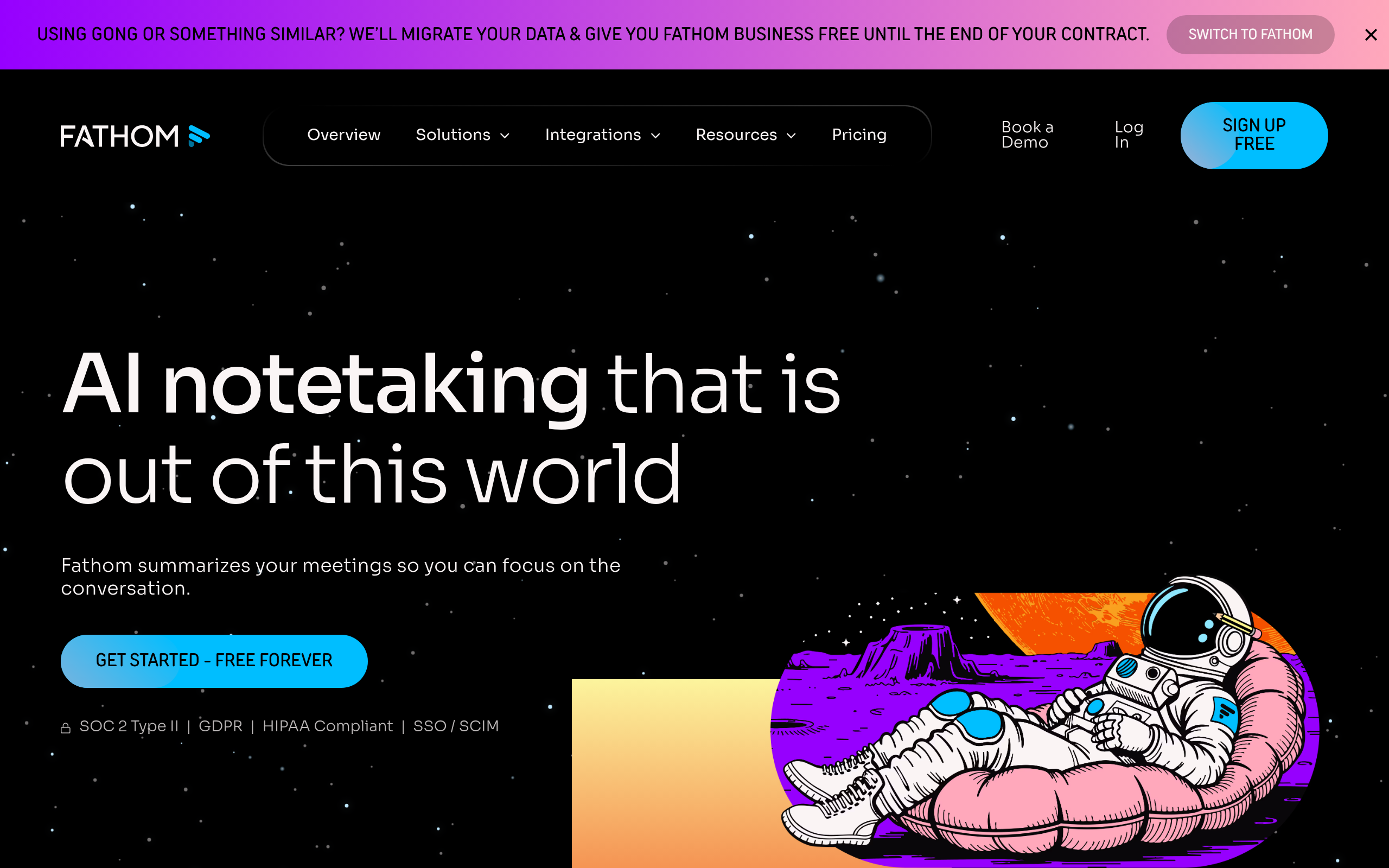
The main allure here is that you can transcribe an endless number of Zoom calls without worrying about monthly cap limits—a major win for the highly collaborative. This capability is particularly appealing to teams and individuals whose workflows revolve around Zoom. However, it’s crucial to note that Fathom doesn’t allow the upload of pre-recorded video files. This limitation means you can’t use Fathom to transcribe other types of video content, which might be a dealbreaker if you need versatility beyond live meetings.
For creators who like to keep their processes within live meetings and don’t need additional file uploads, Fathom provides a seamless experience. The tool automatically joins Zoom meetings and begins transcribing, ensuring nothing is missed. Here's an expert takeaway: "For Zoom-heavy workflows, Fathom acts like an invisible team member, capturing every word."
Key Takeaway: If your primary need is transcribing Zoom meetings without a hitch, Fathom delivers unlimited transcription, making it invaluable for those deeply embedded in the Zoom environment.
That said, if your needs extend beyond live meeting transcription and include other platforms or formats, it might be worth exploring additional options like DeepScribe for comprehensive support, including video uploads and versatile export formats, ensuring you get the most out of your video-to-text tools.
8. Vosk — Open Source Offline Transcription
For those who prioritize offline transcription with a focus on privacy, Vosk offers a unique solution. As an open-source tool, it provides offline capabilities which ensure that your data stays on your device, alleviating privacy concerns that come with cloud-based tools. This is especially vital for anyone handling sensitive recordings, such as journalists or legal professionals.
Vosk utilizes automatic speech recognition (ASR) and operates completely offline, making it an excellent choice for environments with restricted internet access. Its open-source nature means that tech-savvy users can customize it to fit specific needs. You have the freedom to tweak the system according to unique requirements, from language models to advanced features, all without additional cost.
One key strength of Vosk is its broad language support. It can transcribe speech in multiple languages, reflecting the increasing demand for multilingual transcription tools. This feature can be especially beneficial for diverse teams working across languages or for creators looking to localize content.
However, Vosk's offline reliance means it may not match the immediacy of cloud-based solutions like DeepScribe, which offers rapid, cloud-enabled processing alongside Whisper-powered accuracy. Yet, for tasks where privacy is paramount, Vosk provides a robust alternative.
Overall, Vosk empowers users who need high levels of privacy without compromising functionality. Its offline capability ensures that your audio never leaves the safety of your device, offering peace of mind alongside accurate transcription results.
9. DeepScribe Guides for Video to Text Workflows
Navigating the intricate world of video-to-text transcription can be daunting, but DeepScribe offers a streamlined workflow to make the process efficient and user-friendly. Let’s explore how you can harness this tool for a polished transcription experience.
Step-by-Step Guidance
To get started, begin by uploading your video files directly to the DeepScribe platform. Supported formats include MP3, MP4, WAV, M4A, and WEBM, letting you hit the ground running with minimal hassle. Users can also paste a URL for web-hosted video content, ensuring flexibility with diverse file sources.
Once your video is uploaded, DeepScribe quickly transcribes the audio with impressive accuracy — powered by OpenAI's Whisper model boasting 99% accuracy. If you're managing multilingual content, automatic language detection ensures seamless transcription across 100+ languages on Pro and Business tiers. This is particularly beneficial for global teams dealing with varied linguistic needs.
After transcription, export options include TXT files for the Free plan and SRT/VTT formats for captions on Basic plans and above. This accessibility makes it an ideal choice for content creators needing quick captioning solutions.
Internal Resources for Optimal Use
Leverage DeepScribe’s internal guides to maximize the platform’s potential. Whether you’re a content creator needing video transcription insights or a manager learning to work with Zoom transcriptions, these resources tailor to diverse user needs, focusing on enhancing your workflow efficiency.
Faster, Smarter Workflows
- Upload and Transcription: Drag, drop, and transcribe with high-speed parallel processing.
- Language Versatility: Automatically detect and transcribe over 100 languages.
- Seamless Exports: Access TXT and SRT/VTT files directly, ready for use in any project.
DeepScribe not only simplifies video-to-text conversion but also transforms how creators manage their content, adapt their workflows, and streamline their distribution processes. Whether you're working solo or in a team, DeepScribe’s resources and capabilities ensure you’re equipped for efficient, effective transcription.
Conclusion: Choosing the Right Tool for You
As we wrap up our exploration of the best free video-to-text tools, it’s crucial to find a solution that fits your specific needs. Whether you’re a content creator, social media manager, or a marketer, understanding each tool’s capabilities in terms of export formats and usage limits can save you time and effort.
Recap of Top Tools
DeepScribe: The go-to choice for seamless video-to-text conversion, DeepScribe tops the list with its robust capabilities to export transcripts in TXT on the Free plan and SRT on the Basic plan. For those who require more, the Pro and Business tiers offer additional formats like VTT and DOCX/PDF. The speed and accuracy make it a standout choice, especially for creators handling diverse content types.
Google Live Transcribe: Perfect for Android users seeking unlimited transcription, but remember—it doesn’t offer file uploads or SRT/VTT export, which might be a dealbreaker if you need downloadable captions.
Fathom: If Zoom transcription is your sole focus, Fathom's unlimited capabilities might fit the bill. However, note its limitation: it doesn’t support general video uploads.
Scripsy: Best for those dealing with YouTube content at scale, thanks to its high accuracy and unlimited transcription. Yet, consider its niche focus—other needs might steer you elsewhere.
Export and Usage Limits
Understanding and navigating export limitations is vital. Opt for tools like DeepScribe, which provide a clear path to caption files like SRT without having to break the bank. Consider your monthly transcription needs—Otter.ai offers 300 minutes, but always check current limits.
Key Insight: The best tool isn't always about the most features—it's about finding the right fit for your workflow. Whether you’re handling YouTube videos or Zoom meetings, aligning the tool with your needs ensures efficiency without unnecessary subscriptions.
For a smooth transition from video to captions, dive deeper with our DeepScribe guides that take you step-by-step through the transcription and export process.
Frequently Asked Questions
What is the difference between SRT and VTT files?
SRT and VTT are both subtitle file formats but VTT includes more styling capabilities.
How can I improve transcription accuracy?
Use high-quality audio and minimize background noise for better results.
Why does export format matter?
SRT/VTT formats are essential for creating accessible and usable captions directly from transcripts.
Are these tools secure for sensitive data?
Check each tool's privacy policy for encryption and data handling practices.
Can these tools handle multilingual videos?
Yes, several tools offer multilingual support; Notta AI is particularly strong in this area.
Final Thoughts
Choosing the right video-to-text tool can streamline your content creation process, enhance accessibility, and save you time. Here are a few takeaways to consider:
- For pristine transcript and caption exports, DeepScribe offers comprehensive solutions tailored to creators and professionals. Explore DeepScribe for a detailed experience.
- If you're an Android user needing unlimited live transcription, Live Transcribe is a practical choice.
- For seamless integration with Zoom meetings, Fathom specifically caters to your needs.
- For YouTube-specific projects at scale, Scripsy can handle large volumes effectively.
Your selection should align with your specific needs, whether it's platform compatibility, transcription speed, or export features. To dive deeper into setting up these workflows step-by-step, check our detailed guides on transcript optimization and seamless content delivery.
Written by

DeepScribe Team
Content Team
The DeepScribe content team shares insights on audio transcription and AI technology.
Related Articles
Continue reading about this topic

9 Best Free Video-to-Text Tools (Fast Captions Included)
Explore the best free video-to-text tools for creators, focusing on fast captions, export formats, and plan limitations. Perfect for efficient content creation.

DeepScribe Team
March 15, 2026 · 22 min read · 4,332 words