
7 Best Tools for Top AI Meeting Transcription
Discover the top AI meeting transcription tools that enhance productivity and streamline workflows. Learn why DeepScribe stands out.

DeepScribe Team
Content Team
7 Best Tools for Top AI Meeting Transcription
In today's world, where 76% of companies have embraced remote work policies, the rise of AI meeting transcription is transforming how teams operate. With organizations reporting a 30% boost in productivity and a 25% reduction in meeting time, it's clear why AI-powered transcription tools are essential—beyond just capturing words, they convert unstructured conversations into actionable insights.
This blog post isn't about ticking boxes on a feature checklist. Instead, we'll dive deep into why choosing the right transcription tool is a strategic workflow decision. We’ll introduce a robust evaluation rubric to help you efficiently shortlist options that fit your team's specific needs, be it for sales, operations, or research purposes.
Among the tools, we’ll explore, DeepScribe stands out as an end-to-end solution, effectively transforming transcripts into seamless action items and exportable formats—all while maintaining stringent privacy standards. Ready to optimize your meetings? Let's jump in.
Why AI Meeting Transcription Matters Now
In today's fast-paced business world, AI meeting transcription is becoming indispensable, especially as remote work policies are embraced by 76% of companies, according to Speakwise. This shift has increased reliance on digital communication, creating a surge in demand for tools that can efficiently convert spoken conversations into actionable text.
Boosting Productivity and Reducing Meeting Time
AI transcription tools not only enhance productivity by 30% but also cut down meeting times by 25%, as highlighted by aggregated stats from Speakwise. Imagine a world where meetings are more focused and outcomes are clearer — AI meeting transcription is turning this vision into reality. Equipped with automated summaries, action items, and follow-up tasks, these tools ensure that every participant leaves with a clear understanding of what needs to be done next.
Rapid Market Growth
The AI meeting transcription market, currently valued at $3.86 billion in 2025, is expected to skyrocket to $29.45 billion by 2034, with a staggering CAGR of 25.62% (MarketsandMarkets). This growth reflects the increasing priority organizations place on capturing and utilizing meeting data effectively. As more teams transition to hybrid work models, AI transcription is not just a tool but a strategic asset that transforms meetings into searchable, shareable, and actionable knowledge bases.
The demand for accurate, efficient transcription tools underscores their role in modern workflows, transforming unstructured data into structured knowledge that drives decision-making.
Adopting AI Meeting Transcription
Organizations that have embraced AI meeting transcription tools, like DeepScribe, experience efficiencies that free them from the mundane task of note-taking, enabling them to focus on strategic initiatives. DeepScribe provides a comprehensive solution that includes high-accuracy transcripts, intelligent summaries, and seamless exports, catering to a variety of organizational needs while ensuring robust privacy and compliance.
By implementing AI meeting transcription, teams can capitalize on accuracy, speed, and integration capabilities that align with their unique workflows, making it a quintessential element of today's digital workplace.
How We’re Comparing AI Meeting Transcription Tools
When it comes to evaluating AI meeting transcription tools, it's crucial to go beyond a simple feature checklist. Teams need a holistic approach that considers how these tools fit into their overall workflow. Here's a detailed breakdown of the key criteria we’re using to compare these tools, focusing on aspects like speed, speaker identification, summaries, exports, and privacy posture.
Evaluation Criteria
1. Speed: In a fast-paced environment, timely transcript delivery is critical. We look for tools that can process recordings swiftly, minimizing delay. The best tools offer real-time or near-instant transcription, enabling teams to quickly act on meeting insights.
2. Speaker Identification: Accurately labeling speakers is essential for clarity, especially in multi-participant meetings. Effective speaker ID helps avoid confusion and ensures that action items and questions are properly attributed. We value tools that boast advanced speaker recognition and labeling technology.
3. Summaries: Quality summaries transform raw transcripts into actionable insights. We assess tools based on their ability to generate clear, concise summaries, including question-based outputs that highlight key points and decisions. Look for solutions that offer customizable summary formats to suit diverse needs.
4. Exports: Since different teams may require various export formats, we prioritize tools offering flexibility here. Key formats include DOCX, PDF, SRT, and VTT. The goal is to make sharing and integrating transcripts with other platforms seamless and straightforward.
5. Privacy Posture: Trust and compliance are non-negotiables, especially for organizations handling sensitive data. We scrutinize each tool’s privacy measures, including SOC 2 Type II compliance, encryption protocols, and data retention/deletion policies. It's essential to validate these claims through vendor certifications and audits.
Introduction to the Scoring Rubric
To standardize comparison, we’ve created a weighted scoring rubric. This system assigns different weights to each criterion based on their importance for typical use cases, helping teams prioritize according to their specific needs. Whether it's speed for sales teams needing quick follow-ups or privacy for regulated industries, this rubric is your guide.
Validating Privacy Claims
Ensuring privacy is critical, particularly for organizations in regulated sectors. Here's how to verify vendor privacy claims:
- SOC 2 Type II Compliance: Request a copy of the certification report and review the scope.
- Encryption: Confirm that end-to-end encryption is in place during data transmission and storage.
- Data Retention/Deletion Policies: Understand how long data is retained and the processes for automatic deletion.
Expert Insight: "Choosing the right AI meeting transcription tool is about matching its strengths to your workflow needs, ensuring both efficiency and security are maintained."
This framework offers a structured approach to evaluating tools, ensuring that teams can make informed procurement decisions. It's less about ticking boxes and more about building a robust transcription workflow.
| Criteria | Speed | Speaker ID | Summaries | Exports | Privacy |
|---|---|---|---|---|---|
| Importance (out of 5) | 4 | 5 | 4 | 3 | 5 |
By following this guide, your team can confidently navigate the options and choose a transcription tool that seamlessly integrates into your workflow, boosting productivity and ensuring data integrity.
At-a-Glance Comparison of AI Transcription Tools
Choosing the right AI meeting transcription tool can significantly enhance your team's productivity and accuracy in handling meetings. With the AI transcription market expected to grow from $3.86 billion in 2025 to $29.45 billion by 2034, it's no wonder many teams are on the hunt for the best solution. Here's a quick comparison of leading tools based on critical features such as speed, accuracy, and export options.
Key Comparison Features
- Speed: How quickly does the tool deliver transcriptions?
- Accuracy: Leading platforms boast up to 99% accuracy, critical for ensuring reliable transcriptions.
- Export Options: Formats like TXT, DOCX, PDF, SRT, and VTT provide flexibility in sharing and using transcripts in various applications.
Expert Insight: "The best AI transcription tool quickly turns recordings into actionable insights while ensuring privacy, driving efficient workflows and reducing meeting times by up to 25%."
Comparison Table
Here's a streamlined comparison to help you evaluate these tools effectively:
| Tool | Speed (Fast/Instant) | Accuracy (% Claim) | Export Options | Privacy Features |
|---|---|---|---|---|
| DeepScribe | Instant | 99% | TXT, DOCX, PDF, SRT, VTT | End-to-end encryption, SOC 2 Type II |
| Otter.ai | Fast | 98% | TXT, PDF | SOC 2 Type II compliance, data retention policies |
| Fireflies.ai | Instant | 99% | DOCX, PDF, SRT | SSL encryption, custom retention policies |
| Sonix | Fast | 95% | DOCX, PDF, SRT, VTT | SOC 2 Type II compliance |
| Rev.ai | Fast | 99% | TXT, DOCX, SRT | Data encryption, custom access controls |
Takeaway: When selecting an AI meeting transcription tool, consider both the speed and accuracy that align with your needs. Export options and privacy features should also match your organization’s requirements, particularly in regulated industries.
Key Considerations
Speed & Accuracy: Tools like DeepScribe and Rev.ai offer leading accuracy and speed, making them ideal for fast-paced environments where accuracy is non-negotiable.
Export Flexibility: Look for tools that offer multiple export formats if your workflow involves diverse documentation needs. DeepScribe's broad format support ensures seamless integration into various workflows.
Privacy & Compliance: For organizations with strict compliance requirements, verify SOC 2 Type II compliance and data encryption. DeepScribe stands out for its robust privacy controls, reassuring teams handling sensitive data.
By using this comparison, teams can align their transcription tool choices with strategic productivity goals, ensuring the selected platform fits the specific workflow and compliance landscape.
1. DeepScribe — Best Overall for End-to-End AI Meeting Transcription
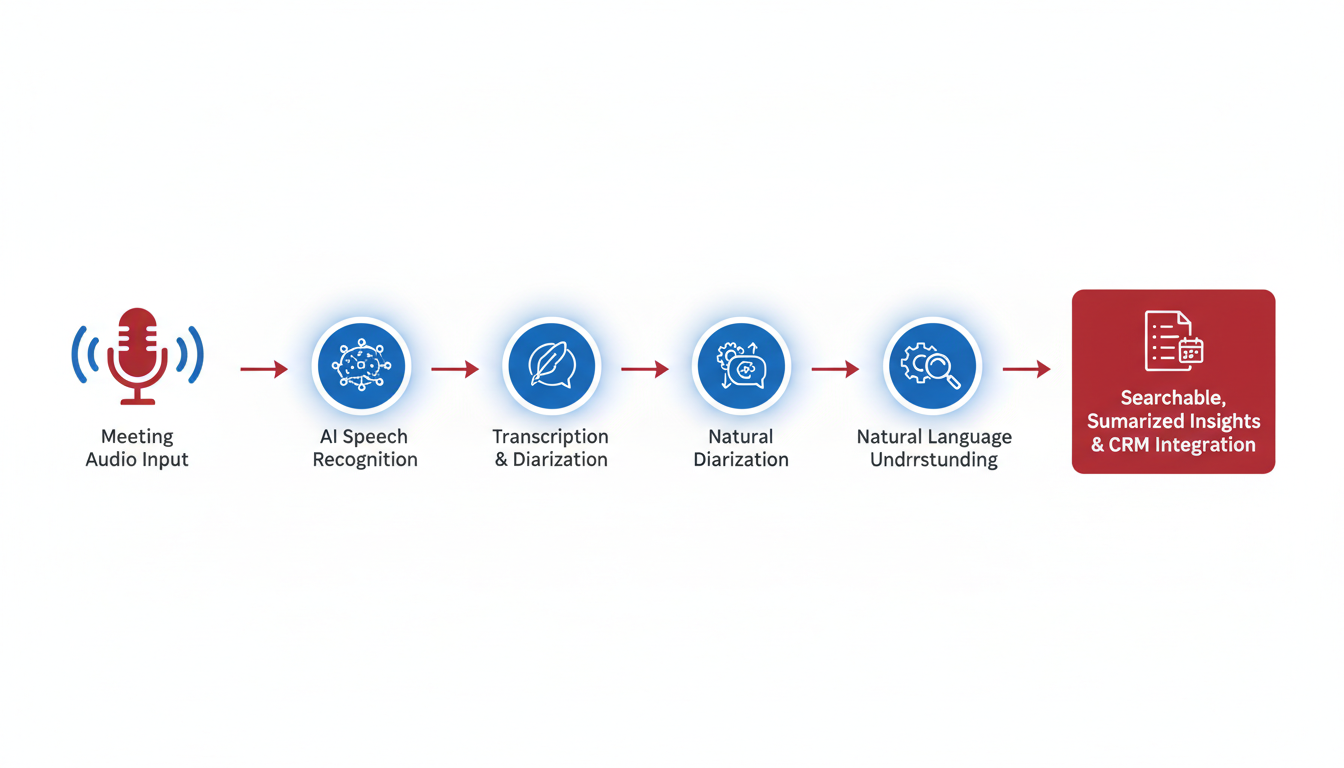
When it comes to end-to-end AI meeting transcription, DeepScribe stands out as a comprehensive solution designed to cater to the complex needs of modern teams. From the initial transcription of meetings to insightful summaries and seamless exports, DeepScribe enriches the workflow with efficiency and accuracy.
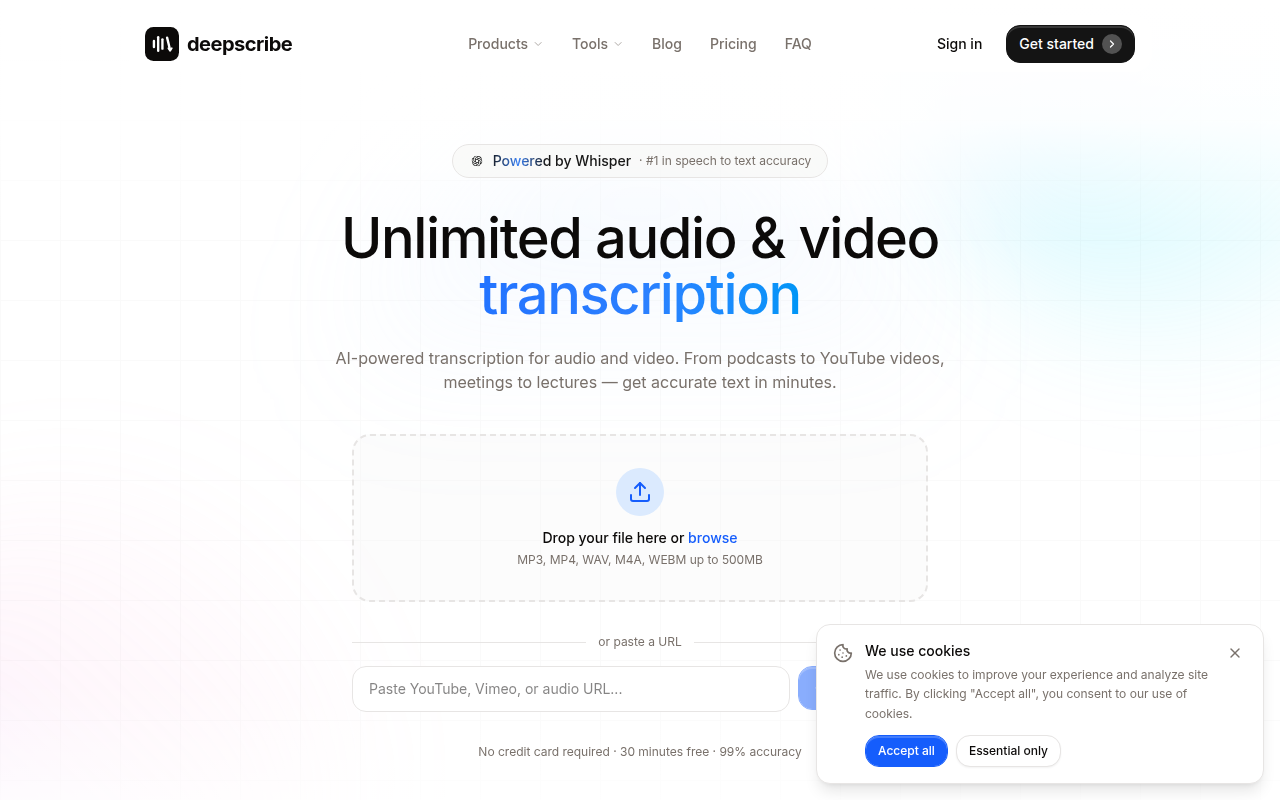
Comprehensive Workflow: Transcripts to Summaries to Exports
DeepScribe transforms the way teams handle meeting data by providing a seamlessly integrated workflow. It starts with real-time transcription, powered by OpenAI’s Whisper technology, ensuring an impressive 99% accuracy even amidst accents, background noise, and technical jargon. This feature is essential for teams working in diverse and dynamic environments where precision is non-negotiable.
Once the conversation is transcribed, DeepScribe goes a step further by automating the conversion of transcripts into structured summaries. Teams can extract action items, assign ownership, and set deadlines, ensuring no key point gets lost in translation. This capability drastically reduces the time spent on reviewing and interpreting lengthy transcripts, enhancing overall team productivity by up to 30% as reported by organizations utilizing AI transcription tools.
High Privacy Standards
In an era where privacy is paramount, DeepScribe assures users with robust security measures, including SOC 2 Type II compliance and end-to-end encryption. These standards are critical for businesses handling sensitive information, aligning with data security requirements of regulated industries. The automatic deletion of files after processing further ensures that no data lingers longer than necessary, offering peace of mind to users concerned about data retention.
Tailored for Diverse Scenarios
Whether you're part of a sales team needing quick action item summaries or a research team requiring detailed transcriptions, DeepScribe fits seamlessly into various workflows. For sales environments, its ability to automatically generate follow-up emails from meetings ensures quicker client interactions and improved relationship management. In research settings, the accuracy and speed of transcription allow for fast analysis and reporting, facilitating more effective knowledge dissemination.
How to Evaluate in a Pilot
Using DeepScribe in a pilot program is straightforward and reveals its practical benefits quickly. Evaluate its efficacy by focusing on key metrics such as transcription accuracy, the quality and relevance of automated summaries, and the ease of exporting outputs in formats like DOCX, PDF, SRT, and VTT. Consider the workflow improvements noted in reduced meeting times—up to 25% reduction reported—and increased follow-through efficiency.
Ultimately, DeepScribe is not just a transcription tool; it's a solution that bridges conversation to execution with minimal friction. Its combination of cutting-edge AI, privacy safeguards, and multi-format export options makes it the best overall choice for teams seeking a comprehensive transcription tool that adapts to their unique needs.
2. Fireflies.ai — Best for Seamless Integrations
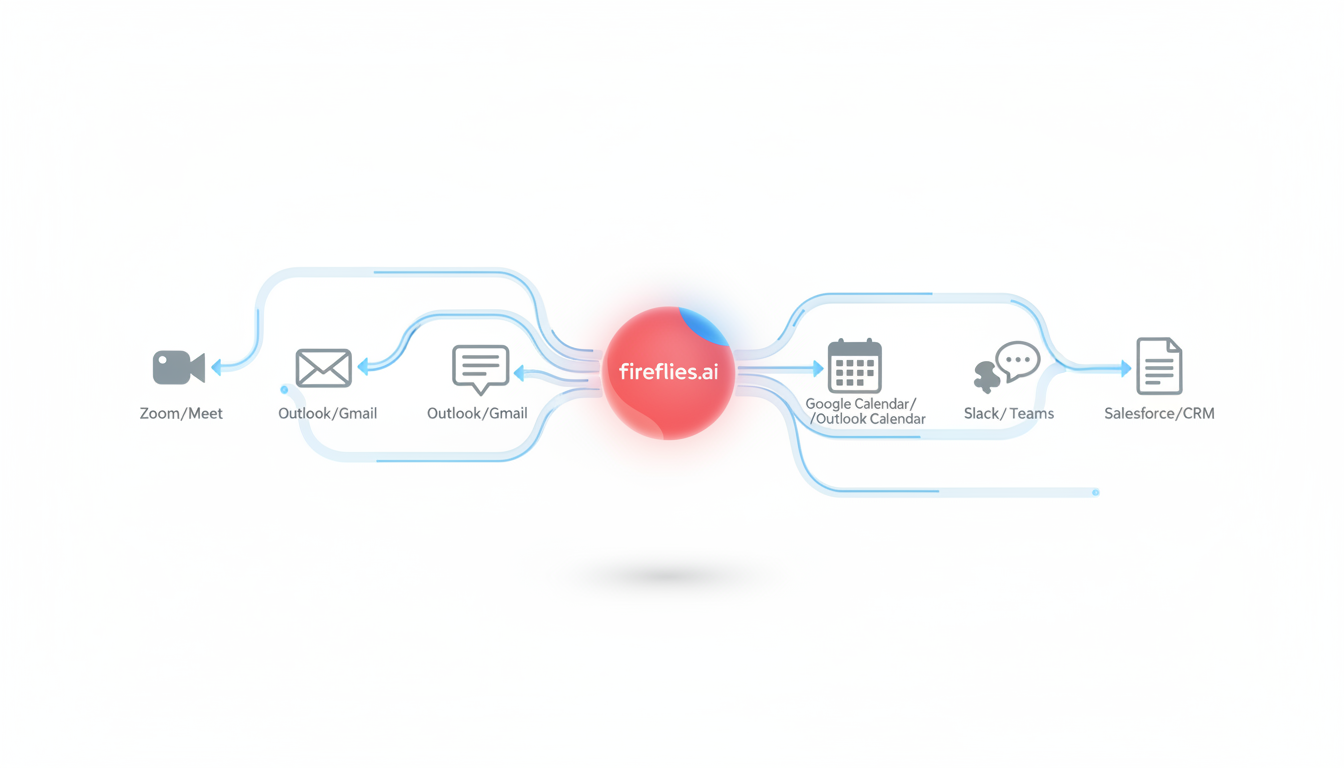
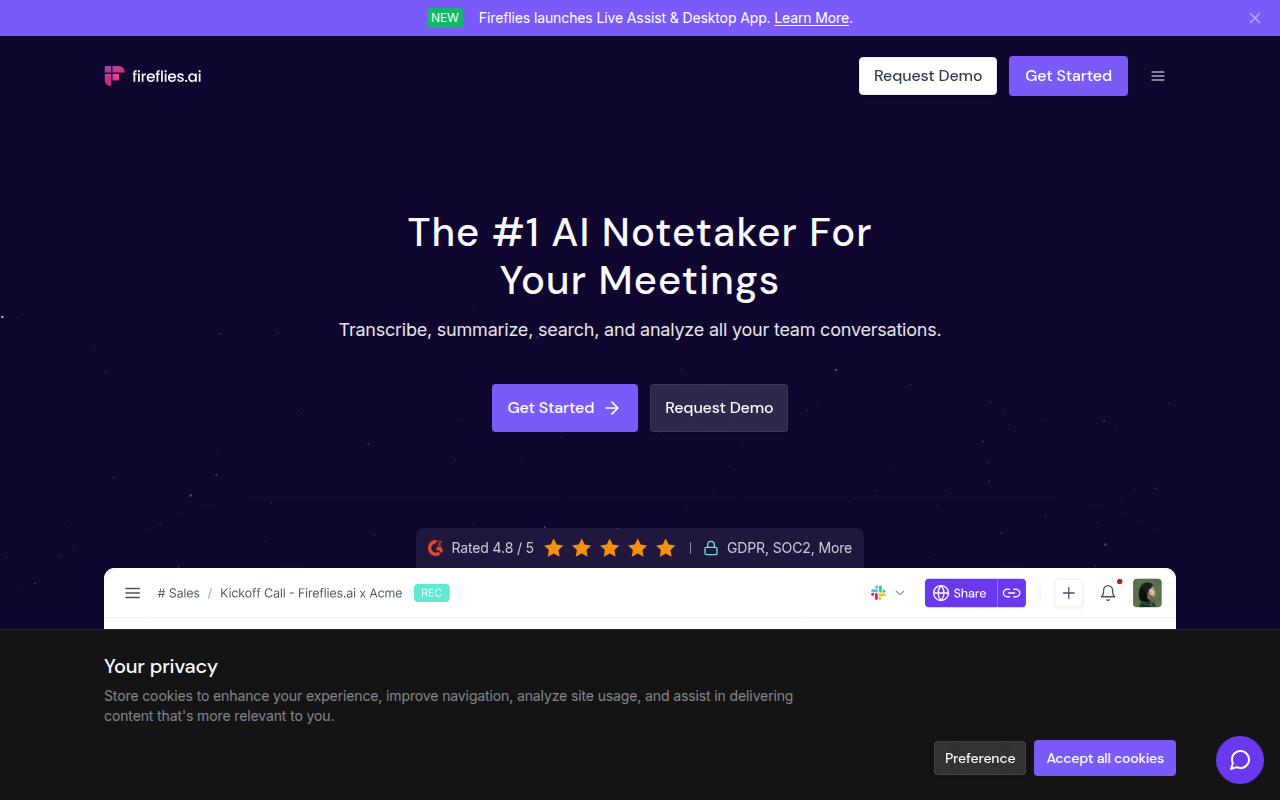
Navigating the world of AI meeting transcription tools can be daunting, but Fireflies.ai stands out for its robust integration capabilities. If you're seeking a tool that seamlessly blends into your existing workflow, Fireflies.ai might be your ideal match. Boasting a strong integration ecosystem, it connects effortlessly with platforms like Slack and Zapier, making it easy to incorporate AI transcription into your current processes.
Seamless Integrations
The core strength of Fireflies.ai lies in its ability to integrate with various tools your team is already using. Whether it's coordinating tasks through Slack or automating workflows with Zapier, Fireflies.ai is designed to fit right in, enhancing your team’s productivity. This integration capability means your team can manage AI meeting notes tools without juggling multiple platforms, significantly reducing the need for switching between apps.
Key takeaway: With over 76% of companies adopting remote work policies, the demand for integrated AI transcription solutions is at an all-time high. Fireflies.ai’s seamless integrations ensure that transcription becomes a fluid part of your team’s digital ecosystem.
AI-Generated Summaries and Action Items
Fireflies.ai doesn’t just transcribe your meetings; it transforms them. The platform excels at creating concise AI-generated summaries and identifying key action items. This means less time spent sifting through lengthy transcripts and more time focusing on what truly matters—actionable insights. Imagine leaving a meeting knowing exactly who is responsible for each follow-up task without having to replay the entire conversation.
Real-time Collaboration Features
Efficiency meets collaboration with Fireflies.ai’s real-time functionalities. During a meeting, the tool can capture and share notes instantly, allowing team members to stay aligned and informed. This not only boosts productivity by cutting meeting time by an average of 25% but also ensures everyone is on the same page, fostering a more collaborative environment.
Integrating Fireflies.ai in Your Workflow
To fully evaluate Fireflies.ai, consider how it interacts with your existing platforms. Test its integration with Slack for meeting notifications and actions, or see how it automates tasks with Zapier. These trials will give you a firsthand look at how Fireflies.ai can streamline your meeting transcription workflow.
Incorporating Fireflies.ai in your tech stack can help convert unruly meeting data into organized execution without overwhelming your team or compromising on efficiency.
3. Otter.ai — Best for SME Teams
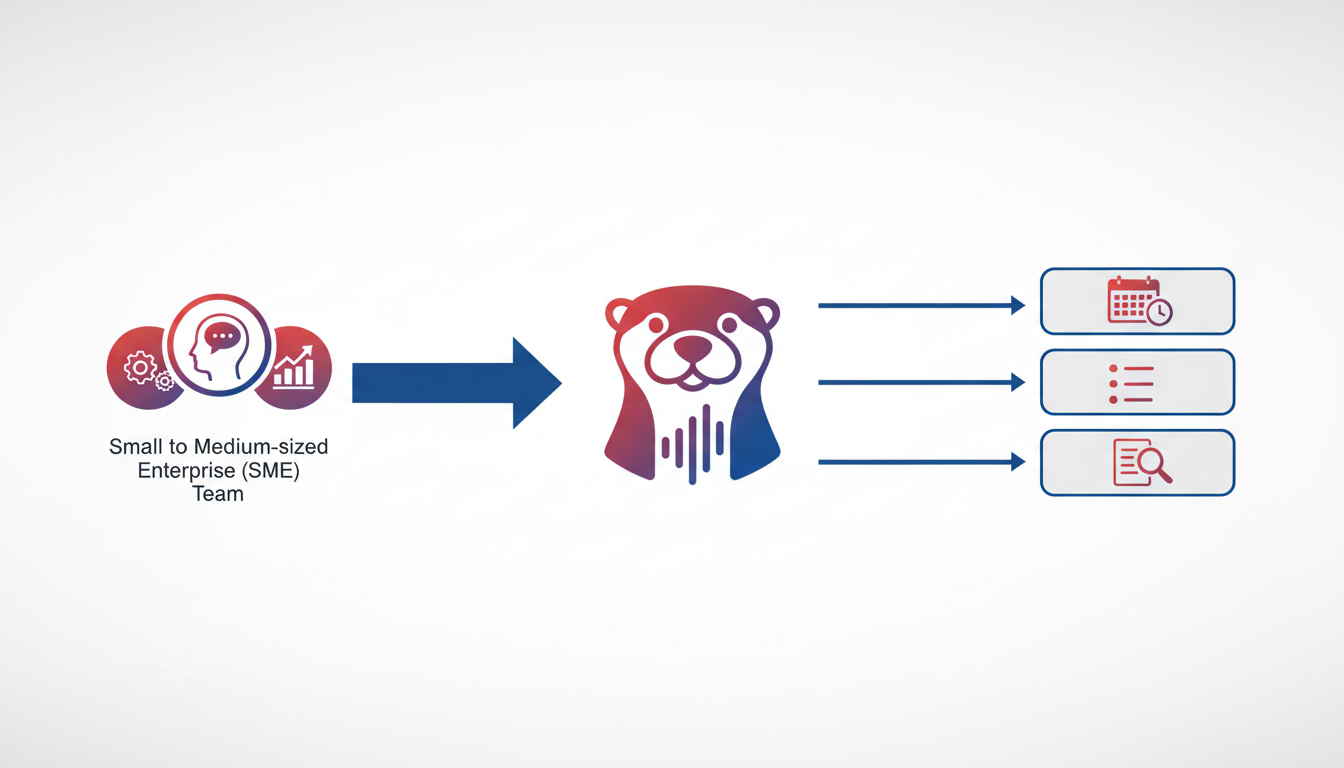
When it comes to transcription needs for small and medium-sized enterprises (SMEs), Otter.ai stands out with its user-friendly interface and robust functionality. Let's dive into what makes Otter.ai a great fit for these teams.
Key Features
User-Friendly Interface: Otter.ai has carved a niche for itself by offering an incredibly intuitive interface, which allows users to navigate and set up transcriptions effortlessly. Its user-centric design reduces the learning curve, enabling teams to integrate it into their workflow quickly.
Robust Speaker Identification: One of Otter.ai's standout features is its advanced speaker identification, which automatically labels speakers during transcription. This feature is essential for SMEs that need clarity in meetings, ensuring conversations are accurately attributed, which is invaluable for tracking discussions and accountability.
Live Transcription Across Platforms: Otter.ai offers live transcription capabilities for various platforms, making it a versatile tool for remote and hybrid working environments. Whether using Zoom, Microsoft Teams, or Google Meet, Otter.ai transcribes conversations in real time, helping teams stay engaged without the distraction of note-taking.
Privacy and Security
While Otter.ai provides basic privacy features, it’s crucial for organizations, especially those in regulated industries, to verify detailed security settings directly from the vendor. Important considerations include understanding Otter.ai's data encryption standards and retention policies. Prospective users should confirm compliance levels like SOC 2 Type II to ensure data security and privacy align with their organization’s requirements.
Workflow Integration
Otter.ai streamlines exporting transcripts, offering options to download in formats like TXT and SRT, facilitating easy integration into existing workflows. This functionality supports SMEs in creating accessible documentation and subtitles, ensuring smooth information dissemination across teams.
Evaluating Otter.ai
For teams considering a pilot, focus on testing Otter.ai's live transcription and speaker identification capabilities. Evaluate how well Otter.ai captures complex group discussions and whether the transcription accuracy supports your productivity goals.
In conclusion, Otter.ai is a solid choice for SMEs looking to enhance meeting efficiency without getting bogged down in operations. But, always remember to verify privacy posture through direct vendor communication to ensure it meets your organizational standards.
4. Rev.ai — Best for Scalability
Rev.ai stands out as a robust choice for teams and organizations seeking an API-driven transcription solution that effortlessly scales with demand. Whether you're a multinational enterprise or a startup, Rev.ai's scalability ensures that you can manage large volumes of transcription work seamlessly.
What sets Rev.ai apart? Its core strength lies in its focus on enterprise-grade solutions. The API-driven approach allows for easy integration into existing systems, making it an ideal fit for businesses that rely heavily on automated workflows. This flexibility is crucial for sectors like tech, media, and finance, where high throughput and reliable transcription are non-negotiable.
Rev.ai shines with its support for a wide range of export formats, including popular options like TXT, SRT, and VTT. This versatility ensures that users can easily adapt their transcripts for diverse applications, whether they are producing subtitles for videos or exporting text for documentation purposes.
In today's world, where privacy and compliance are paramount, Rev.ai assures users with its SOC 2 Type II compliance. This certification is a testament to its commitment to maintaining high standards of data security and privacy, reassuring businesses, especially those in regulated industries, that their data is protected.
"Rev.ai’s comprehensive API support and leading-edge security features make it a scalable choice for enterprises looking to integrate transcription into their workflow."
However, while Rev.ai offers impressive scalability and integration potential, it’s essential to evaluate whether its offerings align with your specific project goals. A practical way to assess this is by conducting a pilot test. Key metrics to monitor include transcription accuracy, integration ease, and data handling practices.
If your organization requires transcription solutions that can grow with you while ensuring seamless exports and strong privacy protections, Rev.ai is undoubtedly a top contender in the realm of enterprise transcription solutions. For those seeking an end-to-end workflow, consider leveraging DeepScribe for its comprehensive capabilities—from capturing audio to intelligent summaries and action items.
5. Sonix — Best for Multilingual Capabilities
When it comes to multilingual transcription, Sonix stands out with its impressive language support and high accuracy. If your team operates across different regions or handles international clients, Sonix offers the versatility you need to bridge language gaps seamlessly.
What It Does Well
Sonix’s key strength is its ability to support multiple languages with high accuracy. It's designed to handle diverse dialects, making it an excellent choice for global teams aiming to ensure consistent communication. Many organizations have reported substantial efficiency gains after switching to Sonix, leveraging automated transcription in languages ranging from Spanish to Mandarin.
Additionally, Sonix offers seamless export options, allowing users to easily convert transcripts into formats like DOCX, PDF, and SRT. This flexibility in export formats ensures that transcripts can be integrated smoothly into various workflows, whether for documentation, presentation, or media use.
Privacy Practices to Validate
In terms of privacy, it's crucial to verify Sonix’s claims during your trial period. Look for compliance with industry standards such as SOC 2 Type II certification, which suggests a commitment to data security. Also, check the use of end-to-end encryption and understand their data retention policies, as these factors heavily influence the trustworthiness of a transcription tool in handling sensitive information.
Tailoring Sonix to Your Workflow
Sonix is particularly beneficial in settings like global sales teams or international research groups, where effective multilingual communication is paramount. Its capability to identify speakers accurately further enhances its utility in multi-participant discussions, ensuring that every speaker's input is correctly attributed — a feature essential for creating actionable meeting summaries.
To assess Sonix in a trial, pay close attention to how well it handles specific languages relevant to your team’s needs and the consistency of speaker identification. This evaluation will help you determine if it matches your productivity expectations and transcription accuracy standards. When used alongside other tools like DeepScribe for specialized workflows, you can create a robust transcription system tailored to your organization’s needs.
“Providing automated yet reliable transcription options in multiple languages can significantly reduce communication barriers and enhance organizational efficiency, particularly in diverse, global teams.”
For teams exploring advanced multilingual transcription solutions, Sonix presents a versatile option that's well worth consideration in a pilot program.
6. Temi — Best for Budget-Conscious Users
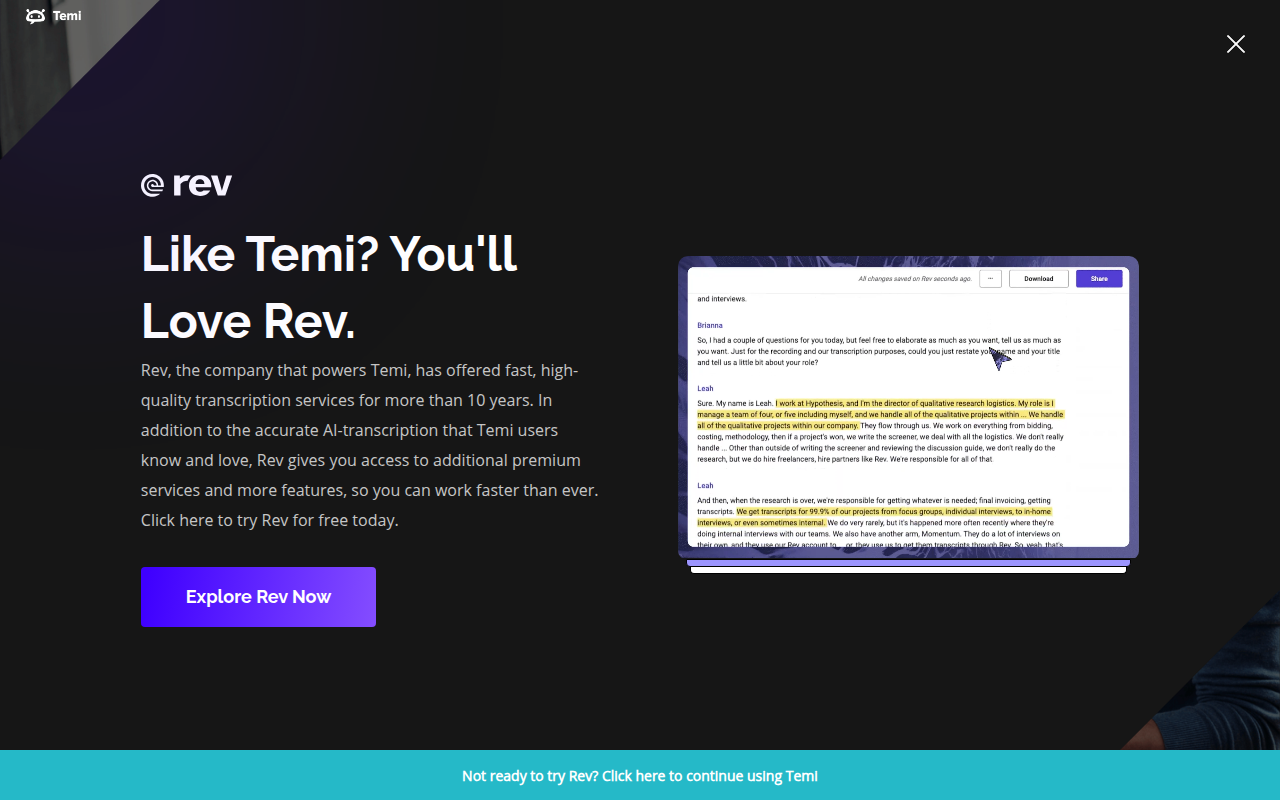
If you're looking for an economical solution in the realm of AI meeting transcription, Temi stands out as a solid contender. Offering basic transcription features at a budget-friendly rate, Temi caters to users who need efficient transcription without the premium price tag. Its affordability, combined with functional capabilities, makes it a go-to for projects requiring straightforward transcription services.
Affordable Pricing with Basic Transcription Features
Temi delivers core transcription functionality at a competitive price—ideal for teams or individuals prioritizing cost-effectiveness. It provides accurate transcriptions of audio files swiftly and without frills. This simplicity suits users who don't require advanced features like AI summaries or integration capabilities but need reliable speech-to-text conversion. It's particularly appealing to freelancers, students, or small businesses managing modest transcription needs.
Exports in Text and SRT for Simple Projects
Beyond affordability, Temi supports convenient export options. Users can download transcriptions in plain text and SRT formats, perfect for projects needing straightforward documentation or subtitle creation. The availability of SRT exports facilitates easy subtitle integration for video content, serving creators or team members involved in basic video editing tasks. This export ability underscores Temi's utility in delivering functional outputs for essential projects without added complexity.
Basic Privacy Features
While Temi shines in cost and functionality, its privacy features are fundamental, and potential users should verify these before deep integration into sensitive workflows. For users concerned about compliance and data security, it's crucial to inquire about Temi's encryption practices and data retention policies. Confirming these aspects can ensure that the tool meets organizational privacy standards, especially when handling confidential information.
Temi's no-nonsense approach places it firmly in the category of budget AI transcription tools, particularly benefiting those who value practicality over advanced technological capabilities. It's an option worth considering for users seeking essential functionality without the financial strain.
7. Happy Scribe — Best for User-Friendly Subtitles
When it comes to user-friendly subtitle creation, Happy Scribe takes the spotlight. This platform is particularly celebrated for its robust captioning and subtitle workflows, making it an ideal choice for video editors and media professionals seeking to produce polished and accurately-timed subtitles with ease.
Happy Scribe supports a wide range of export formats including SRT and VTT, which are essential for integrating subtitles across different video platforms and broadcast systems. These formats ensure that users can seamlessly insert their subtitles into videos, enhancing accessibility and reach. Additionally, the platform offers customization options that allow users to tweak subtitle appearance and timing, ensuring that the final output meets precise specifications.
One key aspect that sets Happy Scribe apart is its collaboration features. Teams can work together on transcription projects, sharing notes, edits, and feedback in real-time. This collaborative environment is crucial for organizations looking to streamline their subtitle creation process across multiple stakeholders.
"Happy Scribe's collaborative features transform the subtitle creation process into a collective effort, enhancing both speed and accuracy," notes a seasoned video editor.
For those evaluating tools in a pilot, Happy Scribe’s user interface is designed to be intuitive, reducing the learning curve even for team members who are new to transcription software. This ease of use makes it a top pick for businesses aiming to improve productivity without extensive training.
It's worth mentioning the importance of privacy when handling sensitive media files. Happy Scribe takes this seriously, implementing security measures that users can verify directly with the vendor.
Overall, Happy Scribe is a versatile option for teams looking to enhance their media content with professional-quality subtitles. Its ability to adapt to various workflows while supporting collaborative editing makes it particularly appealing for industries such as media production and broadcasting.
Deep-Dive on Question-Based AI Meeting Summaries
Transforming Transcriptions into Actionable Insights
When it comes to question-based AI meeting summaries, the goal is to transcend beyond flat recaps and dive into what truly matters. Let’s explore how this technique can elevate your transcription efforts.
How to Evaluate Summary Quality
The key to assessing a question-based AI meeting summary is understanding its ability to answer specific queries. Instead of settling for generic summaries, focus on how well the summary addresses questions like:
- What were the primary objectives discussed?
- Who was responsible for the key actions?
- What deadlines were set?
By framing your evaluation around these questions, you can ensure that summaries are not just condensed versions of meetings but actionable insights that drive progress.
Example Prompts and Expected Outputs
To make the most of question-based summaries, start by testing with targeted prompts:
- “Summarize the decisions made regarding [project name].”
- “List action items related to [topic] with assigned team members.”
- “Identify any unresolved issues or next steps.”
For example, a prompt like “Summarize the decisions made regarding Q4 targets” should yield a clear summary: “Team agreed on a 15% sales increase target, with John leading the campaign execution, due by November 15.”
Structural Differences from Generic Summaries
Generic summaries tend to focus on a chronological or thematic recap of the meeting. In contrast, question-oriented summaries:
- Emphasize decision points and action items.
- Clearly label responsibilities and deadlines.
- Highlight any follow-up required.
This approach not only saves time but enhances productivity by ensuring that each meeting leads seamlessly to actionable outcomes.
Testing During Trials
To effectively pilot a tool like DeepScribe, engage in a short experimental phase where you apply these prompts to real meetings. Evaluate whether the summaries generated align with your organizational needs by ensuring they succinctly address your predetermined questions.
A well-crafted question-based summary should reflect a thorough understanding of your meeting’s essence, acting as both a reference and a roadmap for follow-through.
When selecting an AI transcription service, like DeepScribe, which integrates question-based summaries, you empower your team to extract maximum value from every meeting, transforming conversations into clear paths forward without missing critical details.
Scenario-Based Buying Guide for AI Transcription Tools
Navigating the diverse landscape of AI transcription tools requires an understanding of how these tools align with specific team workflows. Here's a breakdown of essential scenarios and the best tools to address them.
Sales Teams: Expedite Proposal Generation and Follow-Ups
For sales teams, speed and efficiency in generating proposals and follow-up communications are paramount. A tool like DeepScribe stands out by offering seamless speaker detection and labeling, crucial for distinguishing between client and team discussions. This feature ensures that action items are accurately captured and attributed, streamlining post-meeting follow-ups. The AI-generated summaries translate complex discussions into concise points, making it easier to craft tailored proposals quickly.
Additionally, DeepScribe's integration capabilities allow for seamless syncing with CRM systems, ensuring that actions and insights flow directly into sales pipelines. For sales teams facing tight deadlines, maximizing productivity is critical, and leveraging a tool that reduces manual workload by 30% can be a game-changer.
Operations Teams: Integration with Existing Software
Operations teams benefit significantly from a tool that can integrate effortlessly with their existing software ecosystem. DeepScribe offers robust custom API integrations on its Business plan, allowing ops teams to embed transcription workflows directly into their platforms. This streamlines processes and reduces friction in data transfer, which is vital for maintaining smooth operations.
Furthermore, with live transcription capabilities, operations teams can ensure real-time documentation of meetings and discussions, minimizing time spent on manual note-taking and allowing team members to focus on strategic initiatives.
Research Teams: Prioritizing Speaker Identification and Meeting Summaries
For research teams, clarity and detail in documentation are crucial. Tools with advanced speaker identification like DeepScribe excel in multilayered discussions where multiple perspectives need accurate representation. The ability to produce granular meeting summaries, including question-based analysis, enhances the depth of research outputs and ensures critical insights are captured.
DeepScribe's flexibility with export formats, such as DOCX and PDF, allows teams to easily share findings in a consumable format. This aligns with research workflows that often require comprehensive report generation.
Regulated Organizations: Ensuring Privacy and Compliance
Organizations working under strict regulatory frameworks necessitate a transcription tool with robust privacy and security features. DeepScribe's SOC 2 Type II compliance and end-to-end encryption provide the assurance that sensitive data is handled with utmost security, making it a prime choice for regulated sectors such as healthcare and finance.
Compliance with data retention policies and the capability for automatic deletion post-processing mitigate risks associated with handling personally identifiable information (PII).
These targeted insights offer a structured approach to selecting an AI transcription tool based on distinct team needs, each ensuring that meeting productivity and data security are optimized.
Pilot Plan and Checklist for AI Meeting Transcription Tools
Embarking on a pilot for AI meeting transcription tools requires a strategic approach to ensure you realize maximum benefits such as increased productivity and reduced meeting time. Here's a detailed 7-day/14-day pilot plan complete with a checklist.
Step-by-Step Pilot Plan
Days 1-2: Setup and Training
- Identify Primary Use Cases: Determine whether you'll focus on sales meetings, operational check-ins, or research discussions.
- Tool Selection: Start with a tool like DeepScribe, known for its end-to-end features including transcription, smart summaries, and action items.
- Training and Onboarding: Provide your team with necessary training materials, which might include webinars or tutorials offered by your chosen provider.
Days 3-5: Execution and Testing
- Conduct Real Meetings: Use the tool during live meetings. Ensure meetings vary in terms of content and participants to leverage features like multilanguage support and speaker identification.
- Feature Testing: Focus on AI summaries and action item generation. Use the platform’s ability to auto-generate follow-up emails to streamline post-meeting communication.
Days 6-7: Evaluation and Feedback
- Performance Review: Evaluate the transcription quality and the accuracy of speaker labels and summaries.
- Team Feedback: Gather insights from the team regarding usability, efficiency, and integration into existing workflows.
Success Metrics
- Productivity Gains: Measure any noticeable 30% increase in productivity. This is a benchmark often cited by organizations adopting AI transcription.
- Meeting Time Reduction: Look for a 25% reduction in meeting duration, indicating more efficient discussions with clear action items.
Checklist for Privacy and Compliance
- Privacy Validations: Confirm the tool's privacy posture, checking for features like end-to-end encryption and SOC 2 Type II compliance.
- Data Handling Policies: Review policies on data retention and automatic deletion post-processing.
Feature Focus
- Export Capabilities: Test export formats such as DOCX, PDF, SRT, and VTT, particularly in roles requiring media distribution or regulated documentation.
- Question-based Summaries: Test these by preparing questions in advance to see if the tool effectively summarizes key discussions and decisions.
Key Insight: A successful pilot not only tests functionality but also evaluates how the tool integrates into your unique workflow. DeepScribe’s comprehensive suite is particularly effective in transforming raw transcripts into actionable insights.
By following this structured plan, you'll be well-equipped to make an informed decision on standardizing AI meeting transcription software within your organization.
Frequently Asked Questions
What factors should I consider when choosing AI meeting transcription tools?
Look for speed, accuracy, speaker identification, privacy posture, and export options.
How can AI transcription improve productivity?
It can increase productivity by 30% and reduce meeting times by 25%.
What makes DeepScribe stand out among AI transcription tools?
DeepScribe offers a complete workflow solution from transcription to actionable outputs with strong privacy compliance.
How reliable are AI meeting transcription tools?
Leading platforms claim 99% accuracy. It's essential to verify during a trial.
Is privacy a significant concern with AI transcription tools?
Yes, ensuring SOC 2 Type II compliance and encryption is crucial for privacy.
Final Thoughts
In summary, choosing the perfect AI transcription tool is about finding one that swiftly transforms transcripts into actionable insights while respecting privacy. The best tools stand out for their speed, accuracy, and seamless workflow integration.
Here are a few key takeaways:
- Speed and Accuracy: Evaluate tools that offer quick turnarounds with precise transcripts.
- Actionable Insights: Look for features that generate summaries and action items effectively.
- Privacy Assurance: Ensure the tool adheres to stringent privacy standards.
- Export Flexibility: Consider options that support a variety of export formats for versatile use.
For an end-to-end workflow solution, consider trying DeepScribe. It offers a comprehensive suite from transcription to summaries and action items, with easy DOCX, PDF, SRT, and VTT exports.
Taking the next step is as simple as trying a pilot run with one of these tools, and discovering which integrates best into your everyday operations.
Written by

DeepScribe Team
Content Team
The DeepScribe content team shares insights on audio transcription and AI technology.
Related Articles
Continue reading about this topic

9 Best AI Transcription Tools for Meetings (2026)
Explore the best AI transcription tools for meetings in 2026. From accuracy to privacy, find the right fit with our detailed comparison, featuring DeepScribe as a standout option.

DeepScribe Team
February 25, 2026 · 12 min read · 3,157 words