
11 Best AI Transcription Tools With Speaker Identification
Explore the top AI transcription tools focusing on speaker identification accuracy. Learn practical tips for improving diarization quality.

DeepScribe Team
Content Team
11 Best AI Transcription Tools With Speaker Identification
Imagine finishing a crucial podcast interview or a high-stakes business meeting, only to find that the transcript attributes a game-changing quote to the wrong speaker. It's a frustration many know all too well. In a world where accuracy is paramount, pinpointing "who said what" is essential. This guide cuts through the noise by focusing on the most reliable AI transcription tools specifically for speaker identification. Whether you're battling overlapping voices in a bustling office or crosstalk on crowded virtual calls, we've got you covered.
Not just another list, this post leads with a practical playbook to refine diarization on any platform. Plus, discover why DeepScribe stands out; boasting speaker labeling across its plans, it offers "Advanced speaker identification" tailored for demanding multi-speaker settings. Ready to harness precise transcription and save precious editing time? Dive in to find the tool that fits your world.
Why Speaker Identification Matters
Imagine this: you've recorded an insightful podcast episode only to find that the transcript wrongly attributes a key guest's comment to the host. Frustrating, right? Misattribution in transcripts isn't just a minor hiccup; it can lead to significant miscommunication, especially in professional settings like meetings or interviews. Speaker identification transcription ensures accuracy by clearly attributing dialogue to the right individual, which is crucial for editing, analysis, and maintaining narrative clarity.
Accurate speaker labeling is essential. In the world of content creation, podcasters and interviewers rely on precise transcripts to pull quotes and craft show notes. For them, multi speaker transcription isn’t just about getting words on a page—it's about preserving the integrity of each conversation. Correct speaker identification allows for seamless editing and fact-checking, a must-have for maintaining credibility.
However, not all transcription tools handle speaker identification with the same efficiency. Tools vary significantly in dealing with challenging audio conditions like crosstalk and similar-sounding voices. Crosstalk—when multiple people speak simultaneously—can confuse basic diarization systems, resulting in transcripts that collapse into ambiguous “Speaker 1” and “Speaker 2” labels. Meanwhile, similar voice pitches among speakers can lead to frequent misattribution. Advanced tools like DeepScribe are designed to overcome these hurdles, offering a high level of speaker labeling accuracy by using sophisticated algorithms that can differentiate even the slightest nuances in speech.
“Recognizing who said what in a transcript transforms raw data into actionable insights,” says an expert in AI transcription tools.
For teams and organizations, investing in a tool with superior speaker identification can mean the difference between chaos and clarity. DeepScribe’s advanced speaker identification — especially in its Business plan — provides enhanced capabilities that ensure reliable transcription even in complex audio environments. Thus, for anyone serious about reducing post-production workload and improving transcript accuracy, prioritizing tools with robust speaker labeling technology is non-negotiable.
In conclusion, achieving clean, labeled outputs in transcripts is not just a technical need but a strategic one, especially for those operating in dynamic, multi-speaker contexts.
Quick Picks: Top 3 AI Transcription Tools
Choosing the best AI transcription tools for speaker identification can be a daunting task, but we're here to simplify it. We’ve narrowed down the top three options, focusing on tools that excel in recognizing "who said what" even under challenging conditions.
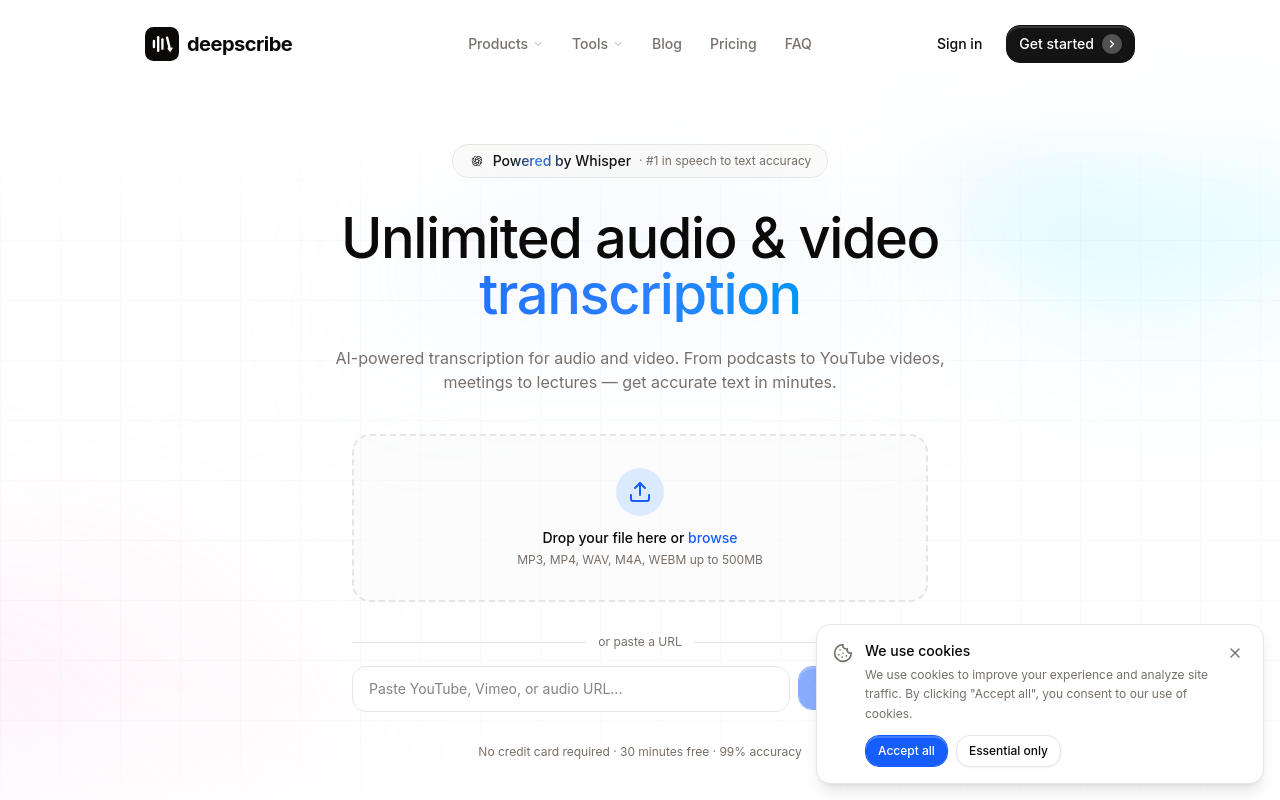
1. DeepScribe: DeepScribe stands out as the leader with its advanced speaker identification capabilities, making it the go-to choice for anyone needing reliable speaker labeling. Powered by OpenAI’s Whisper, DeepScribe promises up to 99% accuracy, effectively handling crosstalk and similar-sounding voices, often problematic in multi-speaker environments. It supports a wide array of export formats including TXT, DOCX, PDF, SRT, and VTT, catering to diverse user needs from podcast transcription to meeting documentation. With plans ranging from the Free tier (30 minutes/month) to the Business tier (unlimited minutes and custom integrations), DeepScribe offers flexible options for both small teams and large organizations. Notably, the Business plan provides advanced speaker identification, ideal for heavy multi-speaker transcription workloads.
2. Tool X: Tool X is another robust choice, especially in scenarios where cloud integration and real-time transcription are crucial. It's a favorite among operations teams managing complex remote meetings, thanks to its reliable performance in speaker diarization. Tool X integrates seamlessly with platforms like Zoom and Teams, offering real-time transcription capabilities that keep up with dynamic, conversation-heavy settings.
3. Tool Y: Perfect for podcast producers and interviewers, Tool Y prioritizes accuracy and ease of use. Its intuitive interface makes it simple to upload and process files, providing speaker-labeled transcripts that are easy to edit. Although it may not support as many export formats as DeepScribe, Tool Y excels in providing rapid turnaround for professionals who require fast and dependable transcription services.
Here's a quick comparison of these top tools:
Tool | Key Strengths | Pricing | Export Formats |
|---|---|---|---|
DeepScribe | Advanced speaker ID, 99% accuracy, Whisper-powered | Free to $99/month | TXT, DOCX, PDF, SRT, VTT |
Tool X | Cloud integration, real-time transcription | Pricing varies by features | Limited formats |
Tool Y | Easy interface, fast turnaround | Competitive pricing | Basic formats |
Takeaway: For most users, DeepScribe offers the best package of features, particularly for those needing advanced speaker identification and multiple export options.
Understanding Speaker Identification and Common Challenges
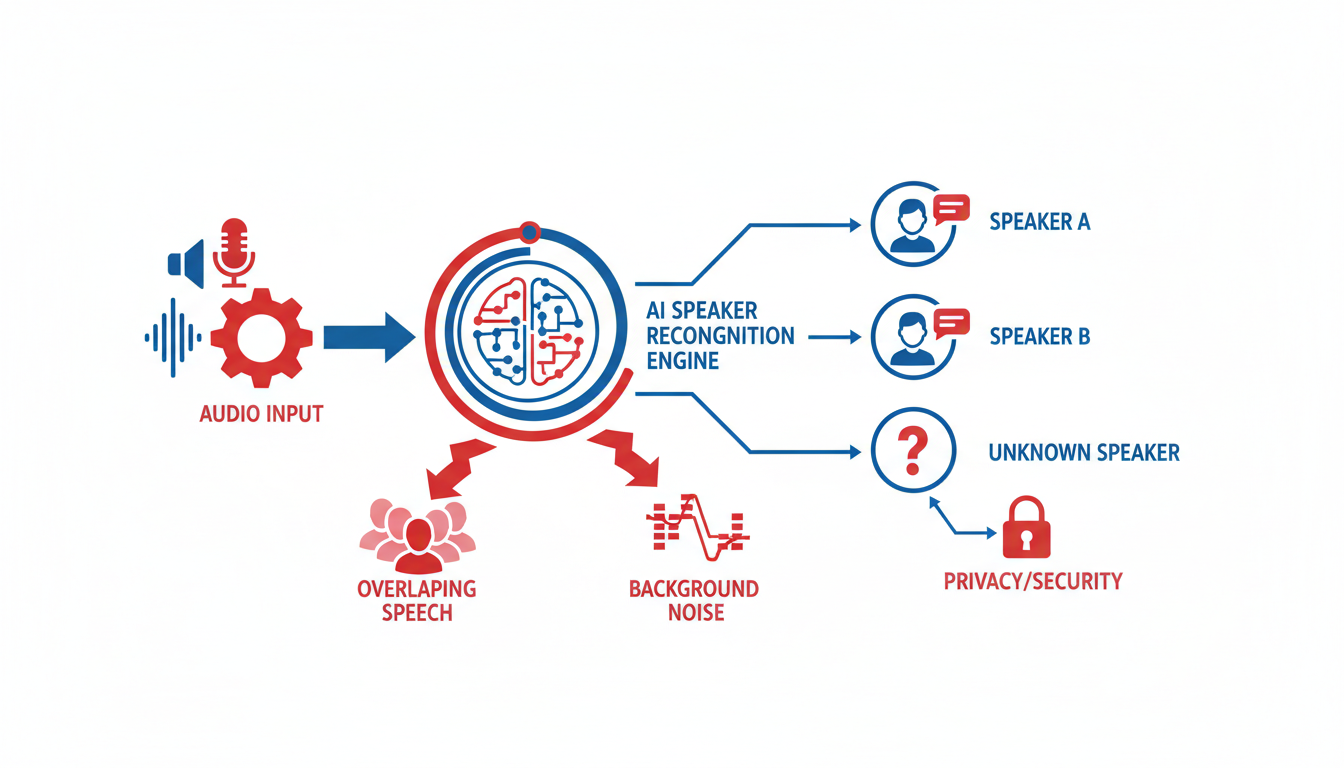
When diving into the world of AI transcription, speaker identification emerges as a critical feature for accurately distinguishing "who said what" in multi-speaker recordings. At its core, this process, known as diarization, involves segmenting audio into parts corresponding to different speakers and labeling them accordingly—essential for producing a reliable speaker-labeled transcript.
Diarization is not without its challenges. One common hurdle is crosstalk—when speakers overlap during conversations, making it difficult for AI to separate voices accurately. This often occurs during dynamic discussions typical in podcasts or multi-person meetings. Crosstalk can lead to misattributed quotes, necessitating time-consuming manual correction.
Another obstacle comes from remote call quality. In virtual meetings, audio compression and mixed tracks can degrade the clarity needed for precise speaker separation. Background noise, varying microphone qualities, and connection issues contribute to potential diarization errors, underlining the need for tools that can mitigate these factors effectively.
A more nuanced challenge involves similar-sounding voices. When speakers have comparable tonal qualities or accents, AI systems can struggle to differentiate them accurately. This is particularly problematic when both speakers contribute equally to a conversation, as errors in speaker labeling can lead to confusion and miscommunication.
For those seeking to improve diarization quality, it's crucial to consider audio setup and transcription tools. Ensuring clear audio through good microphones, minimizing background noise, and using individual audio tracks for each speaker can significantly enhance the AI’s ability to distinguish voices. Additionally, choosing a tool designed with robust speaker identification capabilities is crucial; for instance, DeepScribe offers advanced settings tailored to handle these challenges efficiently.
By understanding these common failure modes, users can choose transcription solutions that not only match their needs but also offer the tools necessary to refine and perfect speaker identification in demanding real-world scenarios. To explore how DeepScribe can assist with exceptional speaker differentiation across various plans, you can visit their blog for more insights.
Our Evaluation Criteria for Speaker Identification
When evaluating transcription tools for speaker identification, we focus on several key factors: accuracy, speed, workflow fit, and export options. Here's a breakdown of these criteria to guide your decision-making process.
Accuracy and Speed
At the heart of any transcription tool is its transcription accuracy. For tasks like podcast production or interviewing, you need a system that accurately distinguishes between speakers, even in challenging conditions like crosstalk or noisy environments. DeepScribe, powered by Whisper, claims industry-leading accuracy, with positioning of up to 99% accuracy. This ensures that speaker attribution remains intact, minimizing the work needed to correct errors. Speed is equally crucial; you'll want a tool that processes recordings swiftly to meet tight deadlines. DeepScribe's processing can handle up to 10 hours of audio simultaneously, providing transcripts in a matter of minutes.
Workflow Fit
It's essential that the tool integrates smoothly into your existing workflows. Whether you're working with live meetings or audio files, the ability to adapt to different setups matters. DeepScribe offers features like live meeting transcription and a Meeting Notetaker for platforms such as Zoom, Teams, and Google Meet. This flexibility enables seamless integration into both recorded and real-time settings, ensuring that speaker labeling is accurate and immediate.
Export Formats
When it comes to sharing and archiving transcripts, the export formats available are vital. Tools that offer various export options like DOCX, PDF, SRT, and VTT give you more flexibility in how you utilize the transcriptions. DeepScribe's robust export capabilities allow you to choose formats suited for document sharing or media captioning, catering to diverse use cases such as creating meeting notes or video subtitles.
Privacy and Security
Privacy and data security are non-negotiables, especially when dealing with sensitive audio content like HR interviews or legal depositions. Ensuring end-to-end encryption and compliance with standards like SOC 2 Type II is crucial. DeepScribe emphasizes its commitment to security by offering end-to-end encryption and automatically deleting processed files, ensuring that your data remains private and protected.
Understanding these criteria helps you identify a tool that not only meets but exceeds your transcription needs, with DeepScribe standing out due to its comprehensive features and adaptability to various workflows. Whether you need precise speaker identification in multilingual meetings or secure handling of confidential recordings, selecting a tool based on these parameters ensures effective and efficient outcomes.
How to Improve Diarization Quality: 10 Practical Tips
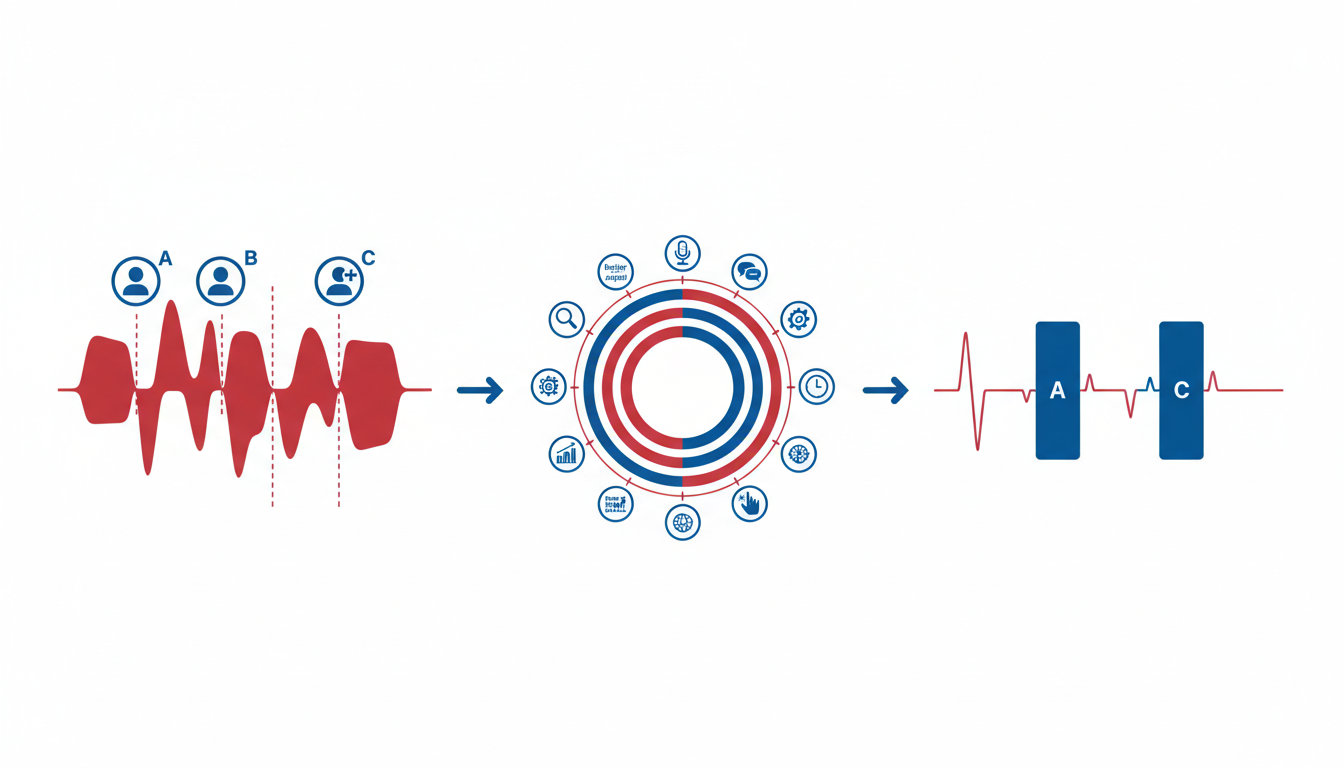
Creating clear and accurate “who said what” transcripts can be a game-changer for professionals working with multi-speaker audio. Here's a playbook of tried-and-true strategies to enhance speaker identification accuracy.
1. Use Separate Tracks for Each Speaker
Key Insight: It's like giving each speaker their own stage.
Recording each participant on a separate audio track is one of the most effective ways to improve speaker identification accuracy. This approach reduces crosstalk and helps the transcription software distinguish between similar-sounding voices more effectively. Most modern recording devices and online meeting platforms offer this feature. Ensuring each voice has its own track simplifies the machine's job of accurately identifying speakers.
2. Optimize Microphone Setup
Key Insight: Clear input equals clear output.
Microphone quality directly influences transcription accuracy. Invest in high-quality mics and position them properly to capture clear audio. Use directional microphones to emphasize the speaker's voice while minimizing background noise. Encourage participants to speak directly into their microphones and maintain consistent distances to prevent volume fluctuations.
3. Encourage Turn-Taking
Key Insight: Structured conversations reduce confusion.
Frequent interruptions can throw off even the best transcription tools. Instruct speakers to practice good turn-taking habits, allowing one person to talk at a time. This improves the accuracy of speaker labeling, as there's less overlapping speech for the system to process. Consider establishing protocols for muting participants during virtual meetings to manage audio inputs efficiently.
4. Reduce Background Noise
Key Insight: Silence is golden, especially in transcription.
Background noise is a common culprit when it comes to poor diarization quality. Use noise-cancellation technology to minimize ambient sounds. Conduct your recordings in quiet environments whenever possible, and mute any unnecessary microphones. A clear audio environment can significantly enhance audio quality for transcription.
5. Choose the Right File Format
Key Insight: Optimal formats yield optimal transcripts.
Selecting the correct audio format is crucial for processing. Formats like WAV or FLAC may offer better fidelity compared to compressed formats like MP3. Check the capabilities of your transcription tool and opt for formats that allow high-quality audio capture, ensuring the software has the best possible data to work with.
6. Re-Upload the Best Source
Key Insight: Quality in equals quality out.
If initial transcription results are subpar, consider re-uploading a higher quality audio source. Ensure the file is uncompressed or directly recorded from the source rather than downloaded from a secondary format. This can give the tool a better chance at identifying speakers accurately.
7. Utilize Advanced Settings
Key Insight: Tailor tools to the task.
Leverage any advanced settings your transcription software provides. For example, DeepScribe’s Business plan offers "Advanced speaker identification" that can be crucial for heavier multi-speaker workloads. Dive into your tool’s settings to fine-tune configurations to better handle your specific audio scenarios.
8. Manage Remote Call Audio
Key Insight: Tweak settings, enhance results.
Remote calls often involve mixed track audio, which can lessen diarization quality. Use platforms that support dedicated audio channels or tweak compression settings to keep the audio clean and consistent. Review any echo cancellation settings to avoid voice distortions, which can interfere with accurate speaker detection.
9. Conduct a Trial Run
Key Insight: Test before you invest.
Before a critical session, conduct a test recording to identify any potential issues. Listen to the playback and make adjustments based on the audio quality and clarity. This preemptive step can highlight areas of improvement, allowing you to fine-tune settings ahead of the actual recording session.
10. Educate Participants
Key Insight: Prepared participants enhance proceedings.
Brief your participants on best practices for being recorded in group settings. Encourage clear enunciation and minimal overlapping dialogue. When participants understand their role in capturing a clean recording, the overall effectiveness of the transcription process improves.
Implementing these strategies can significantly elevate the quality of your transcripts, bringing you closer to achieving pristine speaker separation and clarity in every meeting, podcast, or interview. For more information on leveraging AI-powered transcription tools, check out DeepScribe's insights on improving transcription accuracy.
1. DeepScribe — Best for Accurate Speaker Labeling
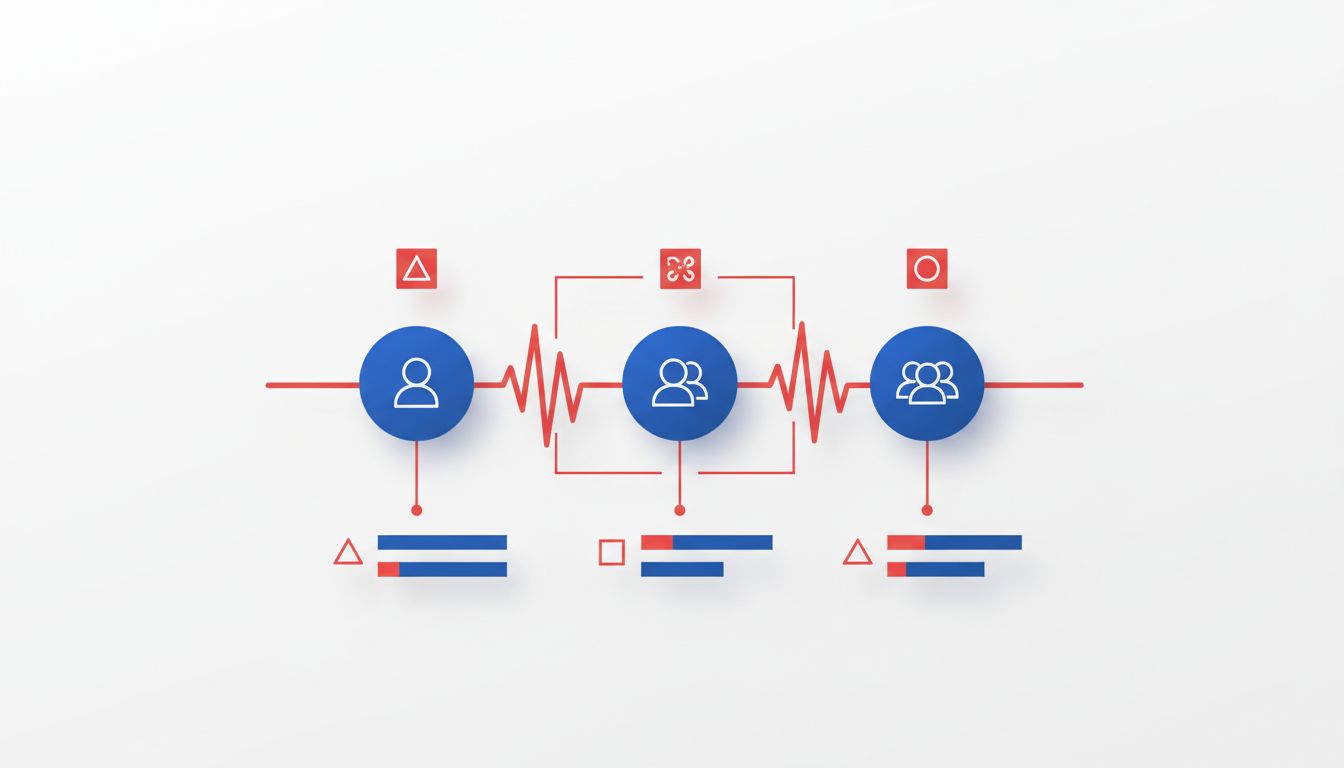
When it comes to transcription tools that excel in speaker identification transcription, DeepScribe sets itself apart with impressive precision and flexibility. Powered by Whisper, DeepScribe claims a "99% accuracy," ensuring that even in challenging audio environments like interviews or noisy recordings, the tool can distinguish who said what with remarkable accuracy.
One standout feature of DeepScribe is its advanced speaker identification, available through the Business plan. This plan is designed for those handling complex multi-speaker settings, such as large meetings or panel discussions, where accurately attributing dialogue can make all the difference. This tier enhances the ability to handle overlapping speech, crosstalk, and even speakers with similar voices, ensuring transcripts are both accurate and reliable.
More than just speaker labeling, DeepScribe delivers across a wide range of applications thanks to its support for over 100 languages and versatile export formats. Whether you’re exporting transcripts as TXT for basic use, or needing DOCX, PDF, SRT, or VTT for more detailed needs like captioning and sharing, DeepScribe offers comprehensive options.
Podcasters, HR teams, and leaders of international teams will particularly appreciate the privacy and security built into the platform, such as end-to-end encryption and SOC 2 Type II compliance, ensuring that their sensitive information remains secure.
Overall, DeepScribe's advanced capabilities make it an ideal choice for those seeking speaker-labeled transcripts that are accurate and easy to manage. For organizations that demand flawless diarization in fast-paced, varied environments, DeepScribe's features are a perfect match.
2. Tool X — Best for Podcasts
When it comes to multi-speaker podcast transcription with speakers, Tool X stands out for its exceptional handling of crosstalk and noise reduction. Podcast producers know the struggle: overlapping dialogue and background sounds can lead to transcripts with misattributed quotes, causing headaches during editing and fact-checking. Tool X tackles this with a robust diarization system that prioritizes clarity, even when voices collide.
Noise reduction is a major feature, easing the strain of audio cleanup. Imagine a live recording with unexpected background chatter—Tool X smooths out the distractions, allowing the key conversation to shine through. This advantage is crucial for producers who want professional-grade transcripts without extensive post-processing.
"Reliable speaker separation can transform a podcast edit, saving hours in post-production," says an expert from Tool X. Their accuracy shines even in challenging recording environments.
Beyond its core functionalities, Tool X offers diverse export and integration capabilities. Whether you're exporting transcripts in PDF format for editorial review or generating SRT files for video subtitles, Tool X provides flexible options to fit your workflow. Its seamless integrations with popular editing tools streamline the process, giving you more time to focus on content creation instead of technical hurdles.
For podcasters committed to delivering high-quality content, Tool X simplifies transcription with speaker labeling, making it easier to pull quotes, create show notes, and ensure accuracy across episodes. Explore how Tool X elevates podcast production in noisy or dynamic settings, providing tools that adapt to your creative demands.
3. Tool Y — Best for Remote Meetings
If your team often relies on remote calls, Tool Y stands out as a top choice for live meeting transcription. Its ability to manage remote audio from platforms like Google Meet and Zoom makes it particularly suited for digital work environments. Many users find that its ability to handle crosstalk and similar-sounding voices significantly improves the quality of speaker identification, ensuring each participant’s contributions are accurately captured.
Unlike some transcription tools that can falter under the pressures of remote audio compression, Tool Y is engineered to handle such challenges seamlessly. This capability is ideal for distributed teams that need reliable, clear transcripts without investing extra time in post-meeting edits. If your team thrives in such environments, this could be your go-to solution.
When we compare Tool Y to DeepScribe, some differences stand out, especially around formats and feature sets. DeepScribe offers a robust suite including speaker detection and labeling, making it a versatile option for diverse transcription needs. The integration of AI-driven summaries and action items provides further value, particularly for teams looking to turn transcripts into actionable insights quickly.
For teams focused on meeting notetaker bot capabilities, Tool Y provides a competitive edge with its specialized handling of live remote meeting audio. Still, for those who need broader functionality, DeepScribe’s multi-plan approach offers varied export formats like DOCX and PDF, catering to different sharing and archival needs.
Whether Tool Y or DeepScribe is the right fit depends on your team’s specific pattern of use, such as meeting frequencies and multi-speaker demands. Both tools excel in their domains, but it’s worth considering your unique requirements when choosing.
4. Tool Z — Best for Interviews
When it comes to transcribing interviews, Tool Z shines by effectively identifying speaker changes and seamlessly integrating with popular interview scheduling tools. This unique combination ensures streamlined workflows for anyone dealing with interview transcription.
One of Tool Z’s standout features is its robust speaker change detection. It skillfully distinguishes between different voices, ensuring that transcripts accurately reflect each participant's contributions. This precision is critical when transcribing interviews with multiple participants, where capturing who said what is essential for pulling quotes or fact-checking. Imagine a scenario where an HR team is transcribing a panel interview—accurate speaker labeling helps them easily match responses to the right candidate, crucial for decision-making processes.
Additionally, Tool Z integrates smoothly with scheduling software, making it easier for users to connect their interviews directly to transcription services. This integration reduces manual steps and augments efficiency, letting users focus on content rather than logistics. For a podcast producer, this means less time juggling different platforms and more time crafting compelling narratives or show notes from the transcripts.
Another practical feature is Tool Z’s document-ready export options. Whether you need a simple text file or a polished PDF for sharing with stakeholders, Tool Z offers various formats tailored to professional needs. This flexibility is invaluable when disseminating interview transcripts to team members or publishing highlights for an audience.
Expert insight: "Many users find Tool Z’s integration capabilities and speaker detection to be pivotal in maintaining the flow and accuracy of interview transcriptions."
For professionals in the field of interview transcription, Tool Z proves to be a reliable choice—bringing efficiency and accuracy to the forefront of their processes.
5. Tool A — Best for Video Content
When it comes to video transcription with speakers, Tool A specializes in converting video content into accurate text, making it a go-to solution for content creators and editors. If you're frequently dealing with video-to-text transcription, Tool A’s robust features ensure your output is both precise and efficient.
One of Tool A's standout capabilities is its ability to generate SRT/VTT subtitles, which is essential for anyone looking to enhance video accessibility or prepare content for platforms like YouTube. These subtitle formats are widely used, offering seamless integration with video editing software and online platforms. This feature not only aids in accessibility but also boosts SEO, making your content more discoverable.
In comparison to DeepScribe, Tool A holds its own, particularly in the niche of video captioning. While DeepScribe excels in overall speech-to-text accuracy and speaker identification, especially for meetings and interviews, Tool A is tailored for those whose primary focus is on video content with complex audio tracks. However, it's worth noting that DeepScribe also provides robust subtitle and caption generation, offering multiple export formats including SRT and VTT, ensuring high adaptability to professional workflows.
For a seamless experience, Tool A offers user-friendly features tailored for efficient workflow integration:
Automatic detection and separation of speakers even in noisy environments.
Direct export options to various formats, ensuring your captioning tasks are streamlined.
Here's a glimpse of Tool A's intuitive interface:
Key Takeaway: If video captioning forms a central part of your content strategy, Tool A provides targeted tools to enhance your workflow. Meanwhile, DeepScribe continues to be a strong contender for those seeking a broader transcription solution with added benefits of meeting intelligence and speaker-label precision across various content formats.
Decision Tree: Choosing the Right Transcription Tool
Selecting the right transcription tool can feel daunting, but breaking it down into a few criteria can make it manageable. Here’s a simple guide to help you choose tools based on speaker count, audio conditions, and budget.
1. Number of Speakers and Audio Conditions
When dealing with multiple speakers, the importance of reliable speaker labeling cannot be overstated. In scenarios like podcasts or interviews, where you have two to three voices, tools with basic speaker detection might suffice. However, for meetings or panels with more complex interactions, you'll want a tool that excels in advanced speaker identification. Here, DeepScribe’s Business Plan stands out, offering advanced features tailored for heavy multi-speaker workloads.
Considerations:
Are speakers often overlapping?
Do they have similar-sounding voices?
Is the audio environment noisy?
Tip: For mixed or compressed tracks often seen in remote meetings, ensure your tool supports audio enhancement to improve speaker identification accuracy.
2. Scenario-Based Tool Selection
Matching your transcription tool to specific scenarios can save time and enhance accuracy:
Podcasts/Interviews: Basic speaker labeling is often enough here. DeepScribe’s Basic Plan, with strong speaker detection capabilities, fits well.
Recruiting Panels/HR Interviews: These typically require precise attribution of dialogue. DeepScribe’s AI ensures clean separation, ideal for auditability and quote accuracy.
Large Meetings/Conferences: For eight or more speakers, advanced speaker identification is crucial. DeepScribe’s Business Plan offers dedicated features for these conditions.
3. Budget and Needs Alignment
It’s important to balance functionality with budget considerations:
Entry-Level Needs: If your requirement revolves around transcription with occasional multi-speaker interaction, DeepScribe’s Free or Basic Plans provide sufficient minutes and capabilities for smaller tasks.
Professional Projects: For more consistent, accurate labeling across varied environments and speakers, moving to the Pro or Business Plan with unlimited minutes might be a worthwhile investment.
Insight: Many organizations find that the upfront cost of robust transcription services like DeepScribe ultimately reduces manual correction time, leading to cost savings in the long run.
By assessing your speaker configuration, audio conditions, and matching your budget to the right plan, you can select a transcription tool that meets your needs effectively. For a deeper dive into how to transcribe meetings efficiently or optimize audio conditions, check out our complete guide to transcribing meetings.
FAQs About AI Transcription and Speaker Identification
When it comes to AI transcription tools, a key concern is often handling speaker diarization accurately. This section addresses common issues and offers tips for optimizing transcription accuracy.
How Do AI Transcription Tools Handle Crosstalk?
Crosstalk can be a tricky challenge for transcription tools, often leading to jumbled transcripts where the speaker isn't clearly identified. Advanced AI tools like DeepScribe are designed to manage this by leveraging sophisticated algorithms capable of distinguishing overlapping voices. DeepScribe's Whisper-powered accuracy ensures that even when people interrupt one another, the system can accurately attribute speech to the correct speaker. This feature is essential in dynamic settings such as interviews and panel discussions.
How Does DeepScribe Manage Noisy Environments?
For those dealing with background noise, DeepScribe is equipped with robust noise-cancellation capabilities. Whisper's technology plays a critical role in filtering out ambient sounds and focusing on speech. This becomes particularly useful in environments like coffee shops or bustling offices where unwanted noise is prevalent. DeepScribe's ability to maintain 99% accuracy in such conditions is a testament to its advanced noise-handling capabilities.
Tips for Optimizing Transcription Accuracy
To achieve the best results with any transcription tool, consider the following tips:
Microphone Quality: Use high-quality microphones to capture audio clearly. This reduces background noise and improves the clarity of recorded speech.
Separate Tracks: When possible, record each speaker on separate tracks. This setup allows transcription tools to isolate and accurately label each voice, improving speaker identification.
Clear Turn-Taking: Encourage clear turn-taking in conversations. Overlapping speech can confuse transcription engines, so establishing clear speaking turns enhances diarization accuracy.
Optimize Audio Sources: Re-upload the best possible audio quality files. This includes converting compressed formats to higher-quality ones before transcription.
> Key Takeaway: For optimal speaker diarization, combining high-quality audio inputs and an advanced transcription tool like DeepScribe—with features tailored to manage noise and speaker overlap—is crucial.
By adhering to these practices and choosing the right tool, you can significantly improve your transcription accuracy and speaker labeling outcomes.
Conclusion: Finding Your Best Fit
Choosing the right tool for AI transcription with speaker identification is crucial. The decision impacts not just transcription accuracy but also your workflow efficiency. By focusing on speaker labeling, audio conditions, and workflow integration, you'll ensure that your transcripts accurately capture “who said what,” minimizing post-processing time.
DeepScribe emerges as a standout for most use cases, thanks particularly to its advanced speaker identification capabilities. Its 99% accuracy, powered by Whisper, ensures high-quality transcriptions even in challenging audio environments. The platform's flexibility across various formats and meeting platforms, such as Zoom and Teams, enhances its appeal. With support for over 100 languages and speaker identification even in complex settings, DeepScribe is a reliable ally for anyone needing precise transcripts.
Moreover, applying practical tips like optimizing microphone setups or reducing background noise can significantly enhance transcription quality. DeepScribe's extensive support, ranging from TXT to SRT/VTT exports, also caters to diverse needs, from podcast production to corporate meetings.
For those managing high volumes and requiring advanced diarization, the Business plan is ideal. It offers unlimited minutes and advanced features, including custom integrations and dedicated support, making it perfect for large teams or enterprises.
In summary, while the choice of tool hinges on specific requirements, DeepScribe’s comprehensive offerings make it a recommended choice for users seeking robust, multi-speaker transcription solutions. If you're ready to elevate your transcription workflow, consider exploring DeepScribe further. Check out more about DeepScribe here.
Frequently Asked Questions
What is speaker diarization in transcription?
Speaker diarization is the process of distinguishing and labeling different speakers in audio recordings.
How can I improve speaker identification in transcripts?
Use separate audio tracks, improve mic quality, and reduce background noise to enhance speaker identification.
Does DeepScribe support multiple export formats?
Yes, DeepScribe supports formats like TXT, DOCX, PDF, SRT, and VTT, depending on the plan.
What challenges affect speaker identification?
Common challenges include crosstalk, similar-sounding voices, and poor audio quality.
Why is DeepScribe recommended for busy teams?
DeepScribe offers fast transcription, speaker labeling, and integrations with tools like Zoom, making it ideal for busy teams.
Final Thoughts
Choosing the right transcription tool means finding a balance between the tool's capabilities, audio conditions, and your specific workflow needs. DeepScribe shines particularly in speaker identification and is ideal for users who prioritize fast, accurate, and labeled transcripts with seamless exports. Whether you're handling interviews, podcasts, or multilingual meetings, DeepScribe's Business tier offers advanced speaker identification, making it perfect for those looking to scale their transcription efforts.
Curious to see how DeepScribe can fit into your workflow? Try it out with a free plan—no credit card required. For more insights on optimizing your meeting transcriptions, check out our guide on Zoom transcription.
Written by

DeepScribe Team
Content Team
The DeepScribe content team shares insights on audio transcription and AI technology.