9 Best AI Meeting Intelligence Tools (Notes + Action Items)
Explore the leading AI meeting intelligence tools evaluated by transcript quality, speaker labeling, summaries, and action items. Discover which suits your needs best.

DeepScribe Team
Content Team
9 Best AI Meeting Intelligence Tools (Notes + Action Items)
In the fast-evolving world of AI meeting intelligence tools, businesses are quickly realizing their potential beyond simple note-taking. An astounding 80% of businesses now harness these tools, with a striking 90% reporting positive impacts on their operations. But with the market projected to skyrocket from USD 3.67 billion in 2024 to USD 72.17 billion by 2034, it's clear that not all tools are created equal. What truly matters for revenue teams are outputs you can rely on: top-notch transcript quality, precise speaker labeling, actionable summaries, and effective follow-ups. This post cuts through the noise, ranking these tools based on how well they deliver the critical artifacts teams depend on. Plus, we introduce a critical fifth element often missed—how well these tools handle file transcription and captions. Get ready to discover why DeepScribe stands out as the solution for both meeting notes and comprehensive media transcription needs.
Introduction: Why Meeting Intelligence is Essential Now
In today's dynamic work environment, AI meeting intelligence tools have become indispensable for numerous organizations, driven by the shift towards remote and hybrid work models. With a staggering 80% of businesses already utilizing these tools, and 90% reporting significant positive impacts, it's clear that effective meeting management has never been more crucial.
The Need for Trustworthy Transcripts and Actionable Insights
Sales leaders, SDR/AE managers, and customer success teams rely heavily on accurate transcripts and action items to drive productivity and efficiency. Poor-quality notes and disorganized follow-ups can lead to missed opportunities and communication breakdowns. This need for reliable meeting outputs makes AI meeting assistants indispensable in ensuring clarity and accountability.
Market Growth and Investment Justification
The AI meeting assistant market is poised for exponential growth, projected to skyrocket from USD 3.67 billion in 2024 to USD 72.17 billion by 2034. This growth, fueled by a compound annual growth rate of 34.7%, highlights the increasing reliance on technology to facilitate seamless communication and collaboration. With North America leading this charge—holding a 35.3% market share—organizations are keenly investing in tools that enhance meeting efficiency and outcomes.
Solving Complex Needs with One Comprehensive Solution
As businesses adapt to remote work and complex team dynamics, they require tools that not only transcribe and label speakers accurately but also summarize discussions and generate follow-up tasks. DeepScribe, for instance, stands out by integrating meeting transcription with file transcription and providing SRT/VTT caption exports in a single workflow. This integrated approach eliminates the need for multiple tools, streamlining operations and saving valuable time.
Key Insight: Embracing AI meeting intelligence is no longer optional—it's a strategic necessity for organizations aiming to stay competitive and efficient in the digital age. Implementing tools that handle both real-time transcription and post-meeting action items, as highlighted by Expert Insight[1], enhances productivity and drives meaningful outcomes.
In summary, the adoption of AI meeting intelligence tools is transforming how businesses capture and utilize information, ensuring that every meeting is productive and actionable. As this market continues to expand, investing in comprehensive solutions like DeepScribe will empower teams to thrive amidst evolving work demands.
What Are AI Meeting Intelligence Platforms?
AI meeting intelligence platforms are transformative tools that leverage artificial intelligence to streamline and enhance meeting experiences. They primarily focus on AI-driven transcription and note-taking, turning conversations into actionable insights. At their core, these platforms automatically transcribe spoken words into text, providing a comprehensive record of discussions. This not only saves time but ensures accuracy, especially when handling complex, jargon-heavy dialogues.
Key features include:
Speaker Labeling: This functionality helps identify and differentiate between multiple speakers in a meeting. Accurate speaker labeling ensures that each part of the conversation is attributed correctly, reducing errors in follow-ups and outcomes.
Summarization: AI meeting tools generate concise summaries, distilling lengthy meetings into digestible overviews. This is particularly valuable for teams that need to quickly grasp key points without sifting through transcripts.
Follow-ups and Action Items: These platforms are designed to identify and extract action items from meetings, linking tasks to specific individuals and deadlines. This proactive approach ensures accountability and drives project momentum forward.
Expert Insight [1] highlights that "implementing tools that handle both real-time transcription and post-meeting follow-ups enhances productivity."
An often overlooked feature of these platforms is their ability to integrate with existing systems, such as Slack, Confluence, and Jira, automating task creation and collaboration. This integration is crucial for teams that rely on streamlined workflows.
Additionally, some platforms, like DeepScribe, offer a unique advantage by combining both meeting notetaking and the capability to handle file transcription and captioning. This dual functionality makes it ideal for teams who need seamless workflows for regular meetings and multimedia content processing.
In a rapidly growing market that’s projected to reach $72.17 billion by 2034, with notable 80% adoption rates and reported 25% boosts in sales performance, the impact of AI meeting intelligence tools is undeniable. These platforms are pivotal in transforming how organizations conduct and leverage meetings, driving efficiency and maximizing output quality.
Evaluation Rubric: What Matters Most
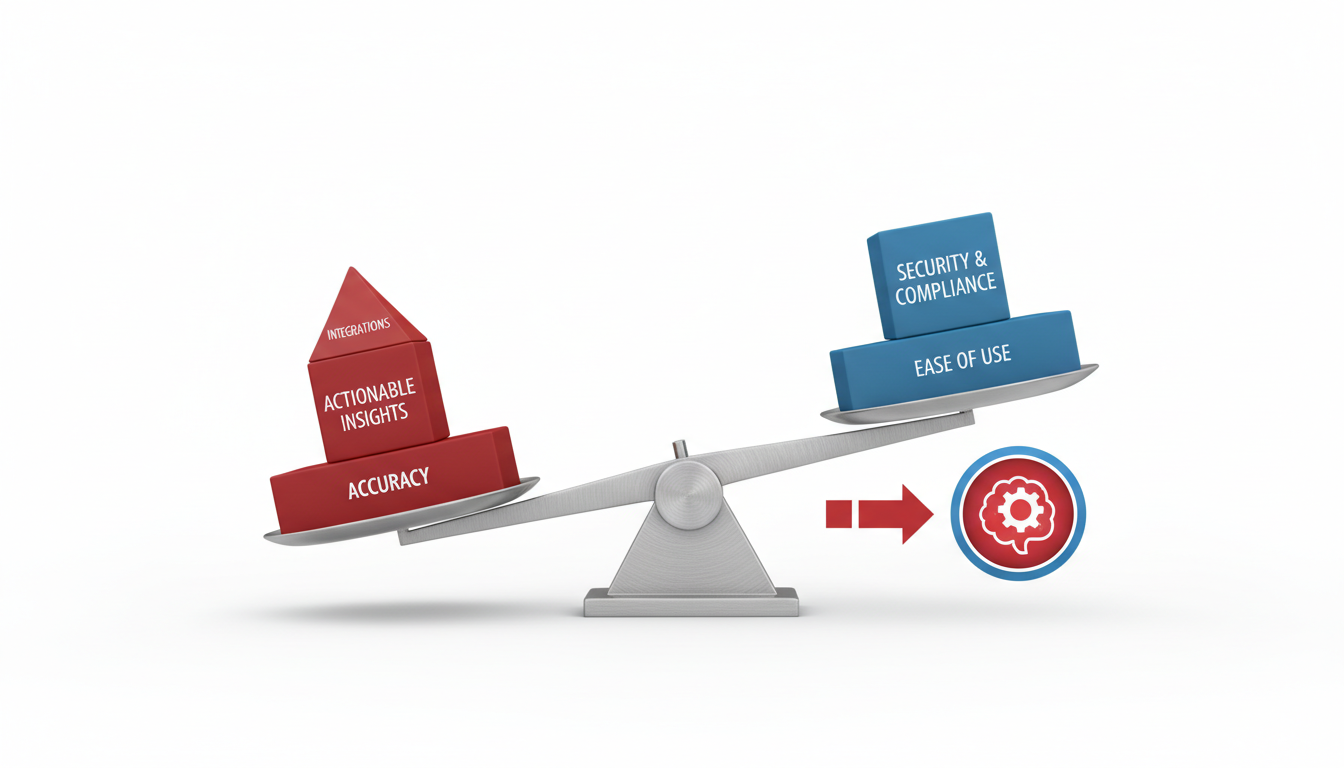
Evaluating AI meeting intelligence tools isn't just a feature comparison; it’s about assessing output quality and integration capabilities crucial for revenue teams. Let’s dive into the core components your team needs: transcript quality, speaker labeling, summaries, follow-ups/action items, and the often-overlooked file transcription and captioning.
Transcript Quality
The foundation of any good AI meeting tool is accurate transcription. High-quality transcripts are non-negotiable. Look for tools with proven accuracy rates, like DeepScribe, which boasts whisper-powered transcription to handle accents and background noise. Many organizations find that maintaining a 98% or higher accuracy rate is essential, especially in diverse teams.
Speaker Labeling
Multi-speaker environments can quickly become chaotic without proper attribution. Speaker labeling ensures clarity on who says what, preventing follow-up errors. Tools that excel in speaker detection—like DeepScribe—are invaluable, especially for interviews or legal documentation where attribution is critical.
Summaries
Expert Insight[1]: Implementing tools that summarize conversations enhances productivity.* Efficient summaries capture essential points and context without overwhelming your team with data. The best AI tools deliver smart summaries that focus on key insights and decisions. Balance is important—summaries should be concise yet comprehensive enough to drive informed actions.
Follow-Ups/Action Items
An AI tool’s ability to generate actionable follow-ups directly affects team productivity. Look for platforms like DeepScribe that extract tasks, owners, and deadlines seamlessly from meetings. This capability ensures that decisions lead to action rather than getting lost in post-meeting ambiguity.
File Transcription + Captioning
Here’s the part most tools get wrong: Teams increasingly need tools that handle both real-time meeting transcription and file uploads (like webinars or Zoom call exports) for comprehensive workflow integration. DeepScribe’s ability to deliver both meeting notes and file-based SRT/VTT exports within one platform is a significant advantage.
Weighting for Workflow Automation and Integration
When assigning weight to these features, consider how well the tool integrates with your current systems like Slack, Confluence, or Jira. Tools that push summaries to these platforms can automate task creation, streamlining workflows significantly.
Takeaway: "Choose tools that push summaries to Confluence, Jira, or Slack channels to automate action tasks." — Expert Opinion[2]
Utilizing a scorecard weighted on these criteria, based on our research data, affirms the impact these tools can have on boosting sales performance by up to 25%. With the AI meeting assistant market projected to grow from USD 3.67 billion in 2024 to USD 72.17 billion by 2034, picking the right tool now is an investment in your team’s future efficiency.
## 1. DeepScribe — Best for Comprehensive Workflow
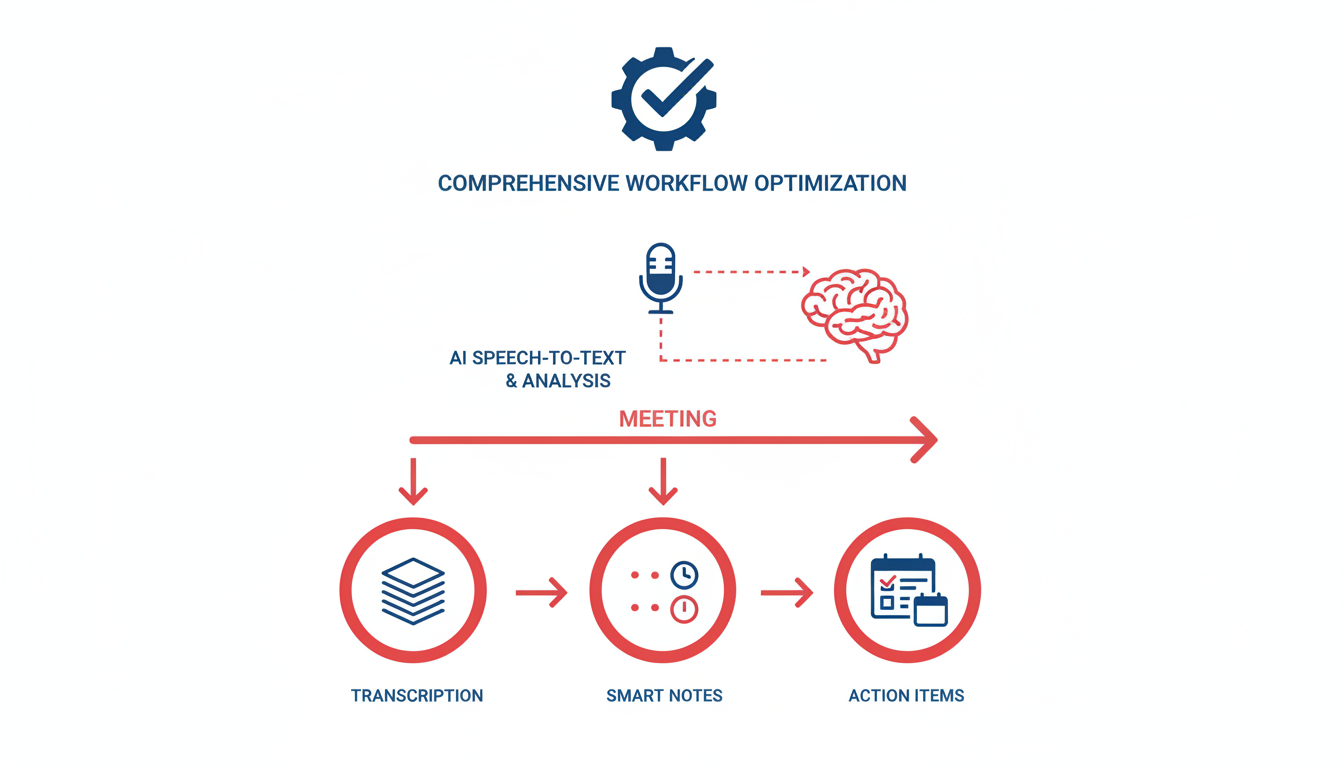
When it comes to **AI meeting intelligence tools**, DeepScribe stands out as the go-to solution for teams seeking a seamless workflow from live meetings to file transcriptions. Its strengths lie in its **transcript accuracy, speaker labeling, and comprehensive caption generation**, making it ideal for those who need precision and adaptability.
DeepScribe utilizes the power of OpenAI's Whisper to deliver a market-leading transcription accuracy of up to 99%, handling accents and background noise with ease. This means you can trust the transcriptions to be spot-on whether it's a board meeting or a technical interview. The platform excels in **speaker labeling**, an essential feature for avoiding attribution errors during multi-person calls. This ensures that follow-up tasks are correctly assigned, reducing the chance of miscommunication that often plagues remote teams.
Moreover, DeepScribe uniquely integrates **meeting notes with file transcriptions**, allowing users to work efficiently with both live meetings and pre-recorded materials like webinars and customer interviews. This dual capability means you don't have to juggle between a meeting bot and a separate transcription tool, simplifying your tech stack.
Not only does DeepScribe generate reliable summaries, but it also automates the creation of **action items and follow-ups**, syncing these directly with platforms like Slack or Jira. This capability aligns with Expert Insight[1] that highlights the productivity boost from tools that seamlessly integrate with task management systems.
For teams needing captioning, DeepScribe offers export formats such as SRT and VTT, essential for accessibility and video publishing. This makes it perfect for content creators and sales teams who work with diverse formats.
DeepScribe's robust feature set and attention to workflow integration make it a strong fit for comprehensive meeting and transcription needs.
## 2. Otter.ai — Popular Among Sales Teams
Otter.ai stands out in the market as a favored **AI meeting intelligence tool** among sales teams, renowned for its robust **transcription accuracy**. Its reported accuracy rate of 98% is remarkable, allowing users to capture every nuance of sales conversations with precision. This level of accuracy helps ensure that sales representatives have reliable documentation of their calls, which is crucial for analyzing sales strategies and client interactions effectively.
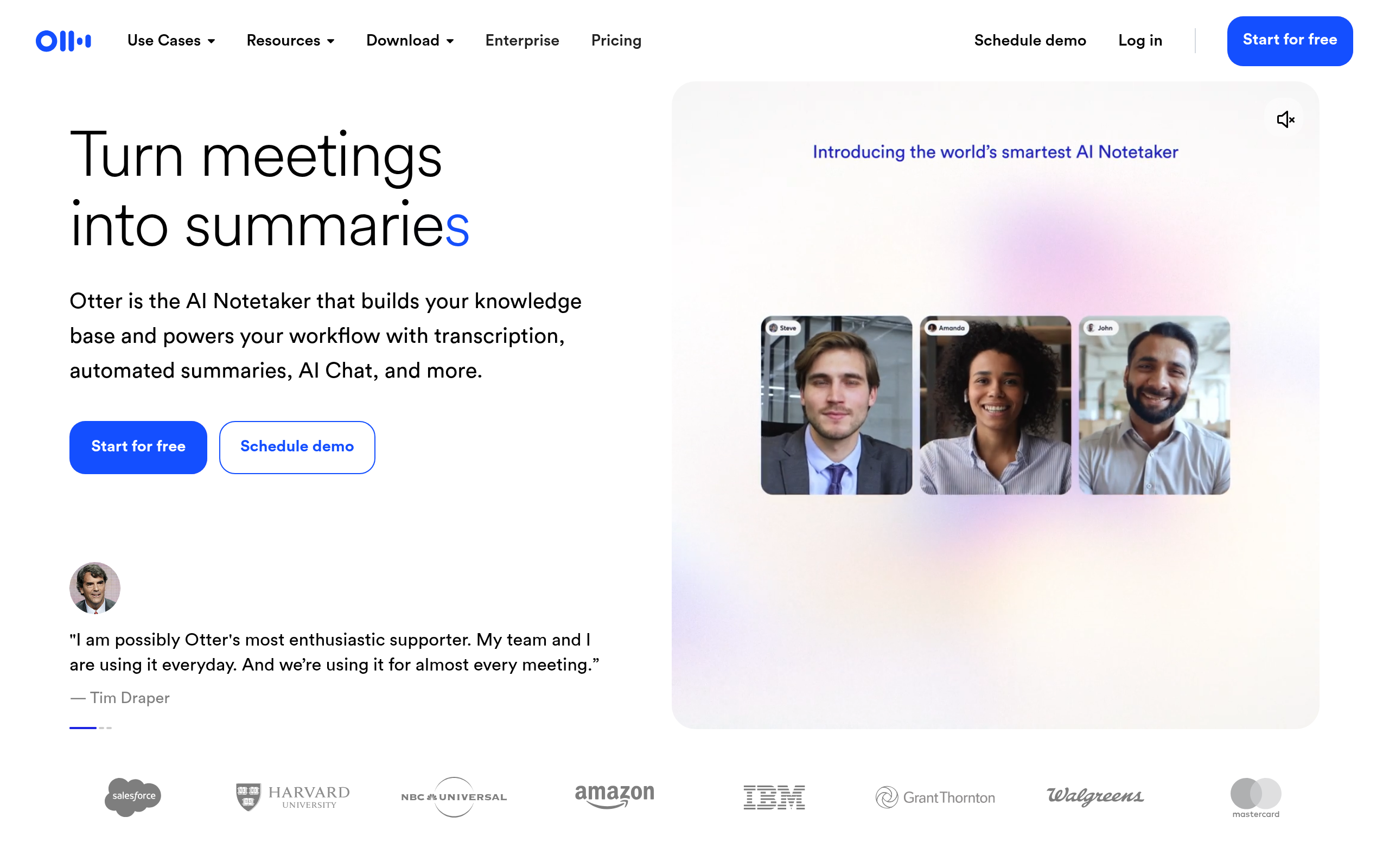
One of the key strengths of Otter.ai is its **real-time collaboration** features. During sales meetings, team members can view live transcripts, making it easier to stay on track and engage meaningfully. This feature is particularly advantageous for sales teams working in hybrid or fully remote environments, where clear communication is essential for success.
However, it's essential to be aware of some limitations. While Otter.ai excels in capturing live calls, its **file transcription capabilities** are somewhat restricted. This could be a drawback for sales organizations that deal heavily with recorded content, such as customer interviews or webinar exports. It might require additional tools to handle such file-based transcriptions, adding complexity to the workflow.
For teams needing a more comprehensive solution, **DeepScribe** presents itself as a strong contender. Unlike Otter.ai, it not only provides reliable meeting transcription but also covers extensive **file-based transcription** options. With capabilities for URL-based transcriptions and **SRT/VTT caption exports**, DeepScribe offers a seamless workflow for both meetings and file transcriptions in one platform.
In a fast-growing market, where 80% of businesses report positive impacts from AI-powered meeting tools, selecting a tool that aligns with your specific needs is crucial. If your focus extends beyond live meetings to include various media formats, considering a tool like DeepScribe may be beneficial.
## 3. Fireflies.ai — Feature-Rich for Call Analysis
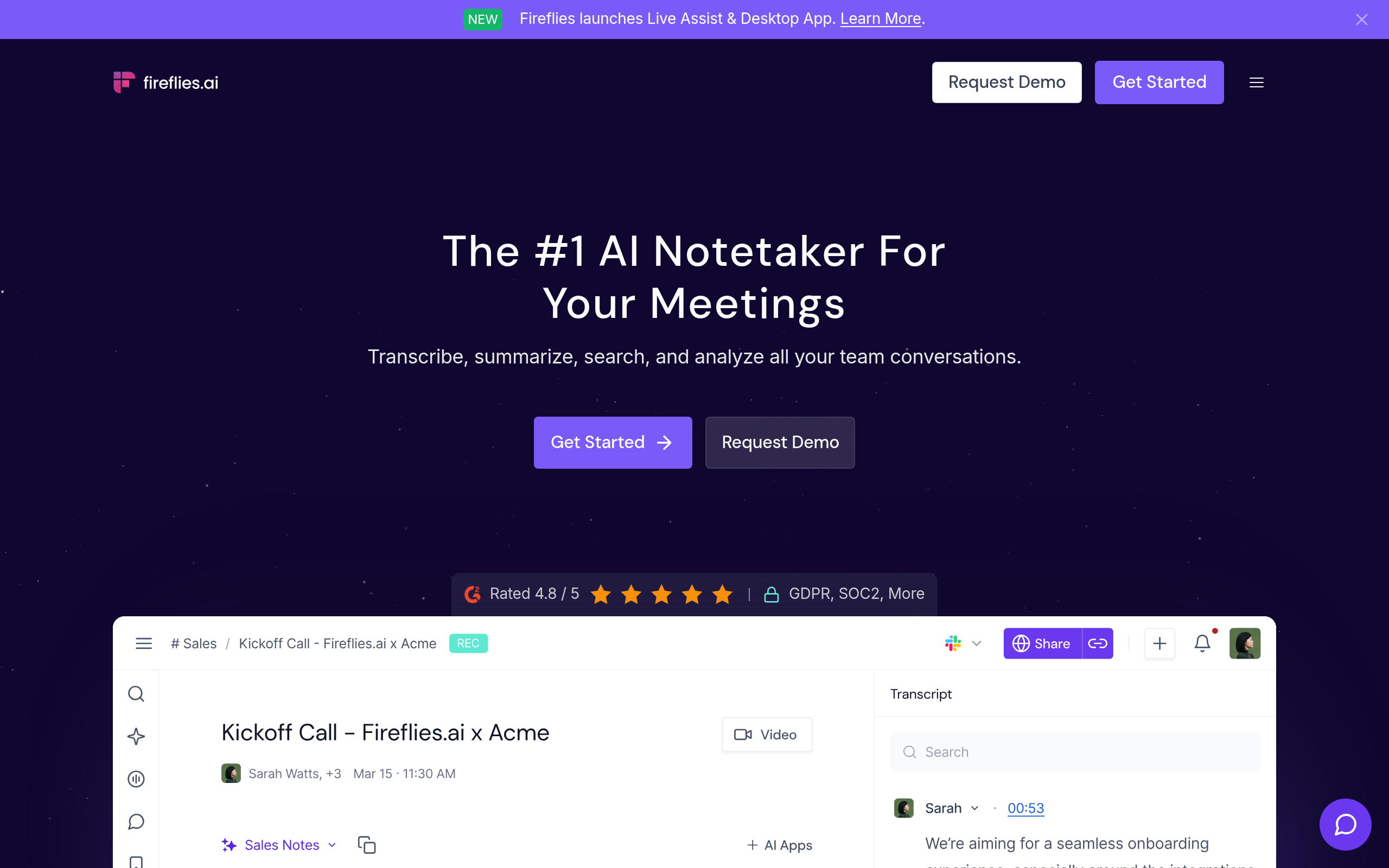
Fireflies.ai shines in the **call analysis scene**, thanks to its powerful CRM integrations and robust follow-up features. Designed to seamlessly blend into your existing workflow, Fireflies.ai offers automatic transcriptions and highlights key points from your meetings. Its ability to integrate with platforms like Salesforce and Slack means that action items and follow-up emails can be swiftly sent out, ensuring your team stays aligned.
### Strengths
- **CRM Integrations**: One of Fireflies.ai's standout features is its ability to integrate with popular CRM platforms. By logging meeting insights directly into your CRM, you can ensure that no valuable information slips through the cracks.
- **Robust Follow-Up Features**: Beyond transcription, Fireflies.ai excels at generating actionable insights. It helps in crafting personalized follow-up emails and task assignments, crucial for teams aiming to maintain strong client relationships.
- **Remote Work Note-Taking**: With the rise of hybrid work, having reliable remote note-taking is essential. Fireflies.ai captures and organizes these notes efficiently, offering a seamless experience for remote teams.
### Watch-outs
While Fireflies.ai offers many strengths, users should be aware of its **speaker labeling inconsistencies**. In multi-person calls, this can lead to confusion, especially when tracking specific contributions. Given that speaker attribution errors can lead to follow-up mistakes, this is an area where potential users should proceed with caution.
### When DeepScribe is a Better Fit
For teams needing more than just meeting transcripts, particularly those requiring both **file transcription and captioning** capabilities, DeepScribe provides a more comprehensive solution. DeepScribe excels not only in meeting notes but also in offering a unified workflow that includes reliable file transcription and SRT/VTT caption exports. This dual capability ensures teams avoid juggling multiple tools and can instead focus on streamlined operations.
In essence, while Fireflies.ai offers excellent integration and follow-up capabilities, consider DeepScribe if your needs extend to detailed transcription and captioning across both meetings and standalone files.
## 4. Gong — Best for Sales Performance Boosts
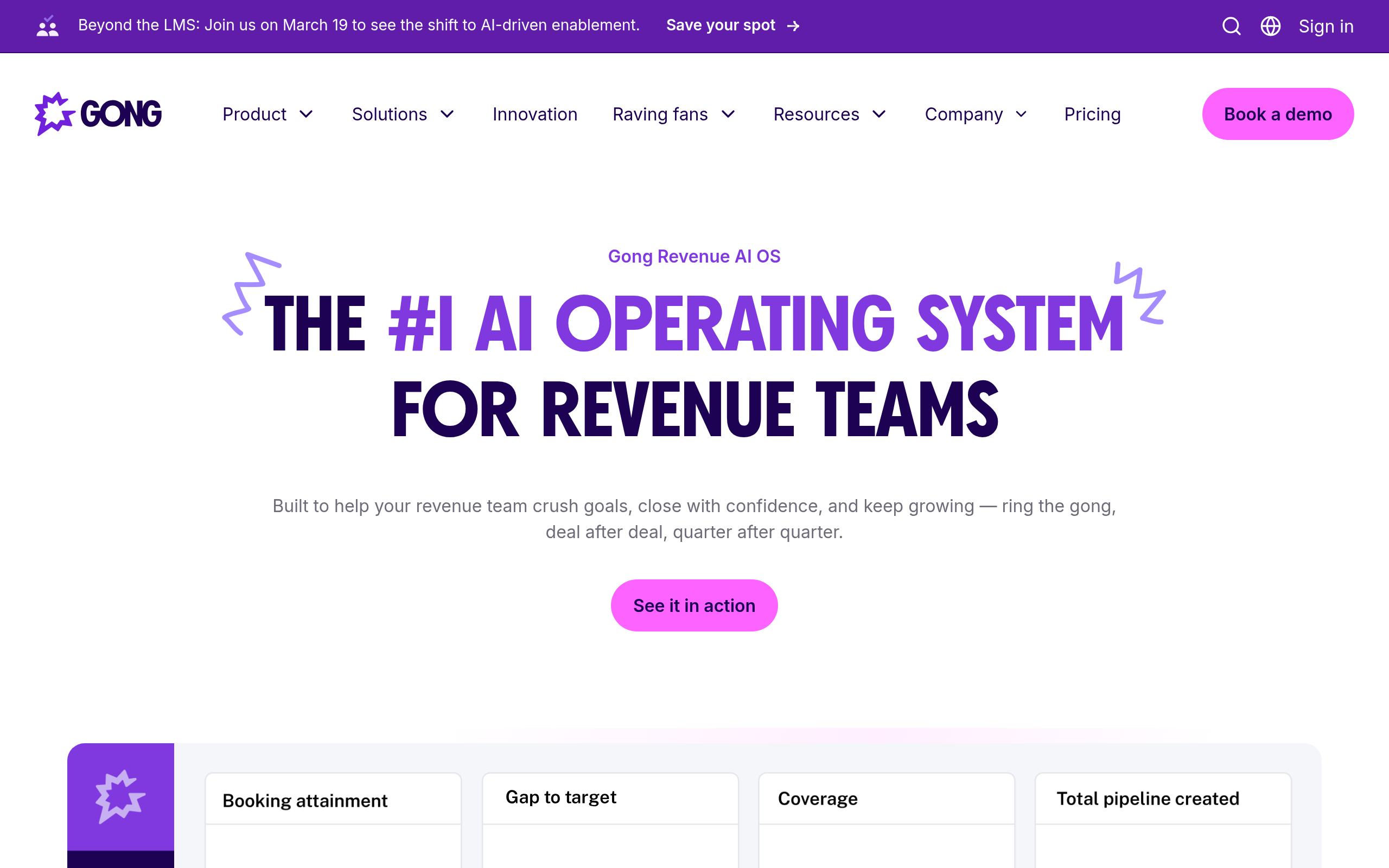
Gong is a standout in the realm of **AI meeting intelligence tools**, particularly celebrated for its capacity to enhance sales performance through comprehensive insights and analytics. With **sales call analysis** at its core, Gong offers detailed evaluations of customer interactions, enabling sales teams to identify patterns and optimize their strategies. This capability leads to significant boosts in sales performance—reported improvements around 25%, making it an invaluable asset for revenue teams focused on driving results.
**Strengths**:
- **Insights and Analytics**: Gong excels in turning complex conversational data into actionable insights. By analyzing calls, it pinpoints winning tactics, helping teams replicate successful engagements across the board.
- **Sales Performance**: Gong's analytics empower teams with data-driven strategies. It maps out effective sales pitches and highlights areas for improvement, enhancing the overall team effectiveness.
**Watch-outs**:
- **High Cost for Smaller Teams**: While Gong provides robust features, its pricing model might be prohibitive for smaller teams or startups. It's crucial to weigh the cost against the benefits, especially if the team's budget is constrained.
For those in need of a more **cost-effective transcription and meeting tool**, **DeepScribe** offers a comprehensive solution that includes not only **meeting notetaking** but also robust **file transcription** capabilities. DeepScribe supports multiple formats and exports, such as SRT/VTT, making it a versatile choice for teams needing both meeting and file transcription in one seamless workflow. This dual capability positions DeepScribe as a cost-efficient alternative for teams prioritizing both accuracy and budget.
> *"Implementing tools that handle both real-time transcription and post-meeting follow-ups enhances productivity."* — *Expert Insight[1]*
Ultimately, while Gong offers unparalleled sales-driven analytics, teams seeking a broader range of transcription services with integrated file handling may find **DeepScribe** to be a better fit for their needs.
## 5. Avoma — Excellent for Meeting Summarization
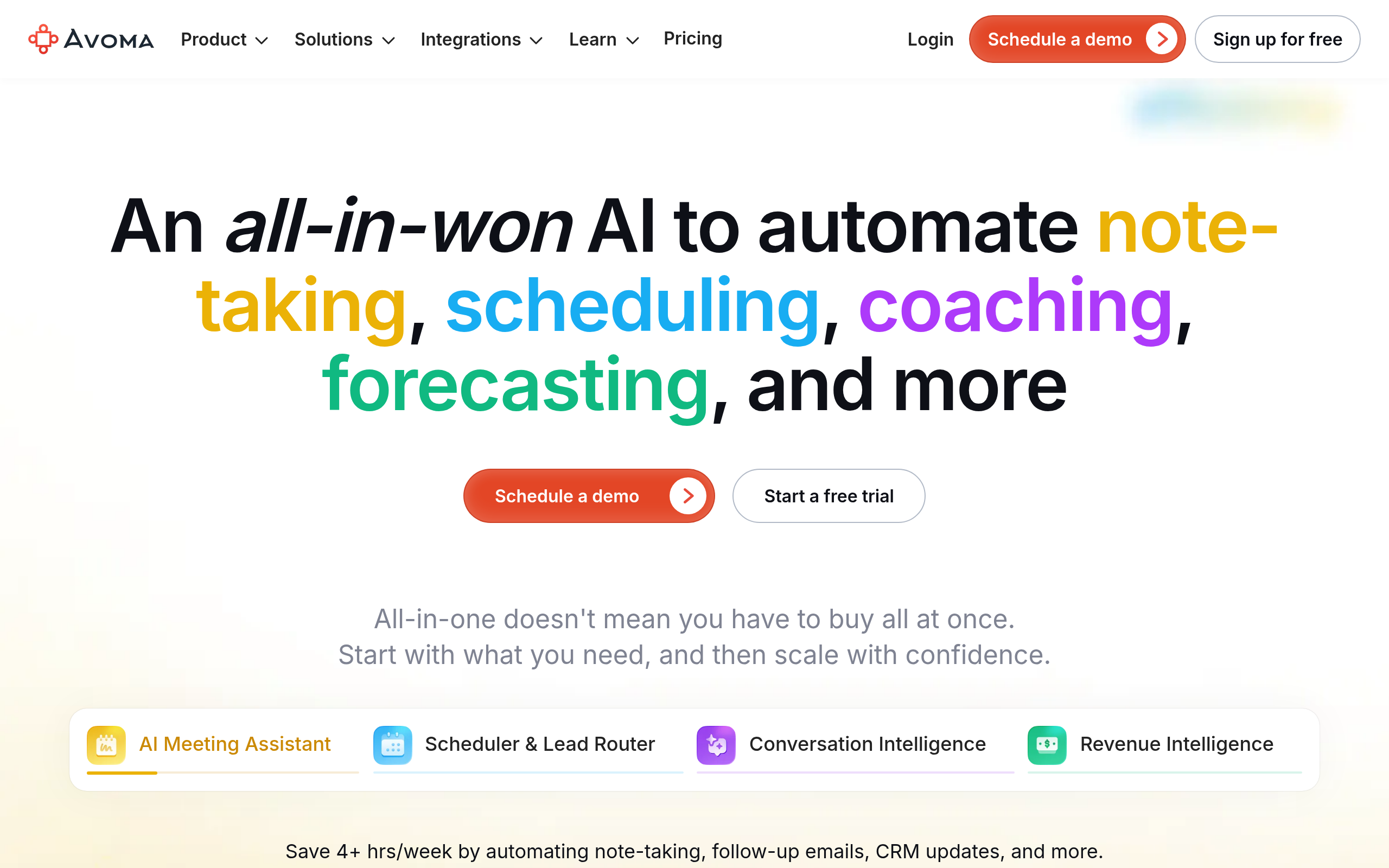
Avoma stands out as a top contender for meeting summarization, making it a favorite among teams seeking clarity in their conversation intelligence workflows. With a strong emphasis on producing insightful summaries, Avoma effortlessly integrates into various tech stacks, allowing users to weave its capabilities into their existing ecosystems without a hitch. **Strengths** include its ability to distill lengthy meetings into concise, actionable summaries that capture the essence of discussions, making it easier for team members to follow up on key points without wading through hours of recordings.
**Extensive Summary Options**
Avoma offers comprehensive summary features that elevate it in the realm of meeting intelligence tools. The software uses advanced AI algorithms to break down complex meetings into digestible summaries, allowing teams to quickly grasp the most critical aspects of any discussion. This is particularly beneficial for sales leaders and RevOps teams who need to keep their finger on the pulse of numerous proceedings without getting bogged down by details. The ease with which Avoma integrates into platforms like Slack and Zoom further enhances its flexibility and utility.
**Watch-Outs: File Transcription Limitations**
However, Avoma doesn't emphasize file transcription as strongly as some competitors. While it excels at real-time meeting analysis, users requiring extensive file transcription capabilities might find the offerings slightly lacking compared to tools like DeepScribe, which seamlessly combine meeting and file transcription workflows.
**When DeepScribe Is a Better Fit**
For teams that need a more holistic approach encompassing both meeting notetaking and robust file transcription, **DeepScribe** emerges as the stronger option. With its ability to handle various file types, provide accurate speaker labeling, and offer exports in formats like SRT and VTT, DeepScribe stands ready to deliver high-quality insights from both live meetings and pre-recorded files. This capability makes it a compelling choice for teams needing a comprehensive solution.
## 6. Sonix — Best for Multilingual Support
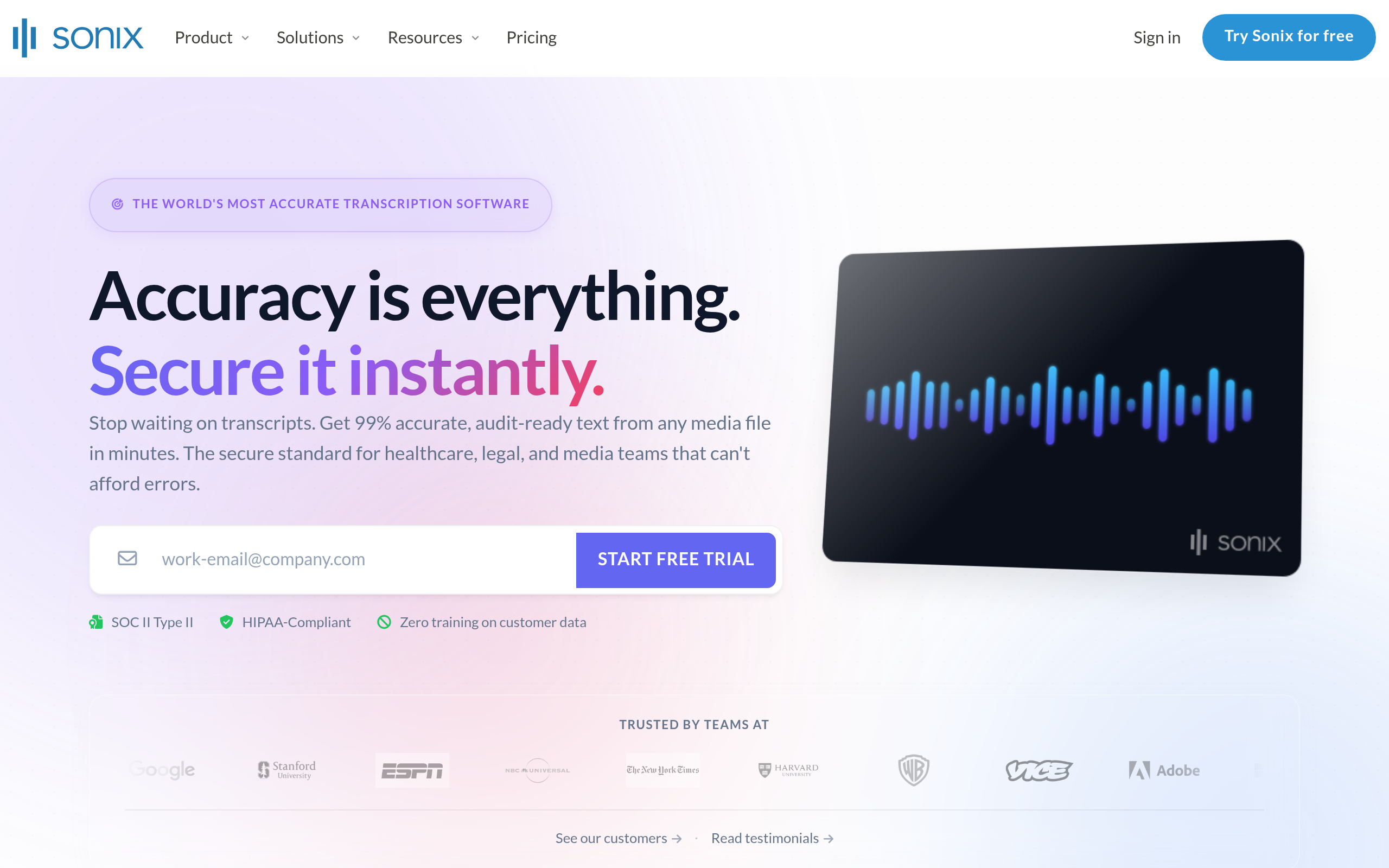
When it comes to **multilingual transcription**, Sonix shines with its ability to support a wide range of languages, making it a top choice for international teams. Whether you're working with Spanish, Mandarin, or Arabic, Sonix delivers high-quality transcription across the globe. This versatility is particularly valuable in our increasingly interconnected world, where businesses need to communicate effectively across language barriers.
One of Sonix's standout strengths is its **transcription speed**. Users can expect quick turnaround times, an essential feature for teams dealing with high volumes of audio or video content. The platform's efficiency ensures that language is not a barrier to productivity, allowing businesses to focus on what truly matters—building and maintaining strong international relationships.
However, while Sonix excels in language diversity and speed, it does have its limitations in the realm of **meeting note features**. If your team relies heavily on integrated note-taking capabilities during meetings, this might be a shortcoming to consider. For scenarios requiring features like detailed meeting notes, summaries, and speaker identification, platforms like **DeepScribe** may present a more comprehensive solution. DeepScribe's ability to integrate speaker labeling and provide detailed action items offers a more robust approach for capturing meeting insights.
Moreover, Sonix’s focus remains primarily on transcription, rather than additional capabilities such as **meeting follow-ups or action items**. For organizations that depend on these post-meeting outputs to drive projects forward, it might be worthwhile to look into tools that integrate these features seamlessly. With DeepScribe, you benefit from a platform that not only excels in multilingual transcription but also enhances meeting productivity with its integrated suite of tools.
For those interested in exploring transcription solutions beyond meetings, consider checking DeepScribe. The platform not only excels in real-time meeting intelligence but also offers **file transcription and SRT/VTT caption exports**, facilitating a comprehensive workflow from start to finish.
## 7. Rev — Reliable for Media Transcription
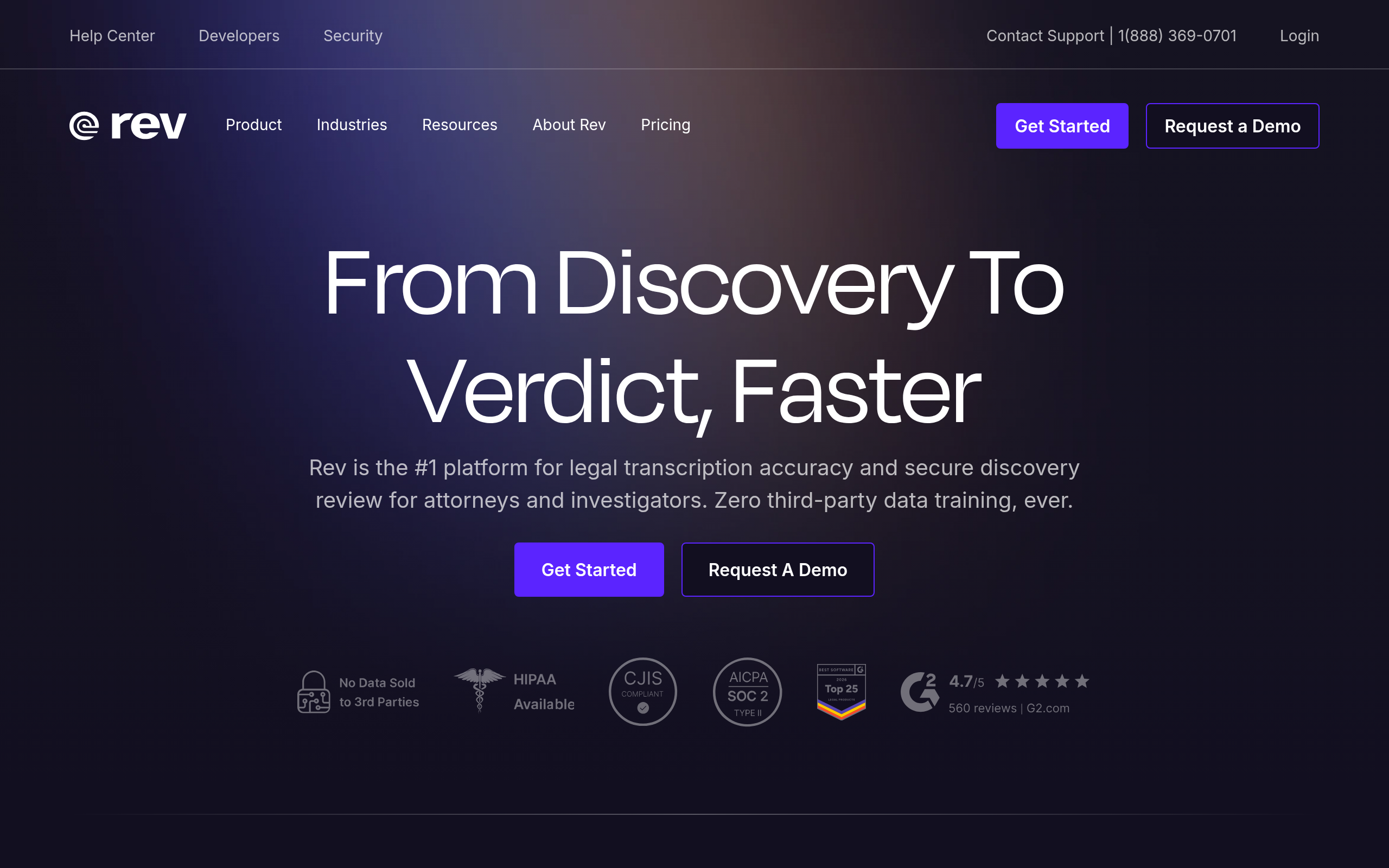
When it comes to high-accuracy, media-focused transcription, **Rev** stands out as a top contender. Its main strength lies in its exceptional ability to handle media transcriptions, offering a reliability that professionals in broadcasting, podcasting, and video production can count on. Rev's transcription service is known for its accuracy in converting audio to text, making it ideal for industries where precision is paramount.
However, while Rev is a powerhouse for media applications, it's important to note its limitations in meeting-focused scenarios. If your primary need includes robust meeting intelligence, particularly features like real-time speaker labeling and action item extraction from meetings, Rev might not be the best fit. Instead, this is where **[DeepScribe](https://deepscribe.io)** shines. With its dual strength in both meeting notetaking and media transcription, DeepScribe offers comprehensive solutions that Rev does not fully cover.
Rev is primarily utilized for its video to text capabilities, which makes it a go-to for those focusing on media transcriptions that don't require the comprehensive meeting features offered by platforms like DeepScribe. Its lack of emphasis on meeting-specific functionalities such as generating follow-ups or detailed summaries post-call can be a drawback for those needing a more rounded meeting transcription solution.
For teams needing a holistic tool that does more than convert audio to text, combining meeting transcription, automatic speaker labeling, and actionable insights, DeepScribe is likely the better choice. It seamlessly handles both media files and live meetings, serving up everything from real-time transcription to action items and even subtitle exports, streamlining workflows in one cohesive platform.
Ultimately, if your priority is media transcription without the added complexity of meeting intelligence, Rev remains a reliable option. But if you're looking for a more integrated solution, DeepScribe stands as a strong contender, ready to handle both media and meeting transcription needs efficiently.
## 8. Airgram — Ideal for Smaller Teams
Navigating the AI meeting intelligence landscape can be daunting, but for smaller teams seeking simplicity with a budget-friendly approach, **Airgram** stands out. Its primary strength lies in its straightforward interface and affordability, which makes it a go-to option for teams that prioritize basic functionality without overwhelming complexity.
### Strengths
Airgram shines with its user-friendly interface, ensuring seamless navigation. This simplicity is a boon for teams that may not have the technical expertise or time to manage complex systems. It's designed to handle the essential needs of meeting transcription and note-taking without the frills. **Affordability** is another key factor, making it accessible for startups and smaller teams operating with limited budgets.
### Watch-outs
However, Airgram’s simplicity comes with limitations. It lacks some advanced integrations that growing teams may need as their requirements evolve. This might mean missing out on deeper CRM integrations or robust workflow integrations that can automate action items into platforms like Slack or Jira. Teams requiring these capabilities may find Airgram’s offering somewhat basic.
### When DeepScribe is a Better Fit
For teams ready to level up with **advanced AI features**, **DeepScribe** is a compelling choice. DeepScribe not only offers superior transcript accuracy powered by AI but also excels in speaker labeling and extracting actionable insights with **summaries and tasks** that seamlessly integrate into existing workflows. Moreover, its ability to handle both live meeting notetaking and file transcription with SRT/VTT exports in a single platform makes it a versatile tool for organizations looking to streamline their operations.
For those interested, you can explore more about DeepScribe's offerings [here](https://deepscribe.io).
Overall, while Airgram serves as an excellent starting point for smaller teams, those seeking to expand their capabilities as they grow should consider the added value that DeepScribe brings to the table.
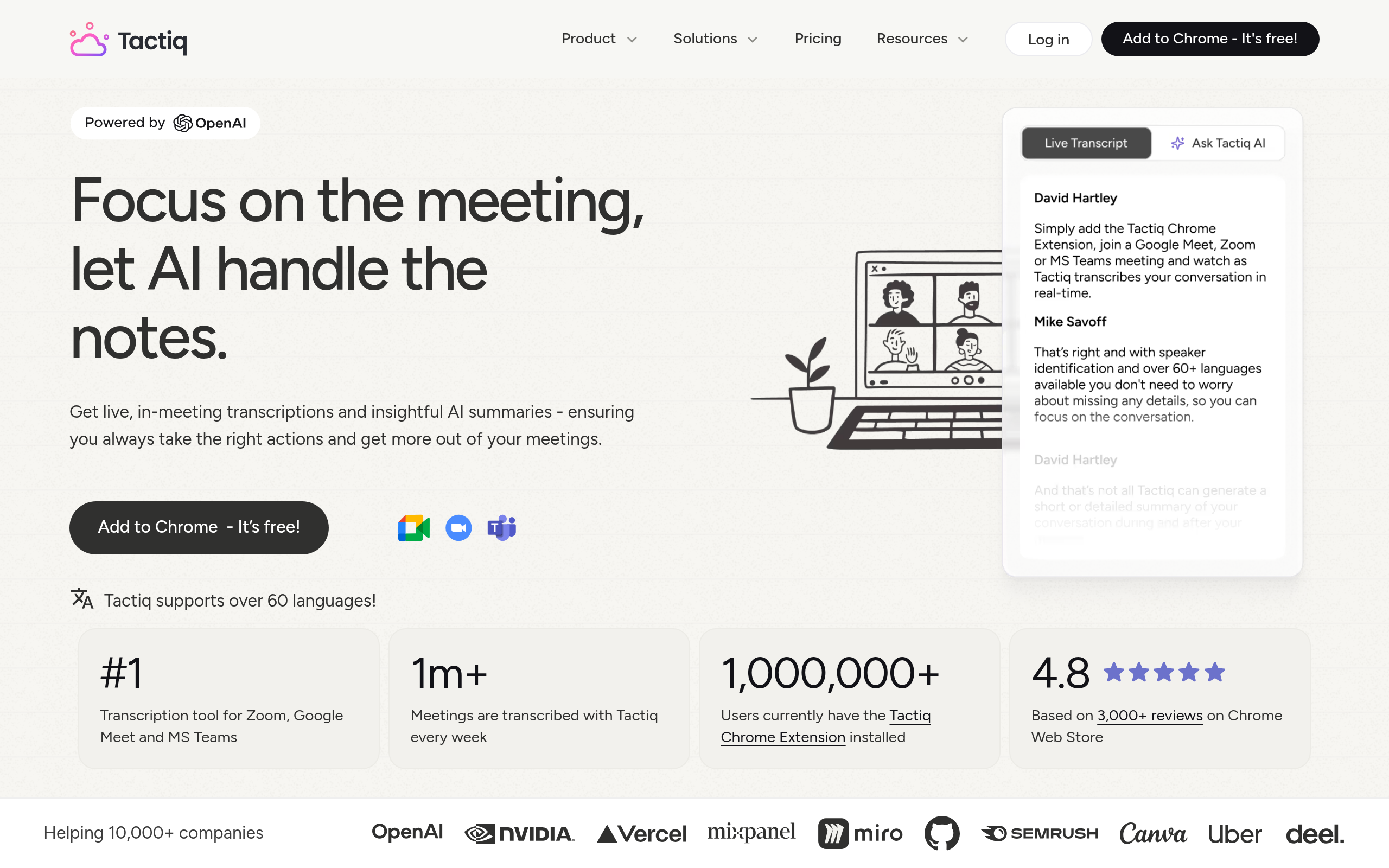
## 9. Tactiq — Best for Slack Integration
Navigating the bustling world of remote work, **Tactiq** shines for teams embedded in the Slack ecosystem. Its strength lies in its seamless Slack integration, offering a streamlined experience for users who rely on Slack for communication and coordination.
**Strengths**: The key insight here is Tactiq’s exceptional ability to integrate directly with Slack. This feature allows for real-time sharing of meeting notes, ensuring that action points never slip through the cracks. With its user-friendly design, Tactiq makes it easy to annotate and share meeting insights within Slack channels. This reduces the friction of transferring information between platforms, allowing teams to stay synchronized effortlessly.
**Watch-outs**: However, Tactiq's primary limitation is its somewhat restricted functionality when operating as a standalone application. While it excels in environments rich with Slack communication, its features might feel limited outside this specific integration. Teams looking for a more robust, all-encompassing meeting intelligence solution might find the standalone features lacking compared to competitors.
**When DeepScribe is a better fit**: For those who need a comprehensive platform capable of handling more than just Slack integrations, **DeepScribe** emerges as a strong contender. With its ability to manage meeting note-taking, file transcription, and export outputs like SRT/VTT captions all within a single workflow, DeepScribe caters to teams needing broader transcription capabilities. Its meeting bot functionality and multilingual transcription support are designed to meet diverse organizational needs, ensuring each conversation is harnessed into valuable data.
For sales leaders and managers seeking to elevate team communication efficiency, these insights into AI meeting intelligence tools provide a robust framework to evaluate solutions that fit not just current, but also future communication requirements. Looking for a holistic tool to enhance both meeting documentation and broader transcription needs? Start your journey with [DeepScribe](https://deepscribe.io) and discover the difference.
## Which Tool Should You Pick? Five Common Scenarios
When it comes to selecting the right AI meeting intelligence tool, understanding your specific needs is crucial. Here's how to evaluate these tools for different scenarios and why **DeepScribe** often emerges as the best choice.
### 1. **Sales Teams**
**Key Insight:** Sales teams thrive on actionable insights and clarity.
- **Requirements:**
- High-quality transcripts with accurate speaker labeling to ensure clear attribution.
- Summaries and action items that flow seamlessly into the CRM and follow-up emails.
- Integration with platforms like Zoom or Microsoft Teams for seamless post-call analysis.
**DeepScribe Fit:** With **Whisper-powered** accuracy and integration capabilities, DeepScribe simplifies post-meeting workflows. The platform’s ability to auto-extract action items and push updates directly into CRMs is a significant advantage, helping drive the reported 25% boost in sales performance seen with similar platforms[^1^].
### 2. **Customer Success/QBR-Heavy Teams**
**Key Insight:** For customer-facing teams, flawless documentation is critical.
- **Requirements:**
- Consistent speaker labeling and summaries tailored for quick business review turnaround.
- Follow-up actions and decisions documented accurately to maintain client relationships.
- Ability to handle recordings from various meetings for later review.
**DeepScribe Fit:** DeepScribe excels with its precise speaker detection and labeling, ensuring that every client's query or feedback is captured correctly. Its real-time transcription and summary generation mean fewer missed details during Quarterly Business Reviews (QBRs).
### 3. **Internal Leadership Cadence**
**Key Insight:** Leadership meetings need clarity and strategic follow-through.
- **Requirements:**
- High-quality transcripts that are easy to revisit.
- Summaries that emphasize strategic decisions and action plans.
- Secure and confidential handling of sensitive company data.
**DeepScribe Fit:** Known for its security with **end-to-end encryption** and **SOC 2 Type II compliance**, DeepScribe offers peace of mind. The platform effectively distills lengthy leadership meetings into core strategic points and follow-ups, ensuring decisions translate directly into action.
### 4. **Heavy Asynchronous Teams**
**Key Insight:** Asynchronous teams rely on detailed, accessible documentation.
- **Requirements:**
- Accessible transcripts compatible with Slack and Confluence to update remote team members.
- Summaries and task allocations that are immediately actionable.
**DeepScribe Fit:** The flexibility of exporting transcripts and summaries into formats ready for platforms like Slack makes DeepScribe ideal for async teams. An **Expert Opinion** even suggests pushing summaries to collaborative tools to automate tasks[^2^].
### 5. **Heavy File Transcription/Captions**
**Key Insight:** Managing multiple file types and formats requires robust tools.
- **Requirements:**
- Ability to transcribe and caption various media formats, like webinars and customer interviews.
- High accuracy in transcription that supports different file formats (MP3, MP4, etc.).
**DeepScribe Fit:** With support for numerous file formats and quick processing, DeepScribe stands out. Its subtitle and caption generation capabilities ensure that all media content becomes accessible and searchable, streamlining workflows that involve heavy file usage.
> **Takeaway:** As organizations increasingly rely on AI meeting intelligence tools to streamline workflows, the choice of tool can significantly impact productivity and strategic execution. DeepScribe's comprehensive feature set, combined with its ability to handle both live meeting transcriptions and diverse file types, makes it a versatile and powerful option for various team needs.
### Comparison Table
| Scenario | Key Requirement | DeepScribe Advantage |
|-----------------------|----------------------------------------|----------------------------------------------------------------|
| Sales Teams | CRM integration, actionable follow-ups | Whisper-powered accuracy, CRM readiness |
| CS/QBR-Heavy Teams | Clear labeling, accurate documentation | Precise speaker detection, robust follow-up features |
| Internal Leadership | Strategic summaries, secure handling | End-to-end encryption, focused strategic action summaries |
| Asynchronous Teams | Export to collaboration platforms | Flexible exports, enhanced workflow automation |
| File Transcription | Variety of formats, high accuracy | Extensive format support, efficient processing and exporting |
[^1^]: Source indicating sales performance boost via sales-focused meeting intelligence platforms.
[^2^]: Expert Opinion highlighting automated task creation via collaborative tools integration.
## Implementation Playbook for AI Meeting Tools
Rolling out AI meeting intelligence tools effectively requires a structured approach. Here's how to ensure a smooth integration and maximize their benefits for your team.
### 1. Steps for Rollout and Governance
**Begin with a pilot phase**: Start small by selecting a group of early adopters within your team. This pilot will help you identify potential issues and gather feedback on tool performance, especially focusing on the key outputs: transcript quality, speaker labeling, summaries, and action items. This initial phase can highlight areas for improvement before a wider rollout.
**Establish clear goals and KPIs**: Define what success looks like for your team. Are you aiming to improve meeting minutes automation or enhance CRM notes automation? Set measurable goals like a reduction in manual note-taking time or an increase in accuracy for meeting summaries.
**Ensure training and resources**: Provide comprehensive training sessions for your team to become familiar with the tool's features. Make resources like FAQs and user manuals easily accessible. Training should emphasize features like meeting transcription, speaker identification, and exporting notes, which are crucial for productivity.
**Govern policies and privacy**: Implement governance policies that align with your organization's security standards. This includes permissions for data access, consent for recording meetings, and guidelines on data retention and deletion.
### 2. Integrating Summaries with Slack/Confluence/Jira
**Leverage automation**: Automating the push of meeting summaries and action items into collaboration tools like Slack, Confluence, and Jira streamlines workflows. Many AI meeting tools offer native integrations or APIs to facilitate this process.
- **Slack**: Use bots or automated workflows to push action items into team channels for real-time visibility.
- **Confluence**: Integrate summaries into your knowledge base, ensuring they are searchable and attributable to specific meetings.
- **Jira**: Convert action items into tasks directly linked to your team’s project boards, enabling seamless transitions from discussion to execution.
> **Expert Insight[1]:** Implementing tools that handle both real-time transcription and post-meeting follow-ups enhances productivity.
### 3. Best Practices for Adoption
**Encourage feedback and iteration**: Regularly solicit feedback from users to understand their experiences and gather suggestions for improvement. This helps in iteratively refining tool usage and addressing any user concerns promptly.
**Highlight quick wins**: Share success stories from teams or individuals who have benefited from the tool. This can motivate others to adopt new workflows and recognize the tool's value.
**Collaborative monitoring**: Assign team leads to oversee the tool’s usage and share best practices. Encourage open communication about the features that enhance productivity and those needing tweaks.
### 4. Continuous Evaluation and Updates
Stay informed about updates from your AI meeting tool providers. Regularly reassess how well the tool meets your evolving needs, particularly in areas like automated note-taking, speaker labeling, and integration capabilities.
With these steps, your AI meeting tools can transform from a simple utility into a vital component of your team's workflow, delivering measurable improvements in efficiency and collaboration.
## Frequently Asked Questions
### What are AI meeting intelligence tools?
AI meeting intelligence tools automate transcription, speaker labeling, summaries, and action items from meetings.
### How accurate are AI meeting transcripts?
Tools like DeepScribe boast up to 99% accuracy, handling various accents and audio quality.
### Can AI tools summarize meetings effectively?
Yes, advanced tools can provide concise summaries and clear action items.
### How does speaker labeling work in AI tools?
AI algorithms identify and tag different speakers during a conversation for clarity.
### Why choose DeepScribe over other tools?
DeepScribe offers comprehensive transcription with both meeting and file capabilities, including captioning.
## Final Thoughts
In an era where AI is transforming meeting management, selecting the right tool is crucial for maximizing productivity. Here are the key takeaways:
- **Comprehensive Features**: Look for tools that offer meeting notes, transcription, and action items for streamlined workflow.
- **Integration Capabilities**: Seamless integration with existing platforms enhances efficiency.
- **Security and Compliance**: Ensure the tool provides strong security measures like end-to-end encryption and compliance with standards like SOC 2 Type II.
If you need a solution that combines precise meeting notes, transcription, and captions, DeepScribe stands out. With its high accuracy, reliability, and security features, it offers a complete package.
Ready to streamline your meetings? Start free with no credit card required, or book a more detailed demo for larger teams. Explore what [DeepScribe](https://deepscribe.io) can do for you today!Written by

DeepScribe Team
Content Team
The DeepScribe content team shares insights on audio transcription and AI technology.
Related Articles
Continue reading about this topic
9 Best AI Meeting Intelligence Tools for Notes & Action Items
Discover the top AI meeting intelligence tools that excel in transcript accuracy, speaker labeling, and more. Learn how to choose the right tool for your needs.

DeepScribe Team
March 6, 2026 · 26 min read · 5,092 words
What Is Meeting Intelligence Software and Why It Matters
Meeting intelligence software turns conversations into actionable insights. Learn its core benefits and how to choose the right tool for your needs.
DeepScribe Team
February 26, 2026 · 12 min read · 3,827 words